098-00720-000 Revision D1 – February, 2018 SyncServer 600 Series User’s Guide 71
Chapter 3
MENU Button
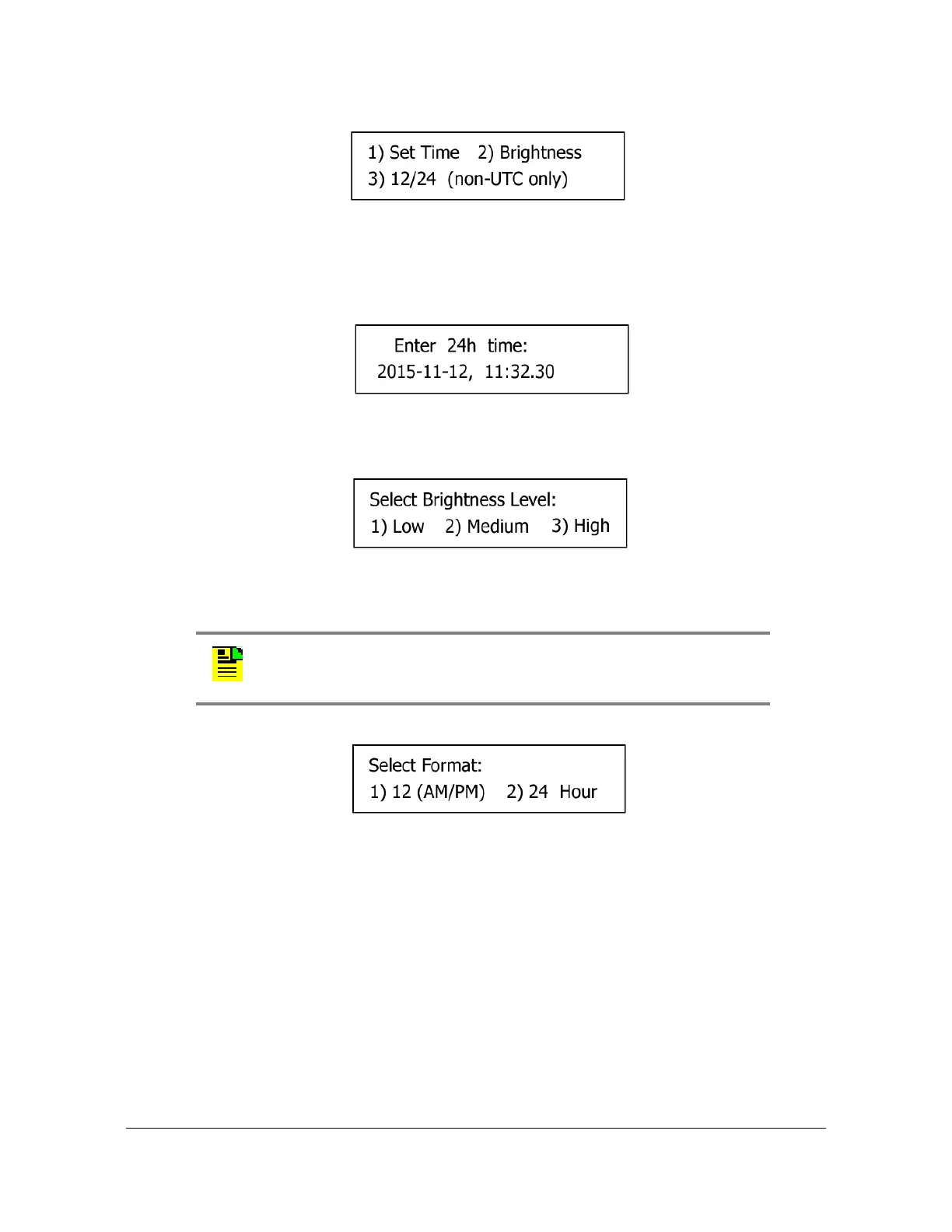
Figure 3-7. Display Menu Screen
1. Set Time: Enter the UTC date and time using 24-hour format. Select OK to apply
the entered time to the Hardware Clock and not use external time references.
See Figure 3-8.
Figure 3-8. Set Time Screen
2. Brightness: Adjust the brightness of the front panel display. See Figure 3-9.
Figure 3-9. Set Brightness Screen
3. 12/24 (non-UTC Only): Select a 12 (AM/PM) or 24-hour clock format. See Figure
3-10.
Figure 3-10. Select Time Format Screen
Many keypad functions timeout after approximately 10 seconds of inactivity (no user
inputs).
Sys Control
Selecting Sys Control brings up the Shutdown / Factory Default screen on the
display, as shown in Figure 3-11.
Note: The 12/24 and 24 Hour only appear if a local time zone has
been specified via the web inteface.



 To Next Page