84 SyncServer 600 Series User’s Guide 098-00720-000 Revision D1 – February, 2018
Chapter 4
Status / Information Windows
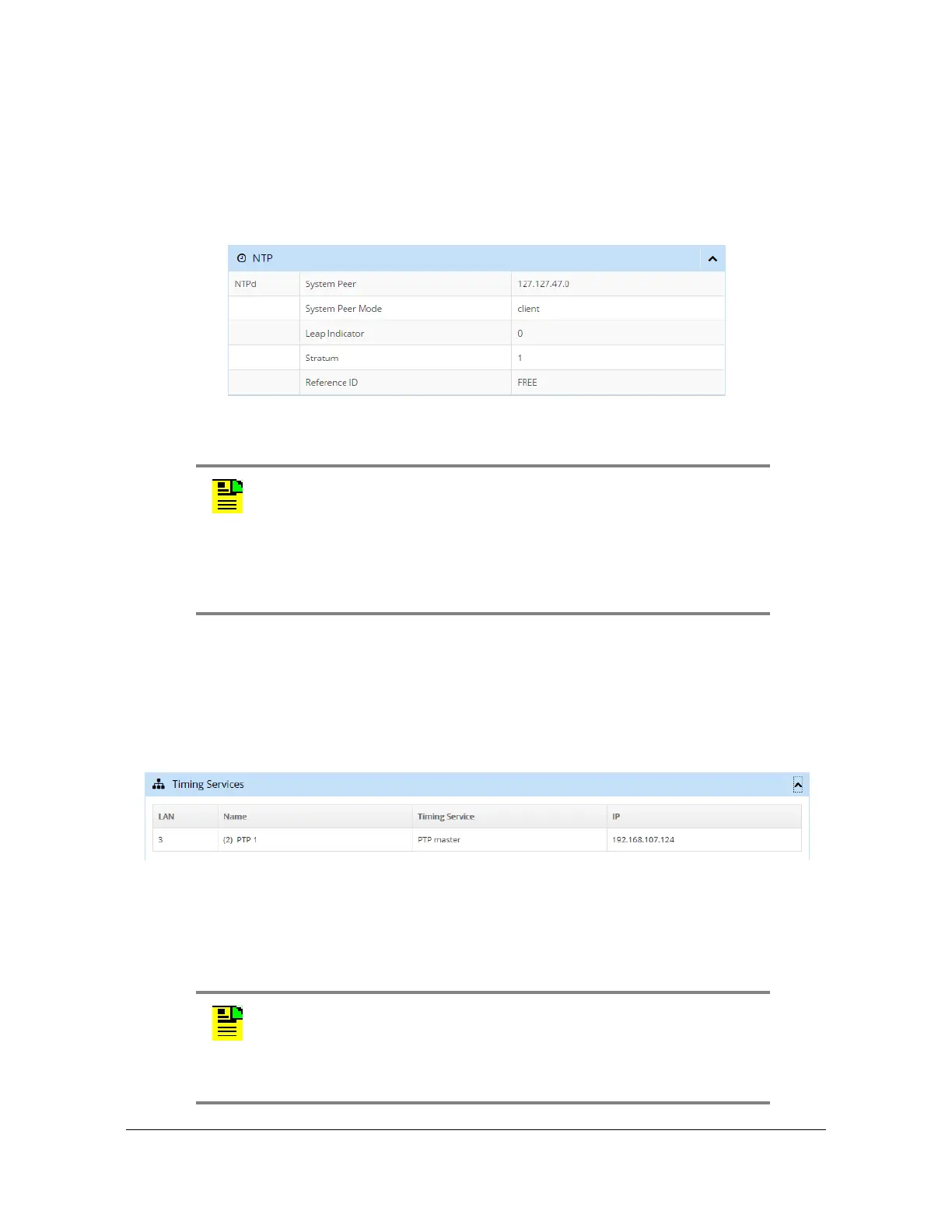
NTP Status & Information
The NTP window in the dashboard, as shown in Figure 4-8, displays status details
and information about the NTP configuration.
Figure 4-8. NTP Window
Timing Services Information
The Timing Services window in the dashboard, as shown in Figure 4-9, displays
status details and information about the NTP reflector and PTP configuration.
Figure 4-9. Timing Services Window
Timing Services Status
The Timing Services Status window in the dashboard, as shown in Figure 4-10,
displays status details and information for the NTP reflector and PTP.
Note: The dashboard will provide Leap indicator information as soon
as it is available. For GPS, this is usually many months ahead.
The Leap indicator information in the NTP messages sent out the
Ethernet port(s) will only be sent out the last 24 hours before the
event for the "01" or "10" values of this parameter. See
Table 4-5 for
more details about the Leap indicator.
Note: The row labeled with "Service" is a configuration of the port.
The Timing Services Status window shows this configuration. For
PTP, the actual PTP Grandmaster operational state as either Passive
or Master is found in the window Network Timing > NTPr/PTP Status,
in the row "Port State". See
Figure 4-27.



 To Next Page