098-00720-000 Revision D1 – February, 2018 SyncServer 600 Series User’s Guide 215
Chapter 6 Provisioning
Provisioning Outputs
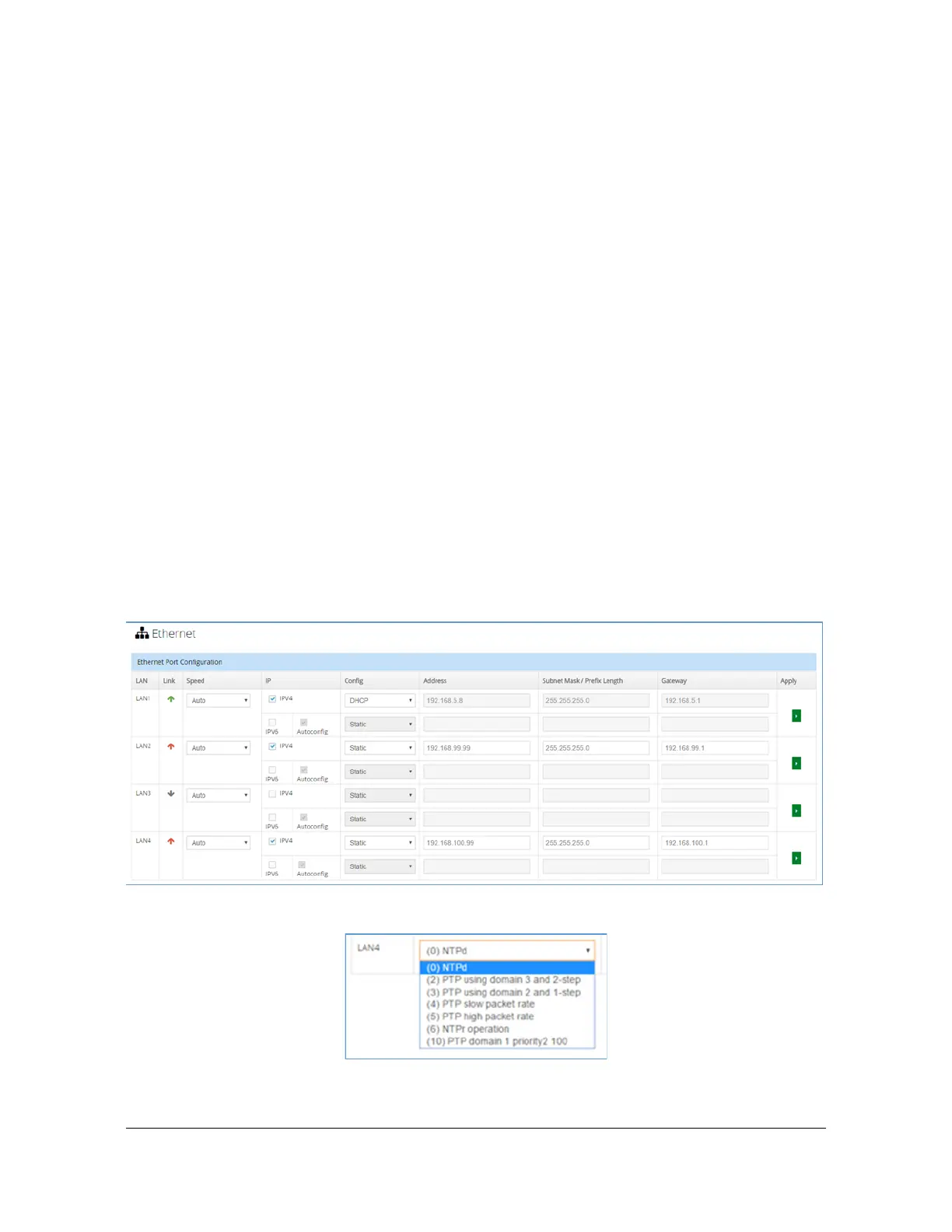
Next, the desired service is selected from the list box in the Service Name column.
Since this example maps the service to LAN4, the list box from that row is used.
Figure 16 shows the selection set. This list will always show the first two columns of
whatever has been configured on Figure 6-18. As will be seen, the list does not filter
out selections that may not actually be allowed per the combined mapping rules
column of Table 6-16; the list always shows all services that could possibly be
assigned to that port.
Selection of the service associated with internal ID (10), results in Figure 6-22. Note
that this row is highlighted as indication that this assignment is not actually
complete. The apply button on the right of this row is now available as indication
that something needs to be saved.
Selection of apply will attempt to complete the mapping. This action causes any
specific mapping rules (see Table 6-16) to be enforced, which could lead to
non-acceptance of the candidate entry (more about this later). In this case the
mapping meets all requirements and is accepted, the form after acceptance is
shown in Figure 6-23. This service is now active on LAN4.
The current mapping of network timing services to LAN ports can also be observed
on the Dashboard >Timing Services form. Figure 6-24 shows how this looks with
the example just shown. As can be seen this form also shows LAN1 which in 2.0
release is always mapped to NTPd.
Figure 6-20. Example configuration on Network > Ethernet form
Figure 6-21. Timing Services choices appear in list box



 To Next Page