© 2014 Mold-Masters (2007) Limited. All Rights Reserved.
Revised 1 Oct, 2014
E-7
SEQUENCE VALVE GATE
Parts 4 & 5 - Setting Gate Open and Close Points
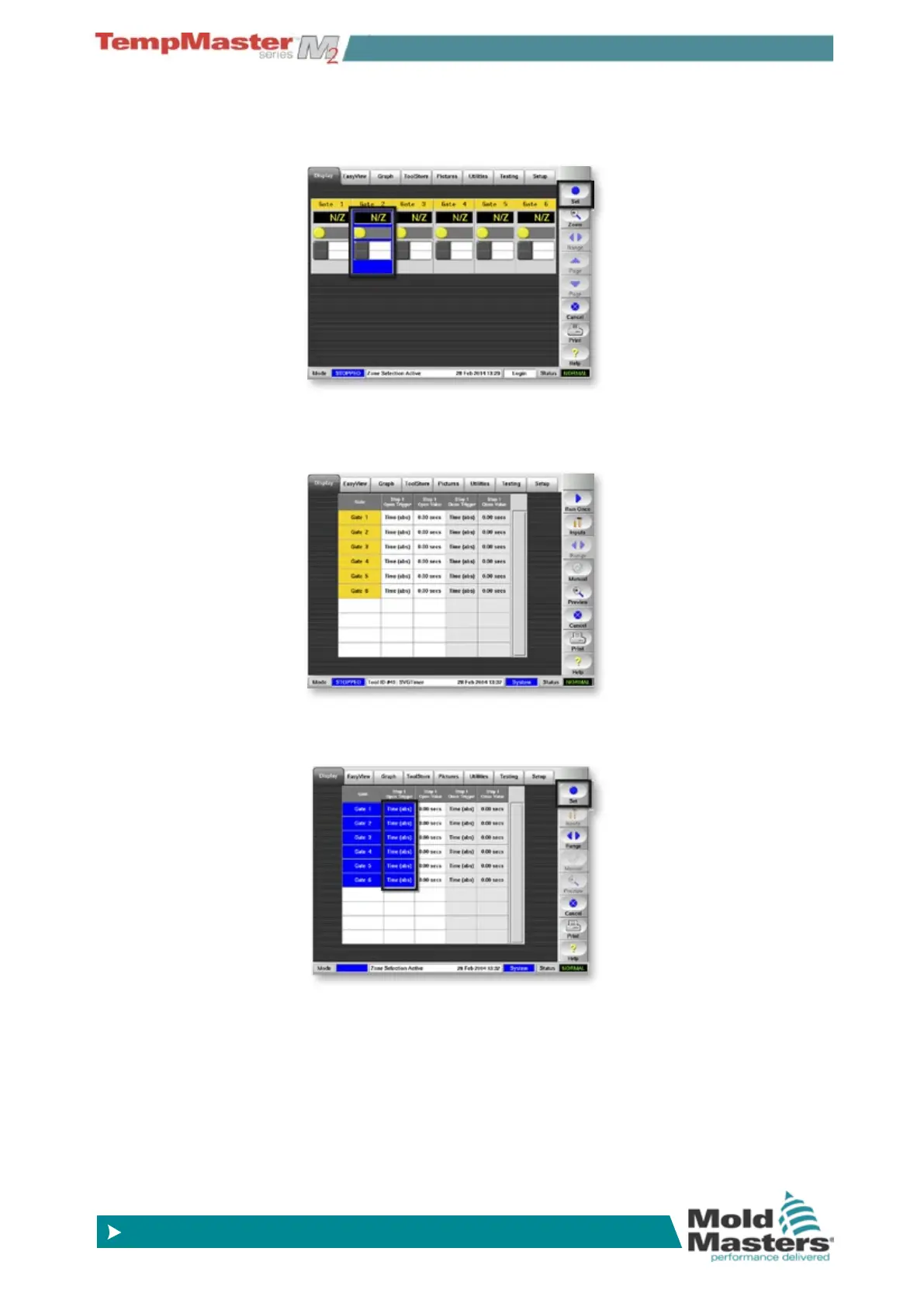
1. At the display Page touch and one zone and choose [Set]
2. This opens the gate trigger page which defaults to Absolute time
with 0 seconds all round.
3. Select all the gates, touch anywhere in the “Open Trigger” column
and choose [
Set] .



 To Next Page