© 2014 Mold-Masters (2007) Limited. All Rights Reserved.
Revised 1 Oct, 2014
E-8
SEQUENCE VALVE GATE
Setting Gate Open and Close Points - contd.
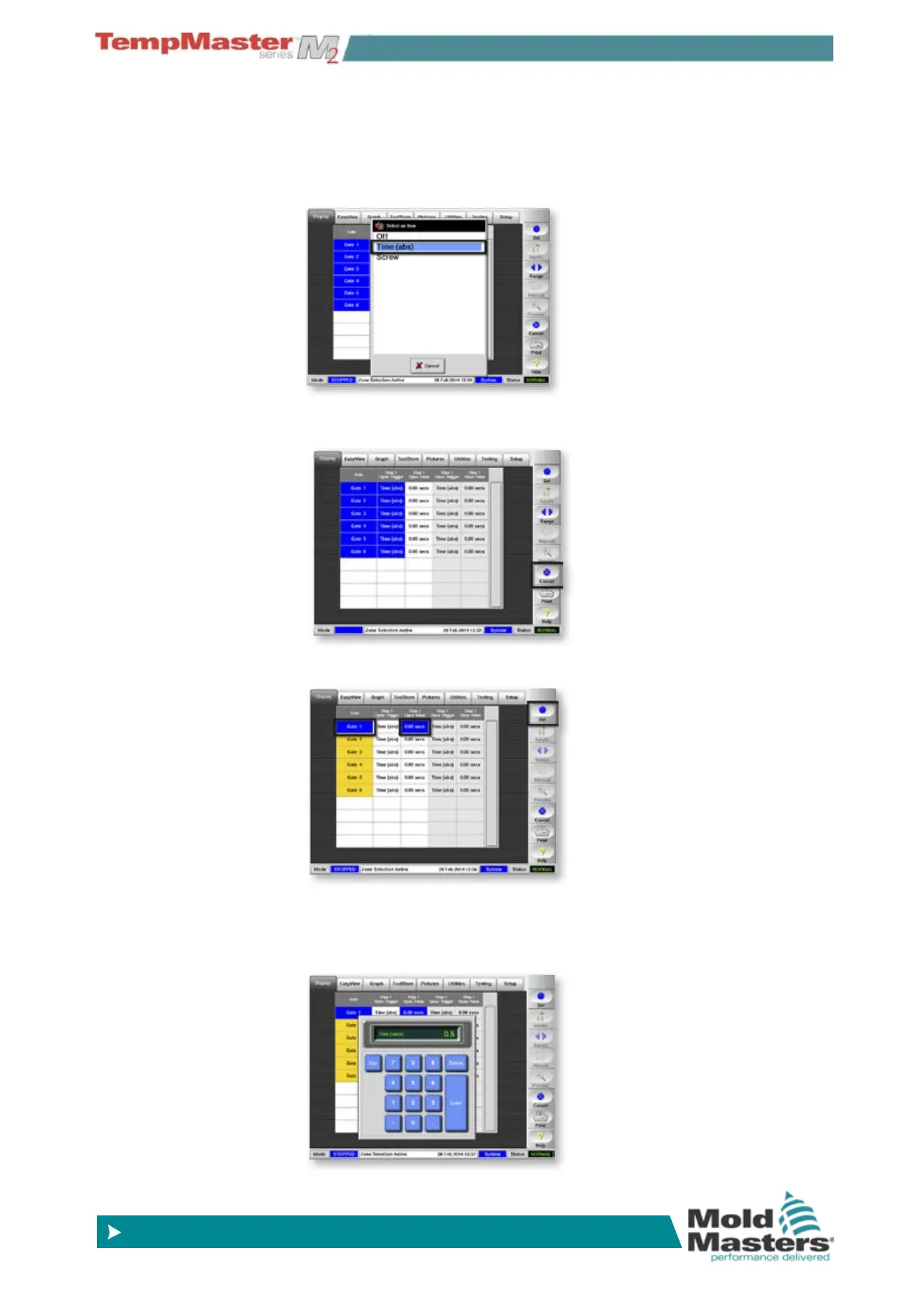
4. In the List box that opens select your preferred Opening Trigger
- in this example, it remains as “Time (abs)”.
This is time counted by an internal timer that starts at the begin-
ning of the cycle and resets to zero at the end.
5. This takes you back to the second screen where you can choose
[
Cancel] to deselect all.
6. To start setting Gate open times choose the rst gate, touch in the
“Open Value” column and choose [
Set].
7. In the keypad that displays choose your preferred open time for
the rst gate - in this example it is set at 0.5 seconds.
Touch [
Ent] to conrm your time setting and return to the main
screen.



 To Next Page