© 2014 Mold-Masters (2007) Limited. All Rights Reserved.
Revised 1 Oct, 2014
E-9
SEQUENCE VALVE GATE
Setting Gate Open and Close Points - contd.
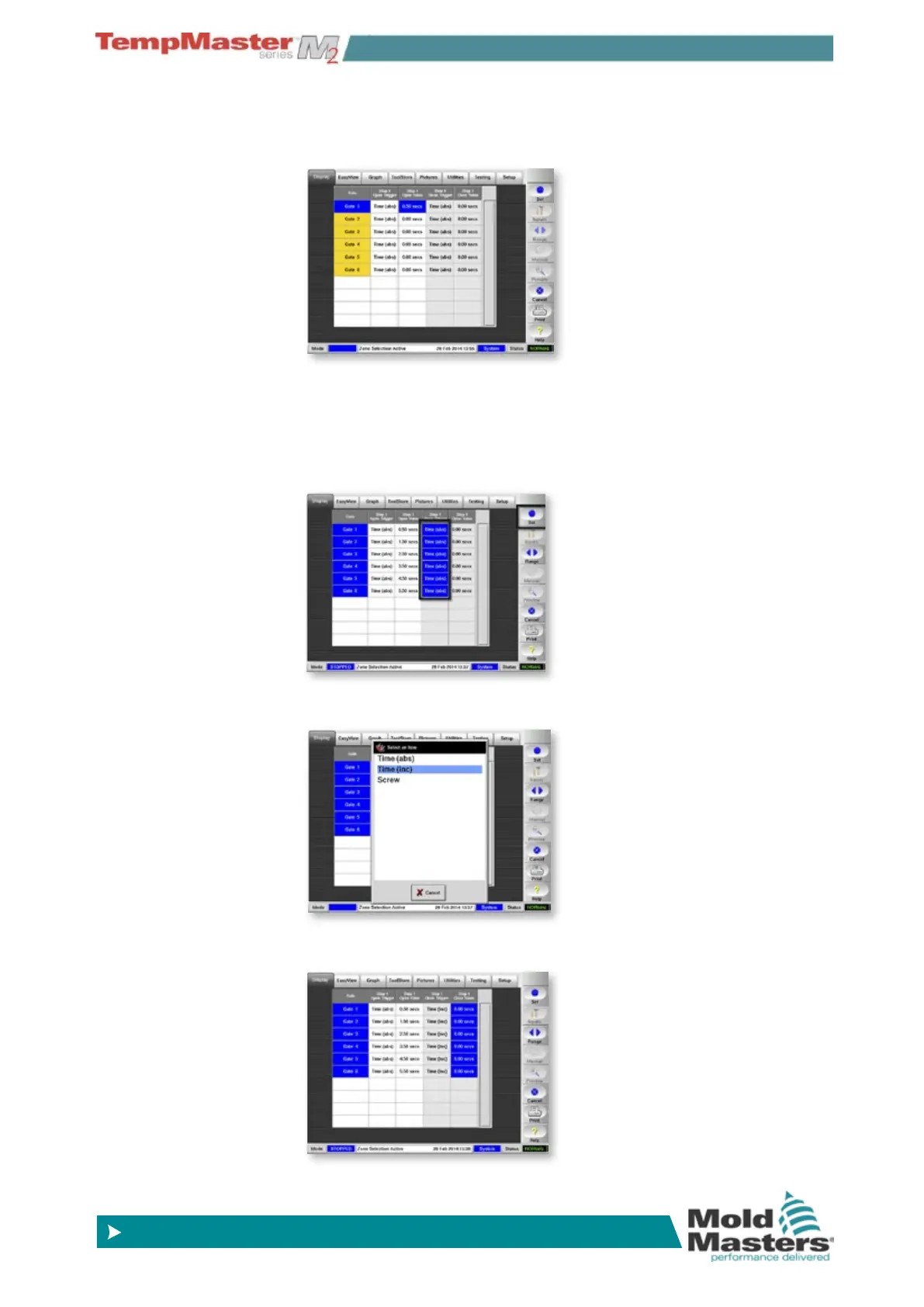
8. Repeat the process until all gate opening times are set. In this
example they open at 0.5, 1.5, 2.5 seconds etc.
9. While you have a choice of three parameters for closing gates,
one simple option is to select Time (inc). This means you can set
all the gates in one step, such that they all stay open for the same
time.
Touch all gate zones, touch anywhere in the “Close Trigger”
columns and choose [
Set]
10. In the List box that opens select your preferred Closing Trigger - in
this example it is Time (Inc).
11. With all gates still selected, touch anywhere in the “Close Value”
column and choose [
Set].



 To Next Page