© 2014 Mold-Masters (2007) Limited. All Rights Reserved.
Revised 1 Oct, 2014
E-10
SEQUENCE VALVE GATE
Setting Gate Open and Close Points - contd.
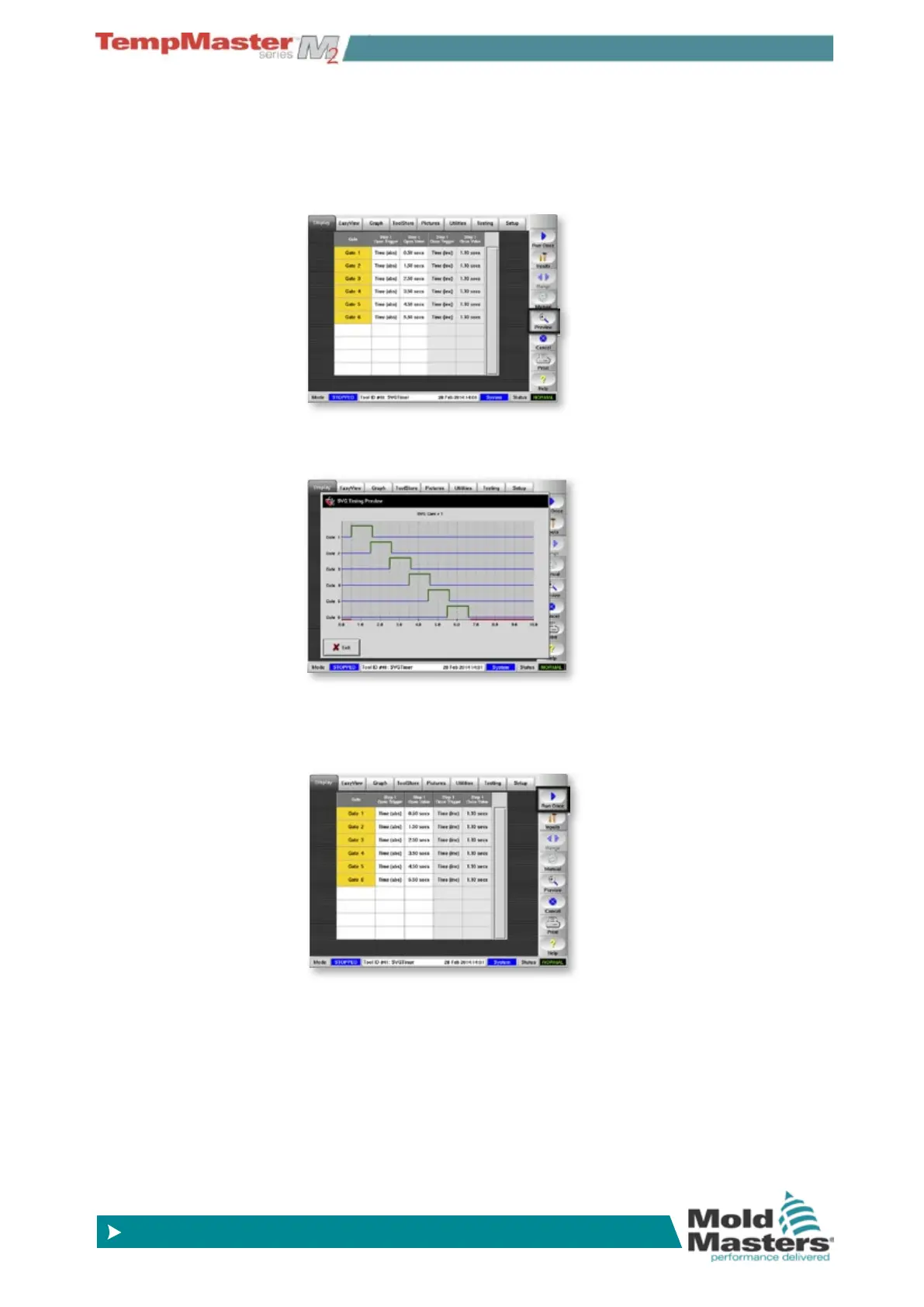
12. Return to see that the six gates are set to operate sequentially at 1
second intervals and stay open for 1.1 seconds.
Choose [
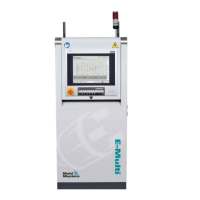
Preview] to get a graphic representation of this se-
quence.
13. Preview shows how the gates open and close. To test this setting
touch [
Exit] to close the Preview.
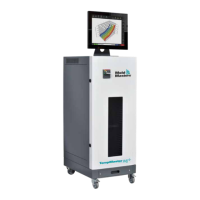
14. At the main setting screen choose [
Run Once] to see how the
gates operate through a single cycle.
15. Note however - it is only while having all settings on a time basis
that the preview option gives an image of the operating cycle.
There is no simulation to show opening and closing relationships
when “Screw (position)” is a set option for Open and or Close.


 To Next Page