SHOP MANUAL MT26/31 - 08.2006 SHOP MANUAL MT26/31 - 08.2006
SHOP MANUAL MT26/31 - 08.2006 SHOP MANUAL MT26/31 - 08.2006
Ch 2 page 37
TRANSMISSION
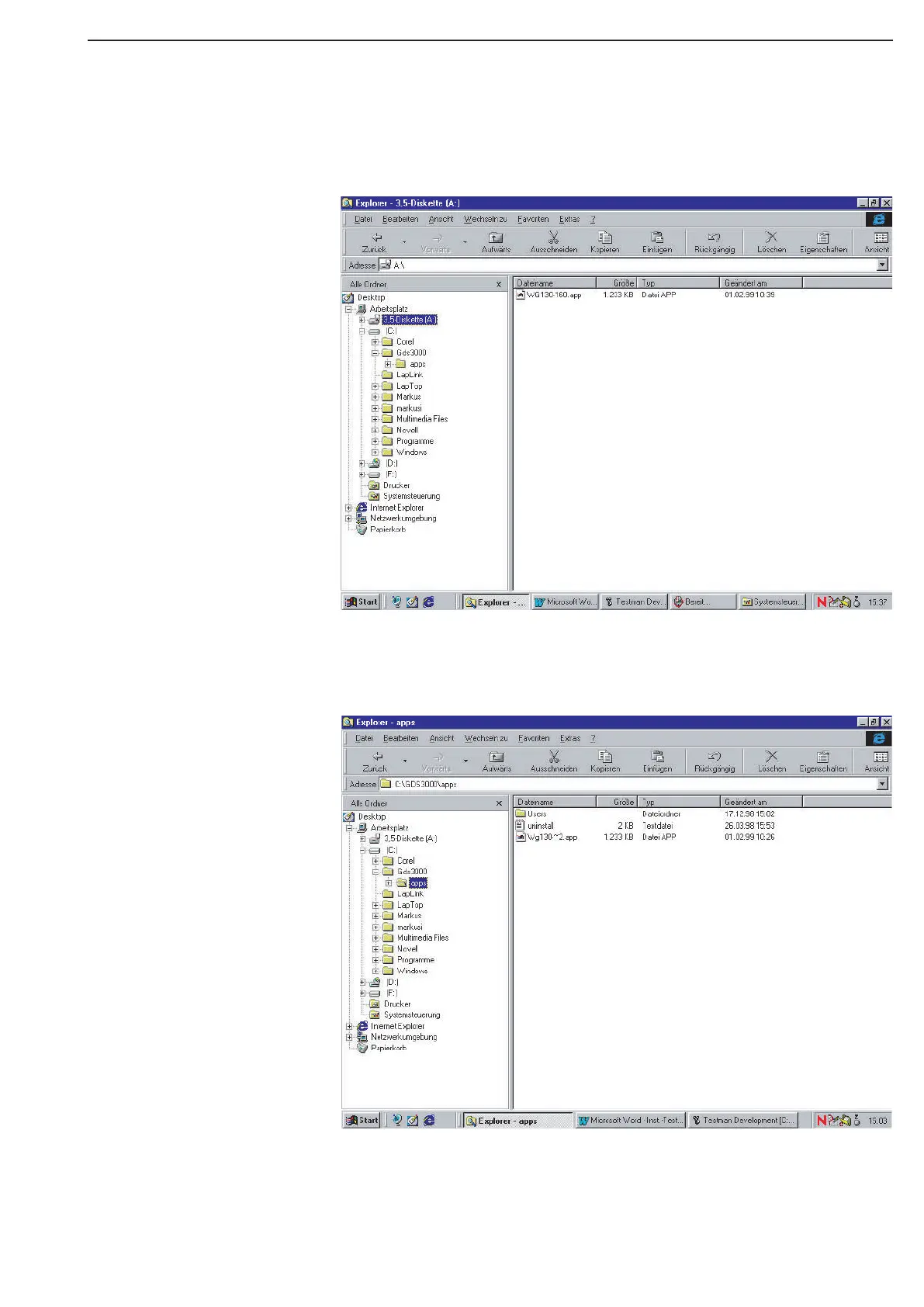
g) Now, you must copy the actual applications (e.g,,; Appl. WG 260 - 310) into the directory “C:\GDS 3000\
apps” copy. (See figure)
h) Now, you must have a Directory “C\GDS 3000\apps\WG 260 - 310.apps (See figure!)
i) Now, “Testman” and the actually desired Application of WG
130--> 310 should be installed.
j) If you restart the computer now, you will see on the Desktop an Icon with name “Testman”,
independently created by “Testman”



 To Next Page