SHOP MANUAL MT26/31 - 08.2006 SHOP MANUAL MT26/31 - 08.2006
SHOP MANUAL MT26/31 - 08.2006 SHOP MANUAL MT26/31 - 08.2006
Ch 2 page 47
TRANSMISSION
1)
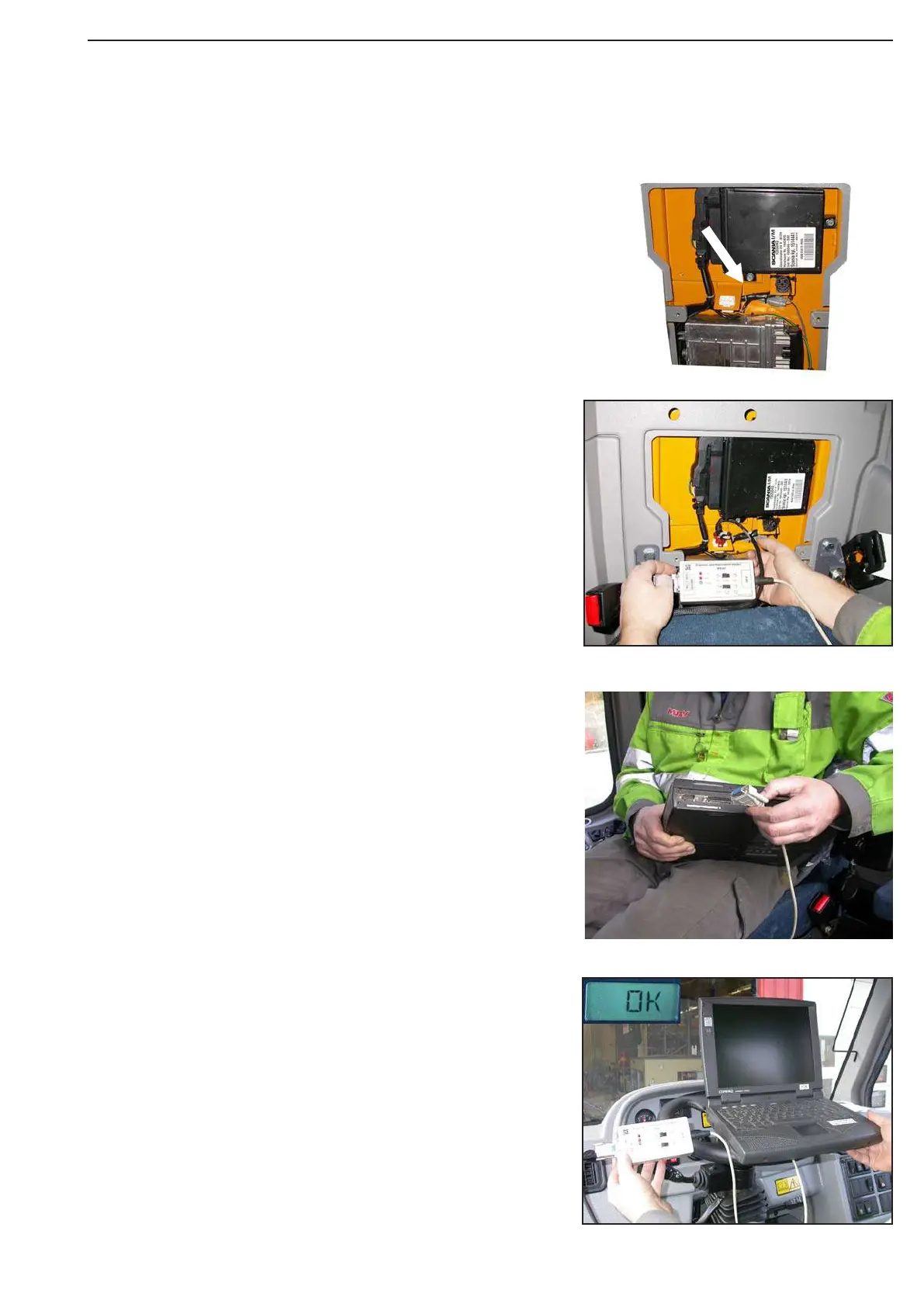
Remove the passenger seat back and the covering plate
and find the diagnistic plug
Laptop - Start of AEB via Testman
(AEB ⇒ Automatic determination of Filling parameters)
4)
Select in the main menu the item „Vehicle configuration“!
5)
Pay attention to the prescribed Operating Instructions!
See : Start of Testman / Prosedure
6)
Start the AEB by the command:
„Start AEB – Value recording“!
7)
After the performend run, an „OK“ must
appear on the display.
3)
Connect the cabel from the Programming Adapter DPA3
to the laptop
2)
Connect the Programming Adapter DPA3 to the
diagnostic plug between the controller units



 To Next Page