Page 18 of 48
User Manual
Operation Instructions
Subject to modifications
2.1A-30008-A04
LINCOLN GmbH & Co. KG • Postfach 1263 • D-69183 Walldorf • Tel +49 (6227) 33-0 • Fax +49 (6227) 33-259
Mode of Operation, continuation
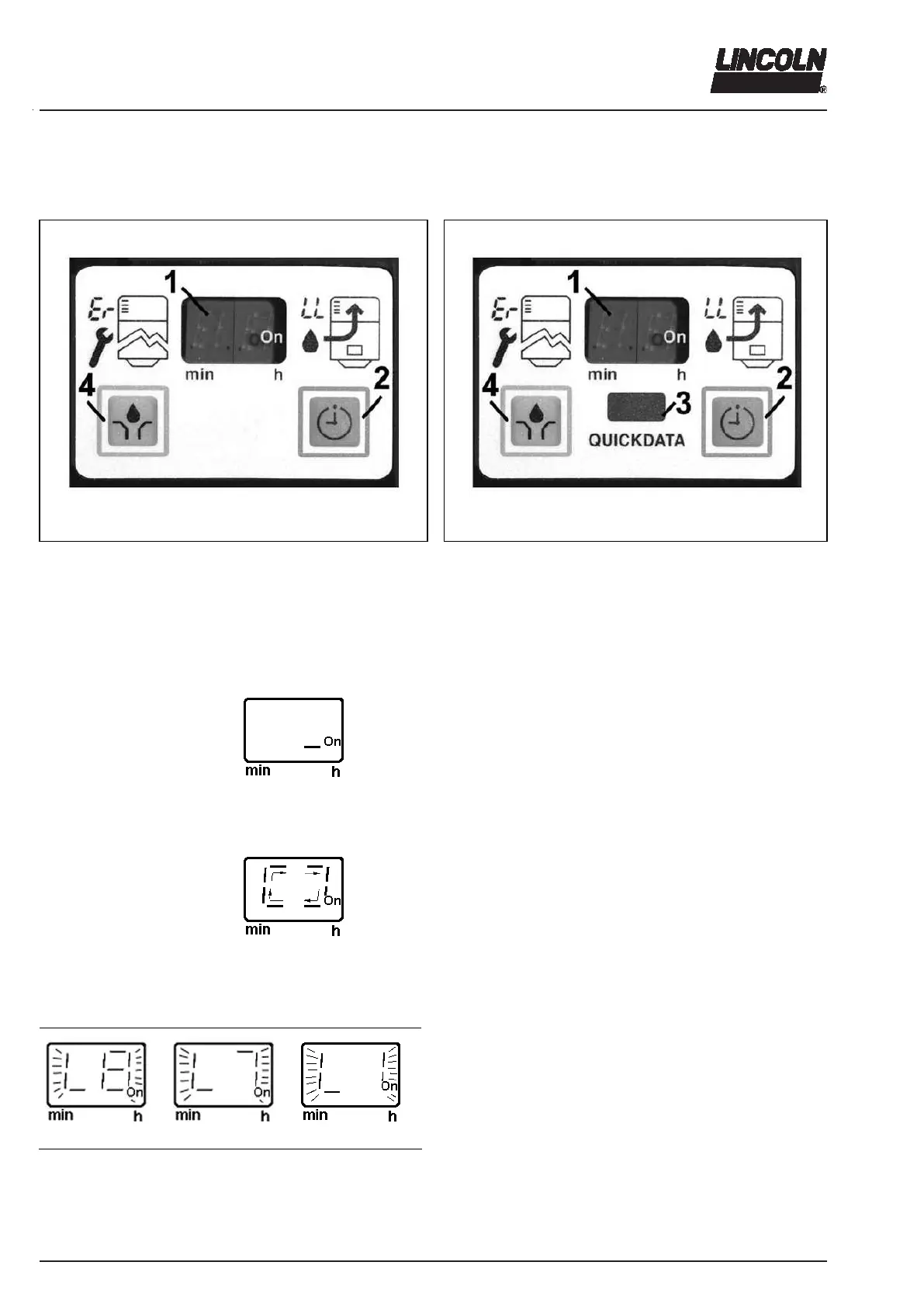
Membrane keypad
4360a04
Fig. 23 P223 membrane keypad
4360a01
Fig. 24 P233 membrane keypad with display and reading window
1 - Display 2 - Key for acknowledgment of fault
indications and setting of time (shift
key)
3 - Reading window for
”QuickData“
4 - Key for triggering an addi-
tional lubrication and for
setting the time values
(setting key)
Display of the membrane keypad
4208a04
Fig. 25 Green segment, pause time, voltage applied
As soon as voltage is applied (On), the lower right-hand
segment in the display window flashes (pause time runs).
If the power supply is interrupted during the pause time,
after switching it on again, the pause time continues at the
point of interruption.
4209a99
Fig. 26 Green circulating illuminated segment, operating time
During the operating time of the pump, a circulating illumi-
nated segment appears in the display window of the
membrane keypad.
If the power supply is interrupted during the operating
time, after switching it on again, the operating time contin-
ues at the point of interruption.
Low-level control
6262b04
6263b04
6264b04
Fig. 27 Announcement of a low-level indication
In the display mode, a low-level is announced by an
intermittent display of * L8 *, * L7 *, * L6 *, … * L1 *.
Finally the intermittent * LL * appears for a low-level
indication that had not been confirmed (see fig. 28,
page 19).



 To Next Page