Page 24 of 48
User Manual
Operation Instructions
Subject to modifications
2.1A-30008-A04
LINCOLN GmbH & Co. KG • Postfach 1263 • D-69183 Walldorf • Tel +49 (6227) 33-0 • Fax +49 (6227) 33-259
Setting and Operation, continuation
Three possible modes of operation and settings can be se-
lected on the keypad.
Display mode
Programming mode (page 26 ff)
Operating mode (page 29 ff)
Display Mode
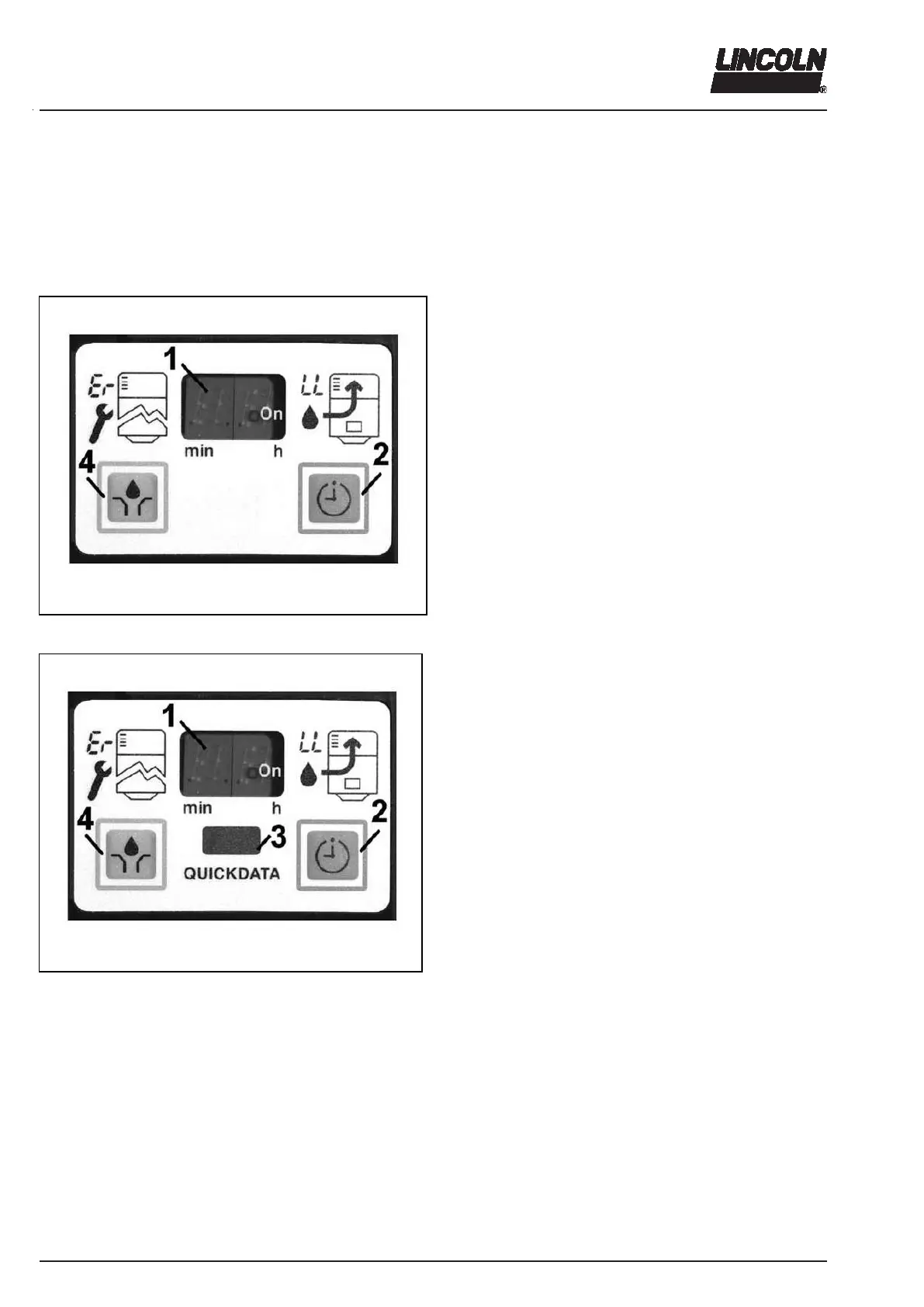
4360a04
Fig. 39 P223 Membrane keypad
4360a01
Fig. 40 P233 membrane key pad with reading window
In the display mode the user receives information on
functions and malfunctions.
As soon as voltage is applied to the pump, the keypad is
automatically in ”display mode”. The right-hand seg-
ment is illuminated on the display.
Normally, the display is dark. Only functions (segment,
rotating segment display) or malfunctions (* Er *, * LL *)
are displayed.
1 - Display
2 - Operator key to acknowledge malfunctions and for time setting
4 - Operator key to trigger an additional lubrication cycle
Only P233:
By means of the Lincoln diagnostic software QuickData
the data memory of pump 233 can be transmitted to a
notebook, PDA or Palm via the reading window (pos. 3).
1 - Display
2 - Operator key to acknowledge malfunctions and for time setting
3 - Reading window for data transmission out of the integrated
data memory to diagnostic software QuickData
4 - Operator key to trigger an additional lubrication cycle



 To Next Page