Subject to modifications
User Manual
Operation Instructions
2.1A-30008-A04
Page 25 of 48
LINCOLN GmbH & Co. KG • Postfach 1263 • D-69183 Walldorf • Tel +49 (6227) 33-0 • Fax +49 (6227) 33-259
Setting and Operation, continuation
Display Mode, continuation
Display Press
2 sec.
4207a99
4227a99
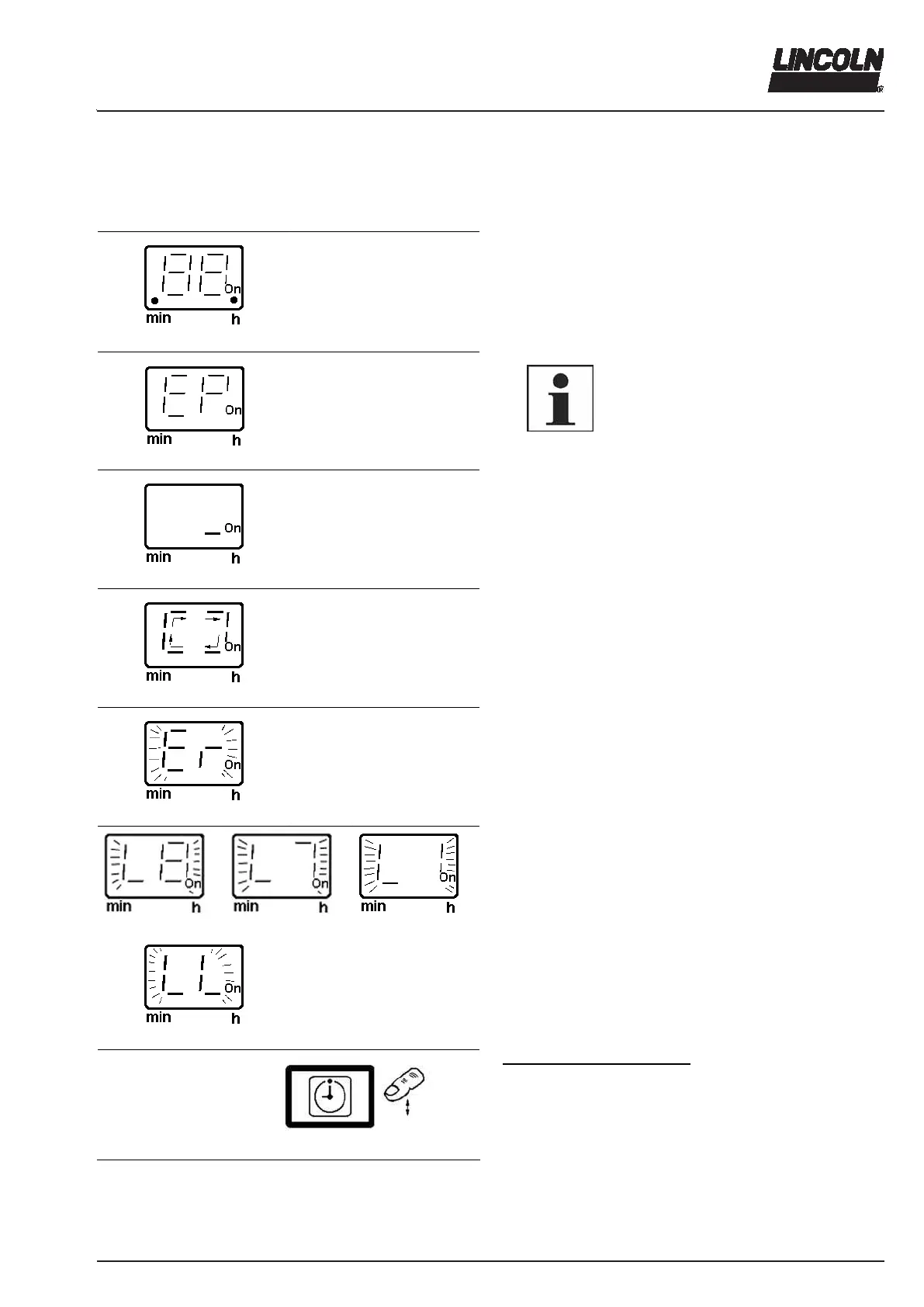
A test display is made when the voltage is applied; all
segments and decimal points are illuminated for 2 sec-
onds.
6001a02
NOTE
If *EP* is displayed after the display test,
this indicates that the button or the key-
pad is defective.
4208a04
The right-hand segment (On/h) indicates the available
voltage supply during the pause time. As soon as another
message is displayed, the segment turns off.
4209a99
The operating time is displayed as a rotating segment.
4210a99
6262b04
6263b04
6264b04
4210a99
* Er * is shown to indicate a malfunction
In the display mode, a low level is announced by an
intermittent display of * L8 *, * L7 *, * L6 * … * L1 *.
Finally appears the intermittent display * LL * for a low-
level indication that had not been confirmed.
< 2 sec.
4214a99
Fig. 41 Display mode
To acknowledge a malfunction
The flashing display is changed into a continuous light by
pressing the button (acknowledging). To acknowledge,
press the button only briefly (< 2 sec.).
Messages that have been acknowledged but have not yet
been remedied flash again after the pump is switched off
and on again.



 To Next Page