Subject to modifications
User Manual
Operation Instructions
2.1A-30008-A04
Page 29 of 48
LINCOLN GmbH & Co. KG • Postfach 1263 • D-69183 Walldorf • Tel +49 (6227) 33-0 • Fax +49 (6227) 33-259
Setting and Operation, continuation
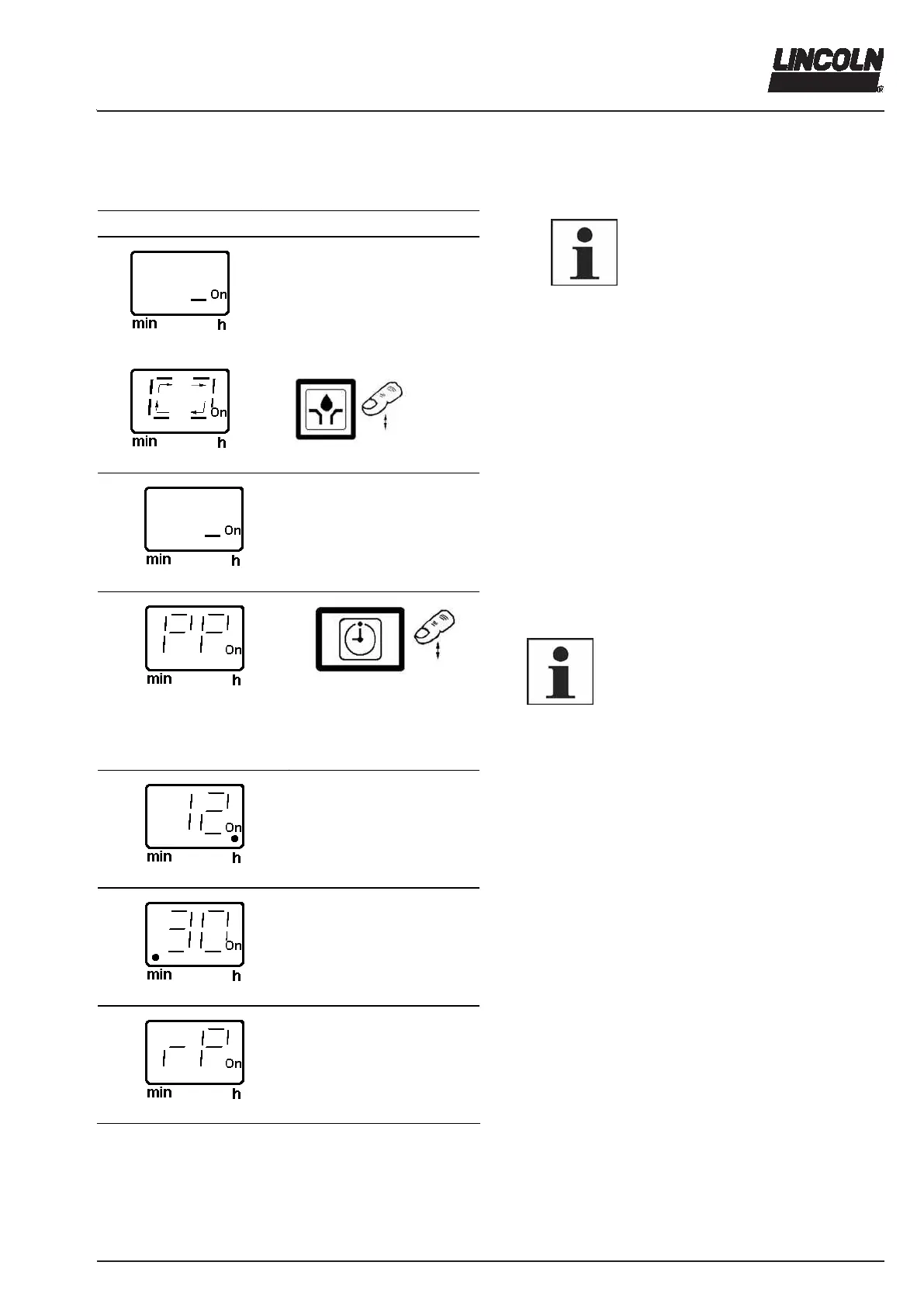
Operating Mode
Display Press
4208a04
4209a99
> 2 sec.
4222a99
6001a02
IMPORTANT
The operating mode is accessible
only during the pause time, and
cannot be operated during the
running time (pump operating
time).
Precondition: When the voltage supply is applied, the
segment (On) is lit.
Operating option: Initiating an additional lube cycle
Press the button (> 2 sec.). The elapsed pause time is
reset. The operating time starts. A rotating segment is
visible on the display during the whole operating time.
4208a04
Operating option: Calling up of set parameters and data
determined
4123a99
4214a99
Press the button.
PP (set pause time)
6001a02
NOTE
The following display sequence is shown
once and is cancelled after 40 seconds.
The change of display occurs every two
seconds. Example:
PP = 12h 30 min
rP = 5h 10 min
4216a99
after two sec.
4220a99
after two sec.
4224a99
after two sec.
Fig. 43 Operating mode (continuation next page)
12 . (hours)
. 30 (minutes)
rP (remaining pause time)



 To Next Page