SHOP MANUAL MT26/31 - 08.2006 SHOP MANUAL MT26/31 - 08.2006
SHOP MANUAL MT26/31 - 08.2006 SHOP MANUAL MT26/31 - 08.2006
TRANSMISSION
Ch 2 page 36
Installation of Diagnostic Software --> Testman
a) Mount floppy disk “1” of “Testman” into drive “A”
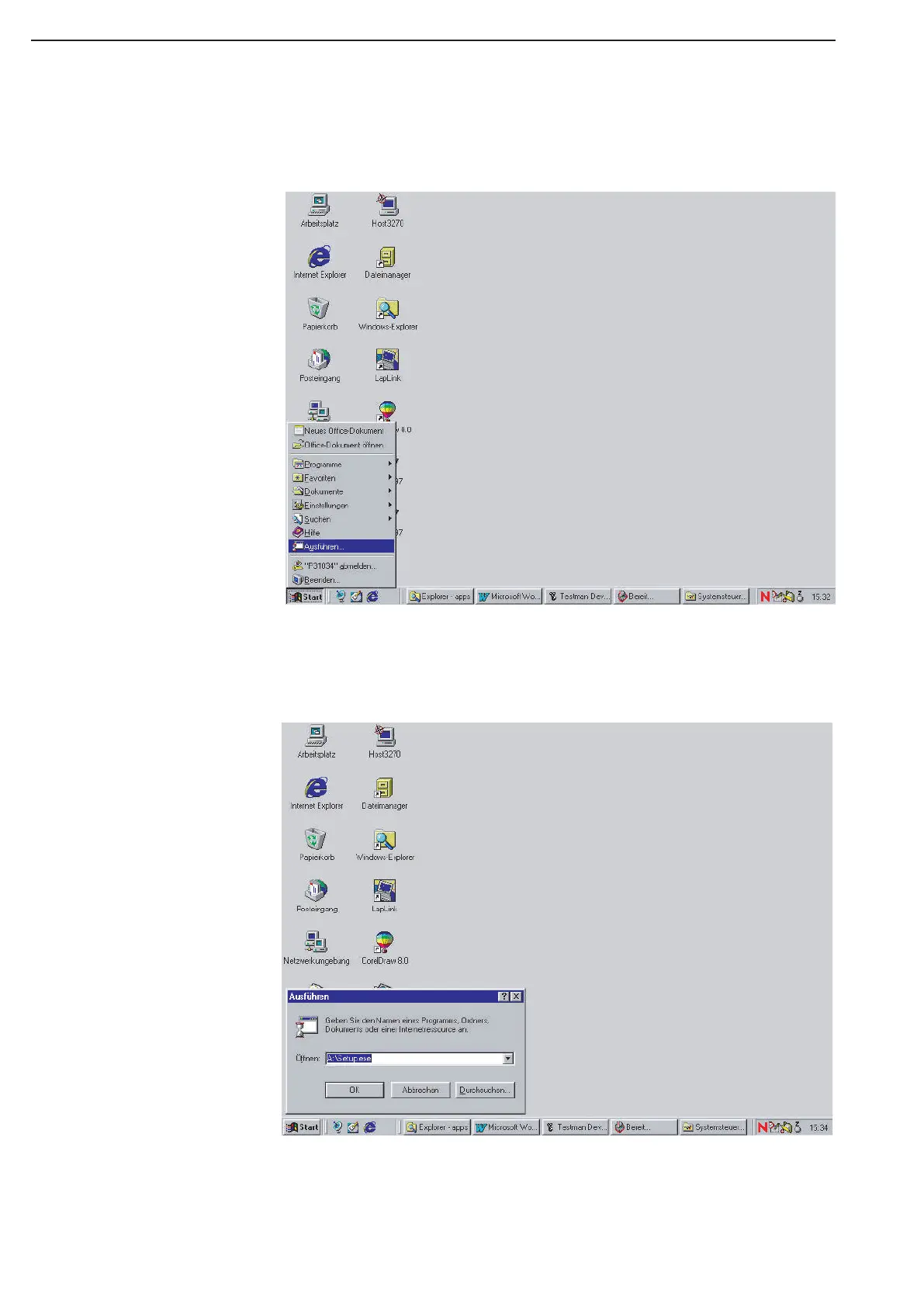
b) Go under “START” to “Execute” ! (See figure)
c) There, enter “A:\Setup.exe” ! (See figure)
d) Nov, follow the next installation steps and mount upon request the floppy disks 2,3 and 4,
one after the other
e) Now, you should have in the directory “C”\ “a subdirectory with the name “GDS3000”.
f) The installation of “Testman” is now terminated.



 To Next Page