Chapter 7
Using Pipeline Control
108
March, 2009
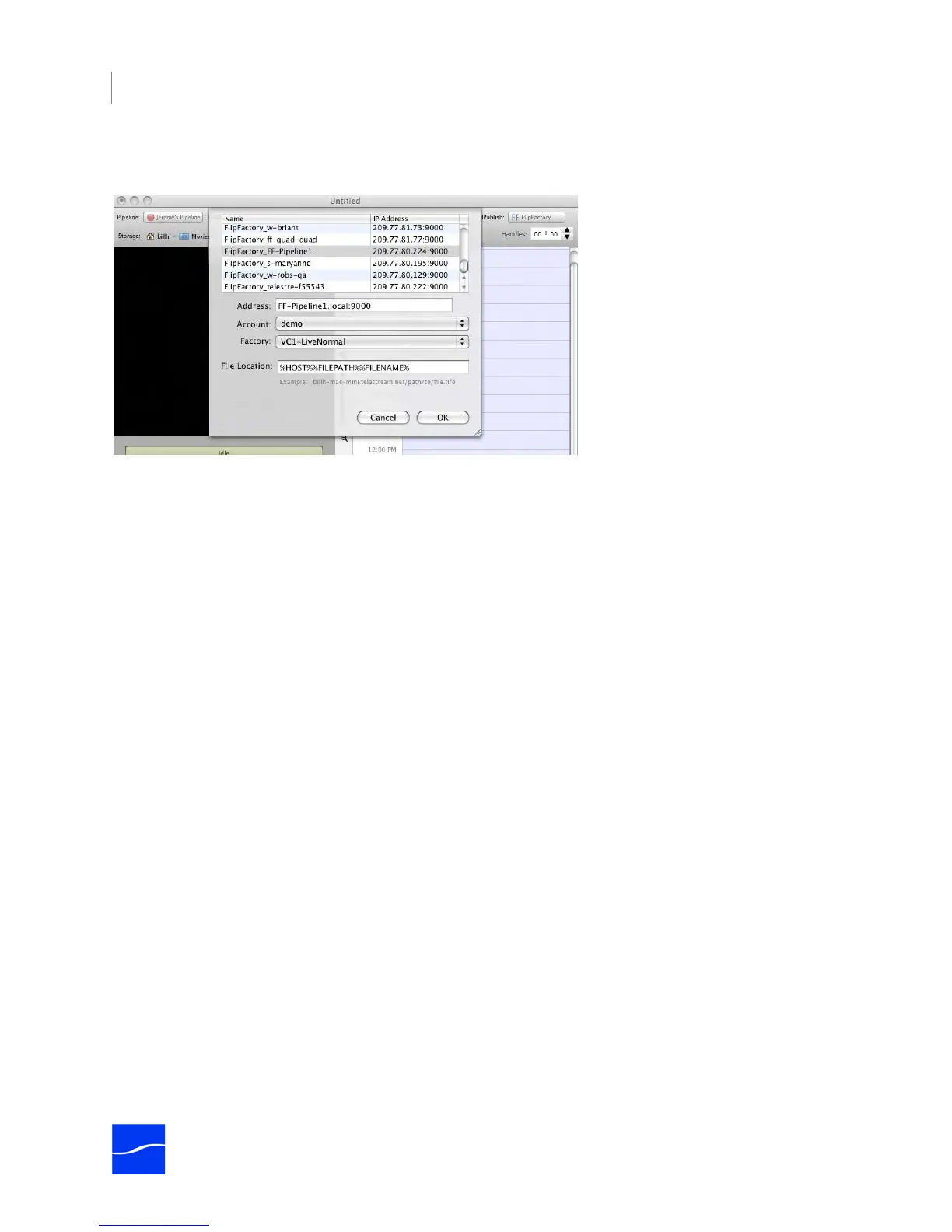
To select FlipFactory as a publisher, select Publish > FlipFactory. The following edit panel displays.
Figure 7–11. FlipFactory publisher panel allows you to submit media to a specific factory.
Complete the panel and click OK. Make sure you test before putting the schedule into production.
FlipFactory Server. Select the target FlipFactory server from the list or enter its IP address in the Address
text field.
If you’re submitting jobs to a FactoryArray, enter the FactoryArray’s virtual IP Address in the Address field
(using port 9000) as follows: <IP Address xxx.xxx.xxx.xxx>:9000. After entering the address, click the File
Location window and the FlipFactory Publisher will connect to the FlipFactory database to obtain the
accounts and associated factories and display them.
Address. Displays the currently selected FlipFactory IP address.
Account. Select the account on the selected server from the popup menu. When you select an account,
Pipeline Control queries the FlipFactory for a list of factories in the selected account. This may take a few
seconds.
Factory. Select the factory from the list of factories in the selected account.
File Location. Enter a path to the file, including the host, path, and file name or use permitted tokens,
including slashes but without spaces between them, to form a valid path to the source file being ingested.
The path must be valid from the FlipFactory server’s view.
When publishing files to FlipFactory, Pipeline Control resolves the path and inserts it (based on your
publisher settings) into the FlipFactory MDML message to process the job:
file name="mxf-test 2.tifo" path="ff-pipeline1/nabfiles/mxf-test 2.tifo" version="original"> <protocol
name="Universal Naming Convention" role="destination" seperator="/" type="unc" user="#USER#">
Pipeline Control <connection name="Network File" type="pull">
%HOST% Token: The %HOST% token resolves to the name of the Mac OS X Platform where Pipeline
Control is running. When the source file is on the same computer as Pipeline Control, you can use the
HOST token to supply the name of the computer. When the source file is on another Mac OS X platform (a
server, or an Xsan, for example), do not use the HOST token. Enter the host name manually.
%FILEPATH% Token. Do not use the %FILEPATH% token. It provides the fully-qualified path to the file,
which can not be accessed by FlipFactory, because the path reference is not local to FlipFactory. Instead,
implement a share, and enter the share name manually.
%FILENAME% Token. The %FILENAME% token resolves to the name of the file, including the extension.



 To Next Page