Using the Quad Panel
Pipeline User’s Guide
45
74-0085-05
Table 4–2. Configure Panel controls and descriptions.
Confidence Monitoring
Confidence monitoring is the process of employing channel 4 on the Pipeline Quad to sniff the exact same
video packets being captured from any of the other Pipeline channels on the Quad and processed by the
client application during a capture operation (or crash recording), for the purpose of verifying that the
output is a true representation of the input, or that the output meets certain quality limits or other metrics.
Confidence monitoring can be enabled when you are performing a capture operation or crash recording
from channels 1, 2, or 3 on a Pipeline Quad. When enabled, Pipeline 4 is also dedicated to the capture
operation for the duration of the capture operation.
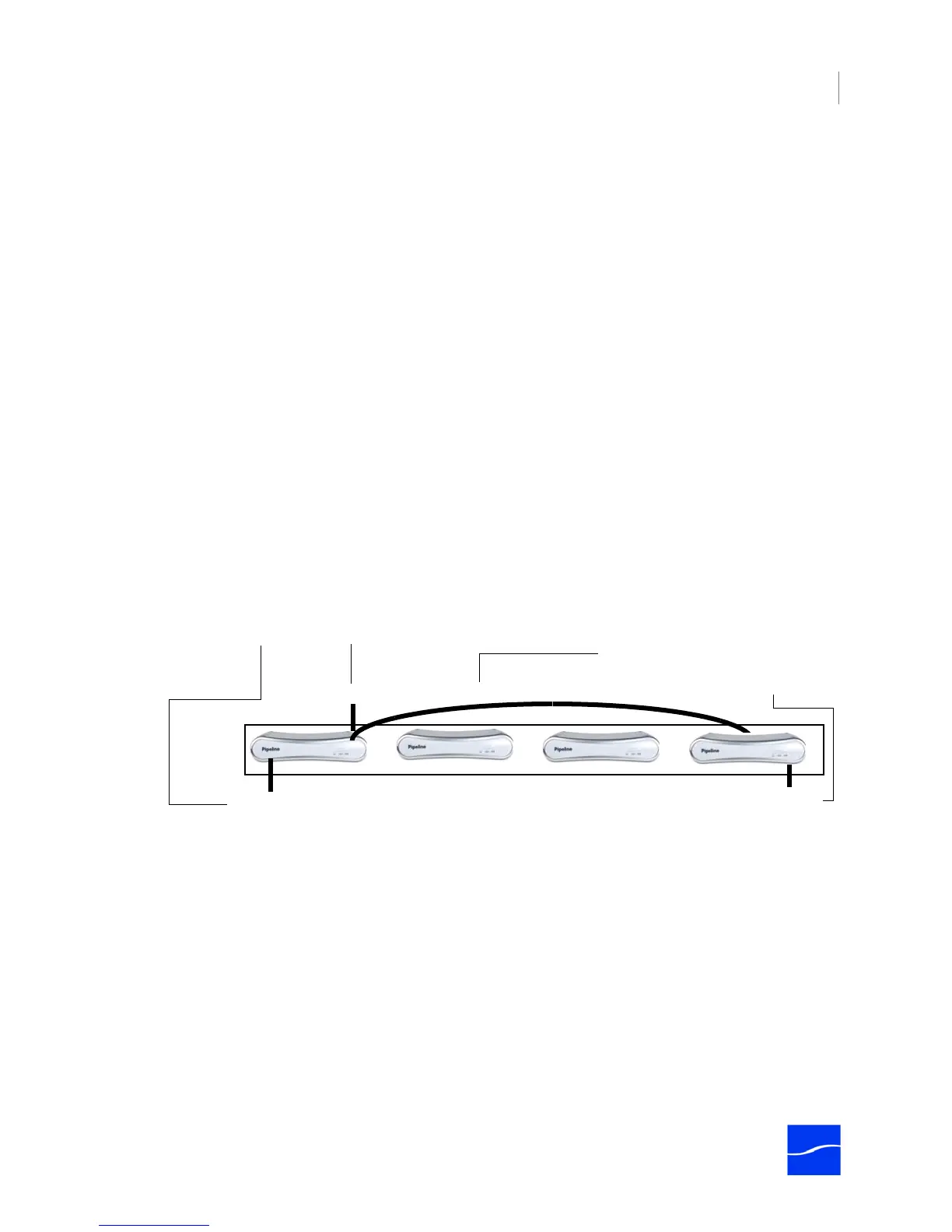
Figure 4–7. Confidence monitoring is performed by Pipeline 4 via internal Ethernet bridge
As SDI is being fed into the capture channel’s SDI In port, it is encoded and sent out in TCP packets on the
Ethernet port to the client application (Pipeline Direct, FlipFactory, Episode, Final Cut Pro, and other media
systems). Unlike other confidence monitoring that just re-encodes the media directly in the same device,
the channel 4 Pipeline sniffs the very same packets on the Ethernet just as the client does; it then decodes
the Ethernet input, and outputs the resulting SDI on its own SDI Out port.
Control Description
Confidence Monitoring
Normal Operation – no
monitoring
Check to disable confidence monitoring. When confidence monitoring is
disabled, channel 4 (Pipeline 4 on the Quad) operates normally, and can
be used for capture/playout operations.
Note: This option is only enabled when you log on to channel 4. You
cannot make this change from other channels.
Monitor channel 1 | 2 | 3 Check to enable confidence monitoring and encode and send the
rendered stream of the selected channel on channel 4 SDI Out as well.
Click Save Changes when you’re done to update the settings.
Ethernet Out
SDI Input
SDI Output
Pipeline Quad
Confidence monitoring of channel 1 enabled.
Internal Ethernet bridge
Pipeline Quad’s Channel 1 is performing an capture operation –
decoding SDI from the SDI Input to Ethernet out, to the client application.
Channel 4 is confidence monitoring
channel 1 – sniffing the outbound
traffic on the internal Ethernet circuit
and re-encoding it, outputting the
resulting SDI on SDI Out for review.



 To Next Page