Chapter 5
Using Pipeline with FlipFactory
60
March, 2009
PIPELINE | FLIPFACTORY WORKFLOWS
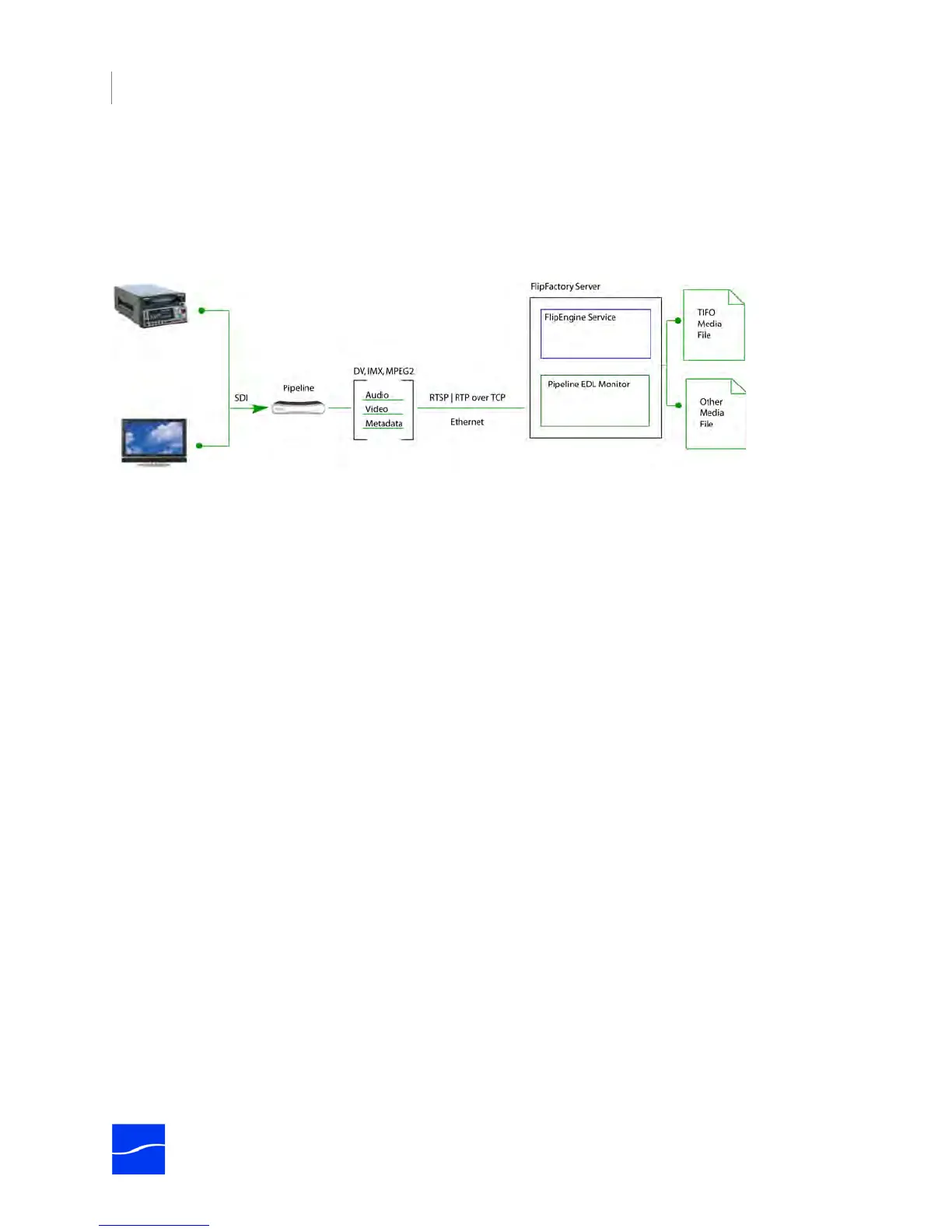
FlipFactory can ingest digital media in real time from a Pipeline by using its EDL monitor, which controls
the attached VTR to produce video clips based on clip specifications in the EDL you submitted to
FlipFactory.
Figure 5–1. FlipFactory integrates with Pipeline to produce media from baseband sources.
For each clip in the EDL, FlipFactory processes the media stream into a digital media file of the same
essence, wrapped as a TIFO file for further transcoding in second-stage factories. During the initial TIFO
file job, one additional transcode process can take place, producing a second media file.
Additionally, FlipFactory can ingest TIFO files in the same manner as other media, or you can crash record
directly from the Pipeline into a TIFO file. Sample workflows are detailed in Sample Workflows (page 72).
SUBMITTING PIPELINE MEDIA TO FLIPFACTORY
You can submit Pipeline media to FlipFactory for processing in three ways. Your choice depends on your
workflow requirements and the FlipFactory version you’re using:
• Submit jobs via an EDL Monitor
• Submit streaming media in real time using the Pipeline Capture Editor
• Submit TIFO files (created via Pipeline Direct) manually or via monitor.
When submitting media via an EDL monitor, you can produce up to two media files (products) from the
factory per pass: a TIFO file (which can be forwarded or submitted to other factories for further
transcoding), and a second media file of your choice. If you add a third product, or you produce two
products and neither is TIFO, Pipeline must perform a file pass for each product you create.



 To Next Page