Chapter 2
Pipeline Hardware, Installation & Setup
14
March, 2009
Front Panel Reset Switches
With the front panel bezel removed, three recessed reset buttons are exposed. They are not labelled.
Figure 2–6. Pipeline HD Dual reset switches behind front panel
Channel 1 Reset. Depress the recessed button to perform a hardware reset on Channel 1. The channel
will be disconnected from any client currently attached.
Channel 2 Reset. Depress the recessed button to perform a hardware reset on Channel 2. The channel
will be disconnected from any client currently attached.
Factory Default Reset. Depress the recessed button to restore the factory defaults the entire Pipeline
device. Both channels are returned to their original factory default values, including IP address and any
options selected. During reset all LEDs glow green. When reset is complete, the LEDs return to their
normal state.
Rear Panel Ports and Connectors
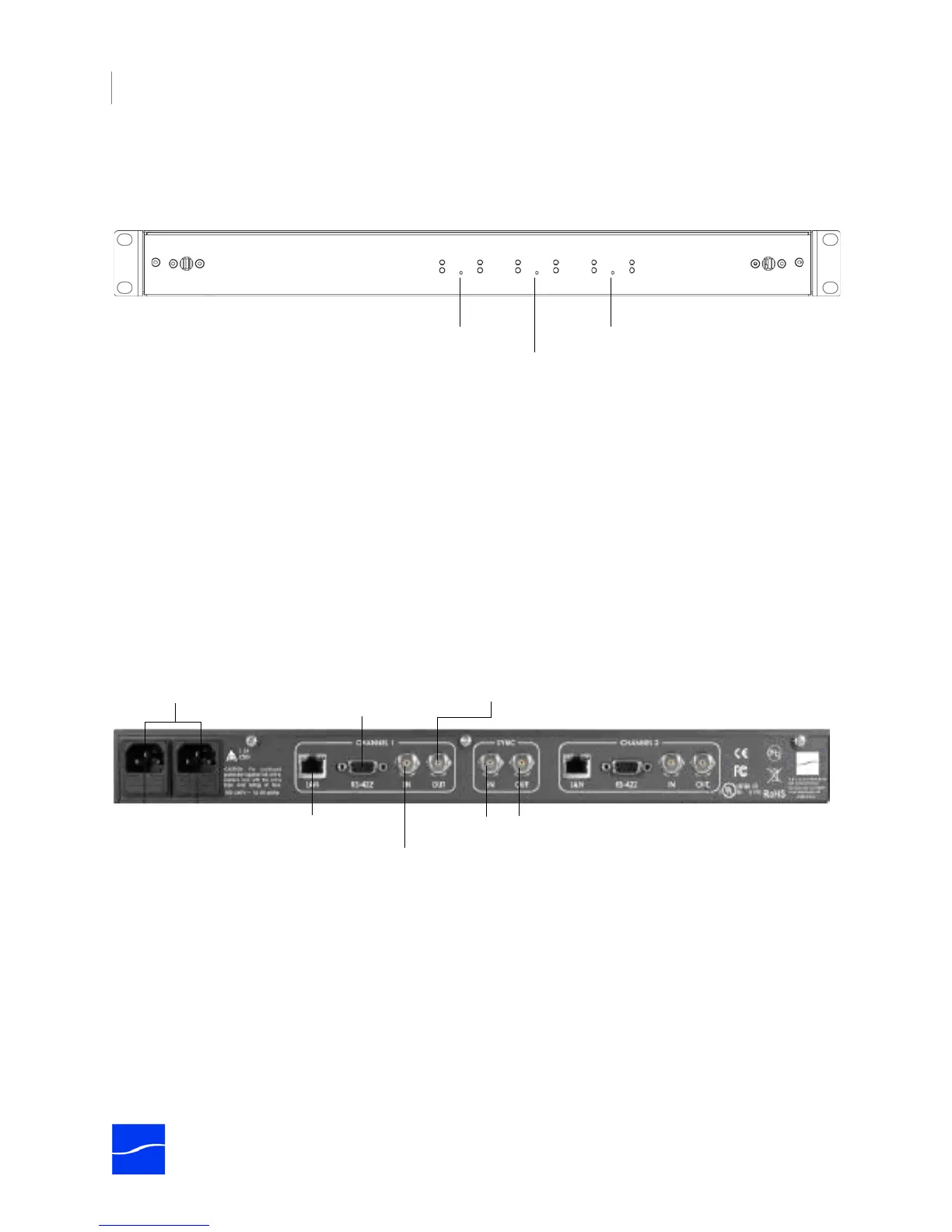
The rear panel contains power plugs, plus video and network connector ports.
Figure 2–7. Pipeline HD Dual rear panel
When connecting video equipment, Ethernet, and RS-422 cables, be sure that the power supply is
disconnected from the Pipeline. Failure to do so may result in equipment malfunction or damage.
AC Power Plugs. Use to connect and turn on the Pipeline. Only connect the Pipeline Quad to power using
the Telestream-supplied power cords. To insure fail-safe operation, be sure to use both power supplies.
These supply common power to the Pipeline; if one power supply fails, the Pipeline continues to operate.
Sync In. The SDI Sync Input is used in both capture and playout modes but for two different purposes. In
capture mode it is used as a method for supplying a common timecode reference to all input channels. In
playout mode it is used as a frame synchronization source for each of the SDI output channels. (See
“Using SDI Sync Input” on page 10.)
Channel 2 reset
Channel 1 reset
Factory defaults
AC Power Connectors
SDI In (one per channel)
Gigabit Ethernet
(one per channel)
VTR RS-422
(one per channel)
SDI Out (one per channel)
Sync In/Out



 To Next Page