Chapter 4
Using Pipeline Direct
52
March, 2009
Edit Decision List Panel
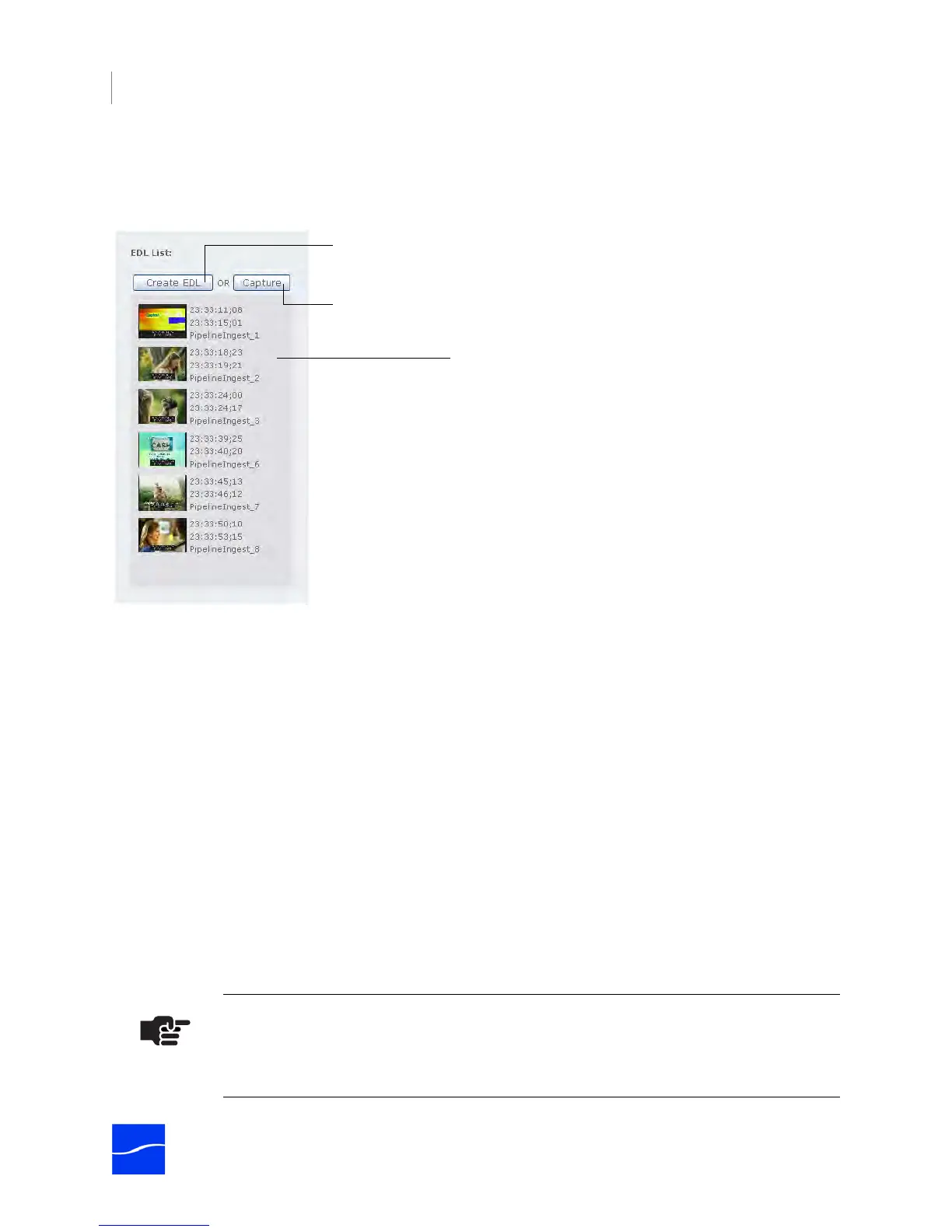
Clip List. Displays each of the clips that are currently in the EDL panel.
Figure 4–12. The EDL panel displays clips you’ve marked, but not saved
To re-arrange clips in the list, click and drag a clip to the new location. To delete a clip, drag it into the
Pipeline heading at the top of the page.
Task Buttons
Create EDL. Click to create an EDL file from the clips in the list. Pipeline displays a File Open dialog: you
can click Open to view the EDL details, but to save them you must cut and paste them into a text file
outside the browser, because the edit decision list is erased. Click Save to save the list in a folder.
When you create an EDL file, Pipeline Direct disconnects the video, audio, and data streams, so that
FlipFactory (or other applications) can connect and process the media under control of the EDL file.
When the EDL file is saved in a target directory monitored by the EDL monitor, FlipFactory processes the
file and submits a job for each clip. Each job is processed by processing each clip entry to produce a
stream from the selected encoder. FlipFactory transcodes the stream in real-time to produce output based
on your factory’s product settings. For details, see Submitting Jobs Via an EDL Monitor on page 61.
Capture. Click to crash record live feeds or video played out from a playback device (a VTR or VCR). See
Capturing SD Media to a TIFO File on page 53. (If you have clips in the list, Capture produces TIFO files
for each clip.) When you click Capture to crash record, Pipeline Direct disconnects the media stream from
the Pipeline so that the process can connect and process the media, saving it in the TIFO file.
Note
You should set your local intranet security settings to Low, to allow scripts to run and the
browser to download files without intervention.
Click to create an EDL file.
Click to crash record media.
Click and drag clips to re-arrange them;
drag them to the Pipeline at the top of the
page to delete them.



 To Next Page