Chapter 3
Implementing Pipeline & Installing Software
24
March, 2009
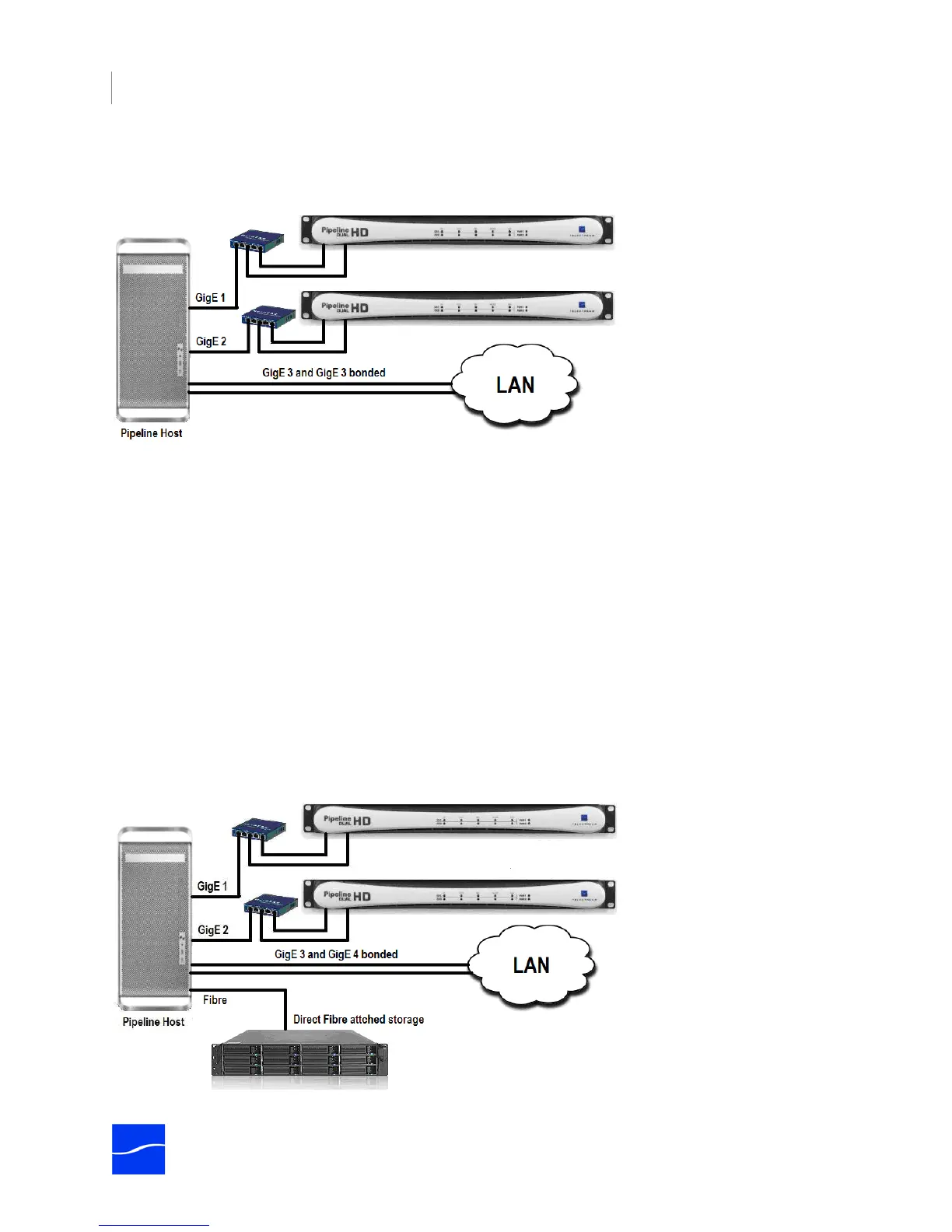
host, each on a dedicated host port, to support 2 media streams each. Multiple port Ethernet cards, such
as those from Small Tree Communications, are ideal for this purpose.
Figure 3–2. Best practices – for each 2 capture streams, use one Ethernet port.
Storage Requirements for Typical Workflows
When determining your storage requirements, there are two main factors to consider – the overall
sustained read/write performance required, and if local data buffering is required.
To evaluate your requirements, first consider the data rate for the format that you'll be encoding and the
number of concurrent streams the system is expected to capture. Network and Hard Disk Performance
Requirements (page 29) provides approximate data rates for a variety of formats and resolutions. Use this
information to calculate the overall read/write performance requirements for your main storage system
and, if needed, for disk buffer storage (Disk Buffering Details on page 27). To enable disk buffering, see
Use Disk Buffering on page 119 (Mac OS X) or Use Disk Buffering on page 123 (Windows).
Capture-only Workflows
For capture-only workflows, when writing to internal or direct attached (non-shared) RAID arrays, you only
need to calculate the overall write speed requirements. Configure your media storage array based on the
write performance required for the number of streams being captured.
Figure 3–3. Configuration for capturing 4 HD streams onto Fibre-attached storage.



 To Next Page