Disk Buffering Details
Pipeline User’s Guide
27
74-0085-05
DISK BUFFERING DETAILS
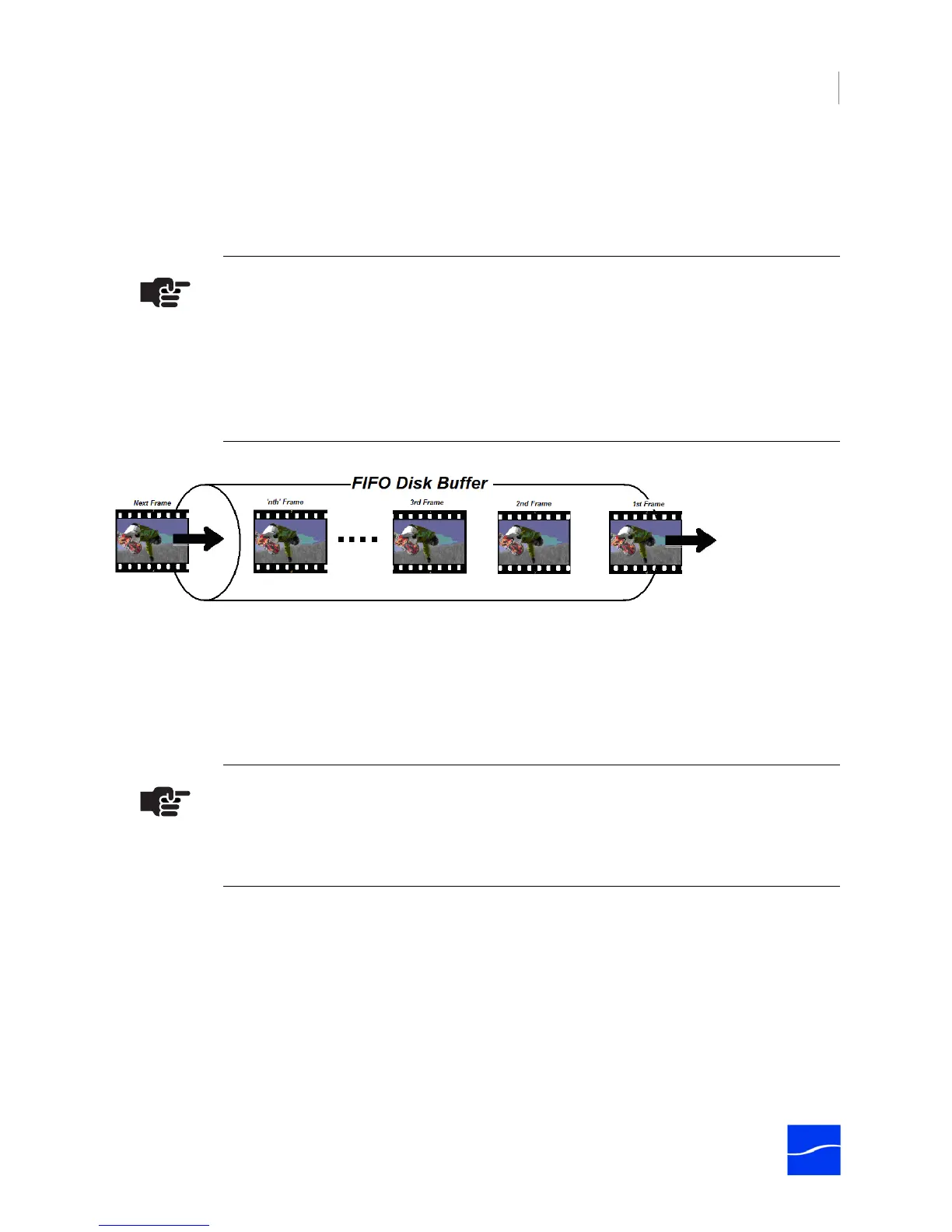
When Disk Buffering is checked, (Use Disk Buffering on page 119 (Mac OS X) or Use Disk Buffering on
page 123 (Windows)) video and audio data are written into a FIFO disk buffer file in a local folder before
the data is written to the media file destination.
Figure 3–5. FIFO disk buffering enhances file writing performance
These FIFO buffer files are elastic and grow as needed when write performance is temporarily reduced on
the media file destination disk drive. Disk buffering prevents the RAM buffer from being overwritten when
disk writes are temporarily blocked or performance is reduced on the media file destination disk.
The read/write performance for a volume used for disk buffering needs to be able to support the media
format and number of channels being captured. As a rule of thumb, the buffer disk should be RAID-0 with
the appropriate number of drives to support the read and write requirements for the number of channels
with the respective media format used (Network and Hard Disk Performance Requirements (page 29)).
Note
Disk Buffering must be enabled when the destination path is a located on a NAS,
Shared Storage device, a shared network folder, or when edit/transcode while capture
operations are to be performed on the incoming Pipeline media files.
During capture operations, when the file destination drive's performance is reduced
due to additional read processes (when performing transcoding, file editing or other
disk-intensive activity), data is placed into the FIFO (First In, FIrst Out) buffer.
Note
The disk selected for buffering should be used exclusively for Pipeline video/audio data
buffering. Using the disk buffer drive for other read/write processes may cause
unpredictable results.



 To Next Page