Pipeline Capture Editor
Pipeline User’s Guide
67
74-0085-05
Table 5–1. Settings tab controls and descriptions.
Using the Capture Editor’s Capture Tab
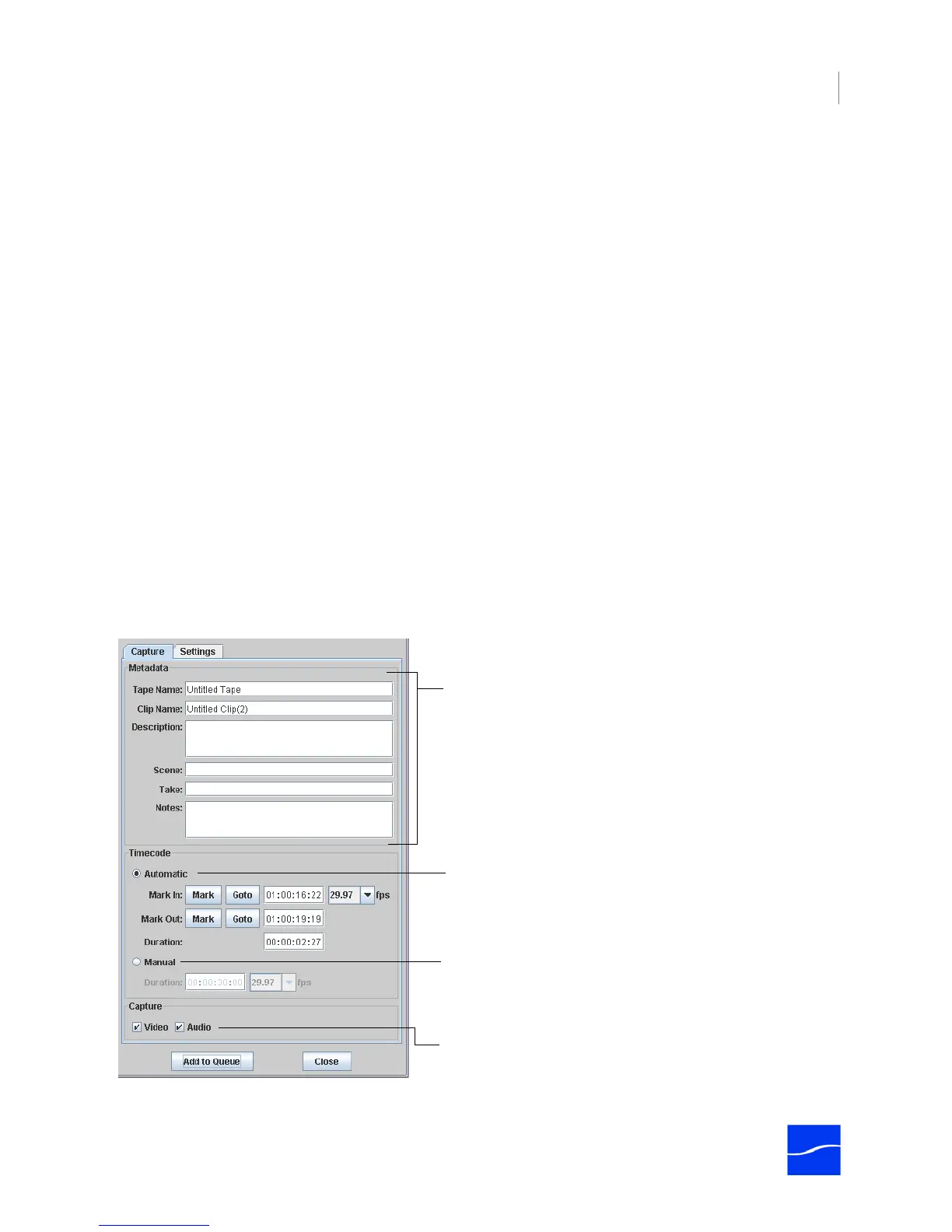
Use the Capture tab to capture streaming media from a Pipeline and submit a job for processing.
Figure 5–8. Capture tab in Pipeline Capture Editor.
Each control is described in the following table.
Control Description
Save Icon Click to save a custom Pipeline stream after you’ve filled out the settings.
A save dialog displays, where you can enter the stream name and click
OK.
Select Click to display a selection dialog, where you can select the Pipeline you
want to connect to use, and also select the codec. Click Select to
connect, and close the dialog. When selected, the Pipeline name is
displayed at the right of the button.
Device Protocol
Preroll Specify the number of seconds to position the tape before the actual start
timecode during capturing, so that the tape is running at the correct
speed when the first frame is captured. Default: 2 seconds.
Offset A value that is added to the timestamp acquired from the RS422 port to
account for any discrepancy between the received and actual
timestamps (rarely used). Default: 0.
Abort on Dropped Frames Check to stop capturing or crash recording and report a job error if
frames are dropped during streaming video.
Enter metadata to submit with this job.
Select Manual, enter the duration and click Flip It!
(not shown in this example) at the bottom to
immediately start ingesting stream media from the
Pipeline.
Select Automatic and make your mark-in & out
points. Click Add to Queue to submit the job to
FlipFactory and process it when the Pipeline
becomes available by closing the Capture Editor.
Uncheck Video or Audio to drop the channel from
the capture process.



 To Next Page