2 CALIBRATING DYNAMIC EXPOSURE CONTROL (DEC) Chapter E: CALIBRATIONS
114 Planmeca ProOne Technical manual
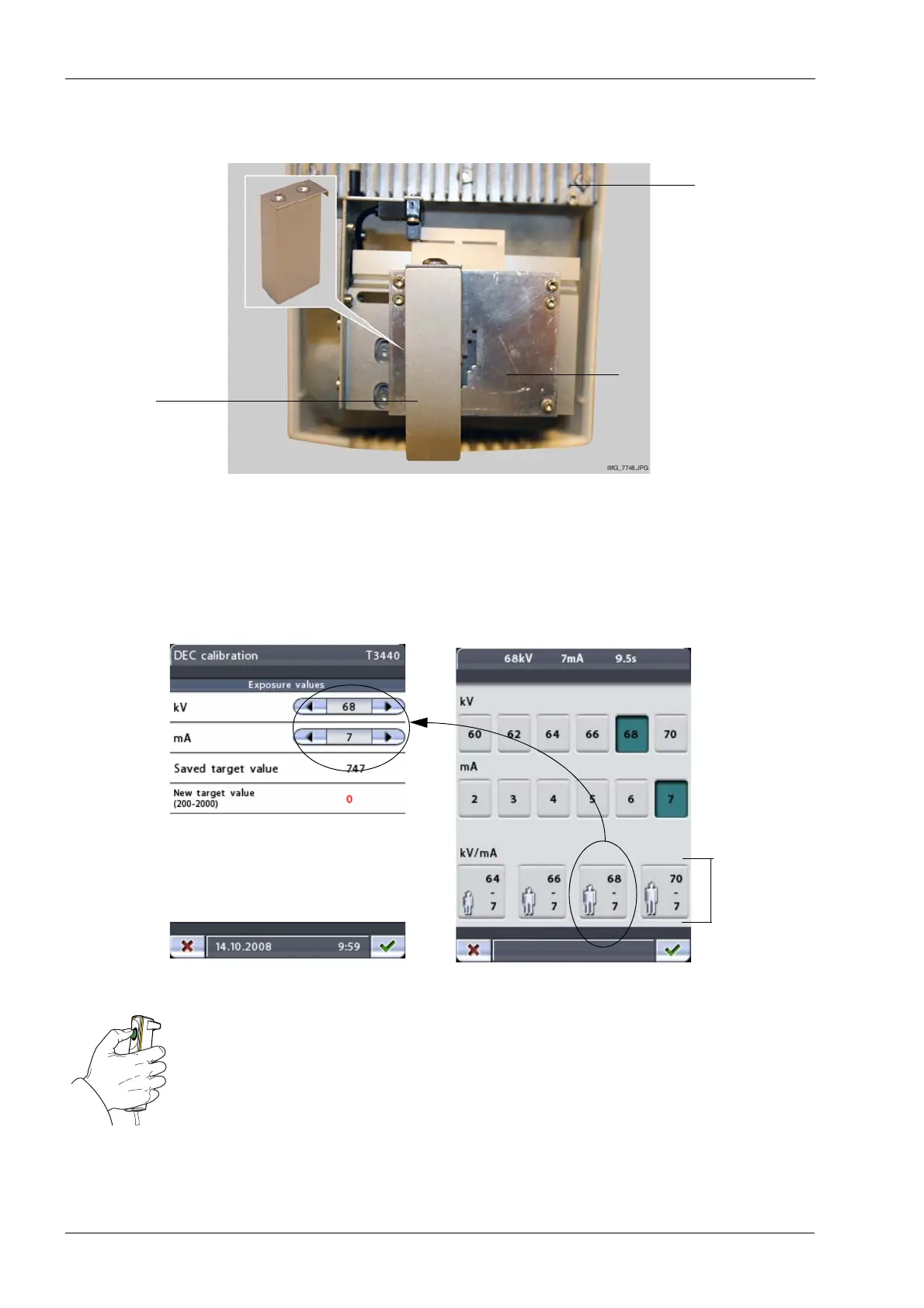
Hang the DEC calibration tool on the front collimator blade as shown. Position the tool
over the collimator so that the tool fully covers the first collimator step (adult setting).
The exposure values suggested on the
DEC calibration
(T3440)
display are the values
that are shown on the quick button for average-sized adult. (Main display > kV/ma field >
kV/mA display). These are the recommended exposure values for DEC calibration.
Note that you can select lower/higher exposure values if you wish to use a lower/higher
DEC target signal level than what is achieved by using the recommended values.
Take an exposure. Press and hold down the exposure button for the duration of the
exposure.
Radiation is generated when the exposure button is pressed. Protect yourself from
radiation.
DEC
calibration tool
Front collimator blade
Tube head
(10017027)
Exposure
value
quick
buttons














 To Next Page