Chapter 5: Settings
Overview of Software
97
Psion EP10 Hand-Held Computer User Manual
5.1 Overview of Software
5.1.1 Psion Software Advantage
Psion Software Advantage is a collection of applications and features designed to support system adminis-
trators and end users. These tools enable enterprises to customize the product to meet their needs and to
maximize productivity.
5.1.2 Microsoft Software
Windows Embedded Hand-Held (WEH) 6.5 is a 32-bit, real-time Operating System. The OS is compatible
with line of business applications written for Windows Mobile 6.x that protects previous investments in the
Windows Mobile platform.
Some other major components of WEH 6.5 are:
• Office Mobile 2010 (Word, Excel, PowerPoint, OneNote SharePoint)
• Internet Explorer 8
• Remote Desktop protocol
5.2 Settings
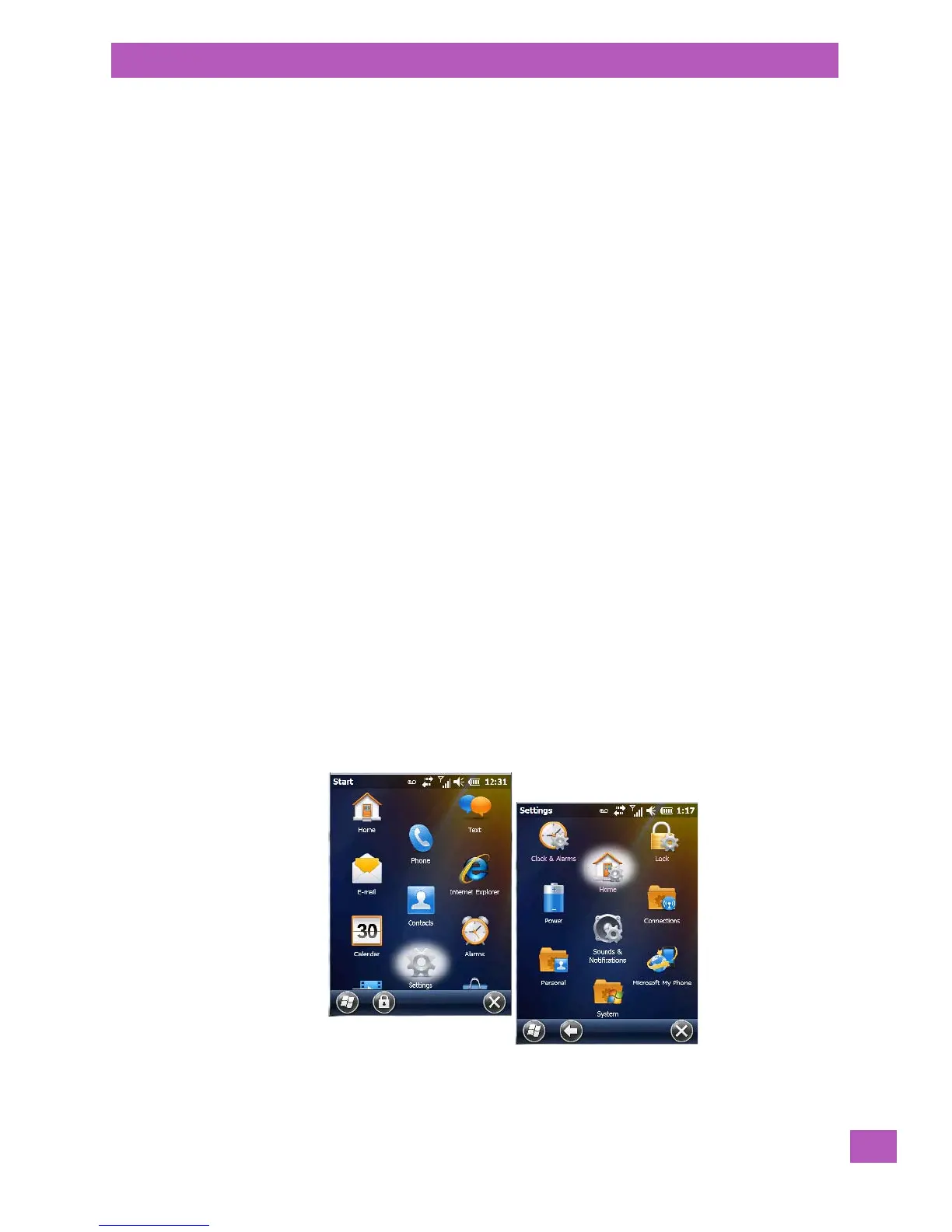
The applets contained under the Settings icon in the Start screen allow you to tailor how your EP10 be-
haves, the appearance of the Today screen, and so on. The Settings applications are further divided into
Personal, System, and Connection options.
• Tap on Start>Settings to display the Settings applets.
AGPS Psion Camera
App Launch Keys PsionVu
Battery Health TweakIt
Bluetooth Manager Scanner
Dr. Debug Total Recall
PartnerUp Manage Triggers
WiFiConnect A.R.C. Wi-Fi Config
Compass



 To Next Page