Chapter 5: Settings
Network Cards
121
Psion EP10 Hand-Held Computer User Manual
•In the Name field, type a name for this connection.
•In Host name/IP, type the VPN server name or IP address.
• Tap on the VPN type radio button next to the type of authentication for your EP10: IPSec/L2TP or
PPTP. Your network administrator will let you know which option applies to your unit.
• Tap on Next.
• Choose the type of authentication in this screen. If you choose A pre-shared key, type the key provided
by your network administrator.
• Tap on Next.
•Type your user name, password and domain name. If a domain name was not provided to you, try the
connection without entering a domain name.
If you need to edit the Advanced settings, refer to “Advanced Modem Settings” on page 116 for details about
this tab.
• Tap on Finish.
• Launch a program like Internet Explorer to activate the connection. The VPN connection will start
automatically.
5.8.7.3 Managing an Existing Connection
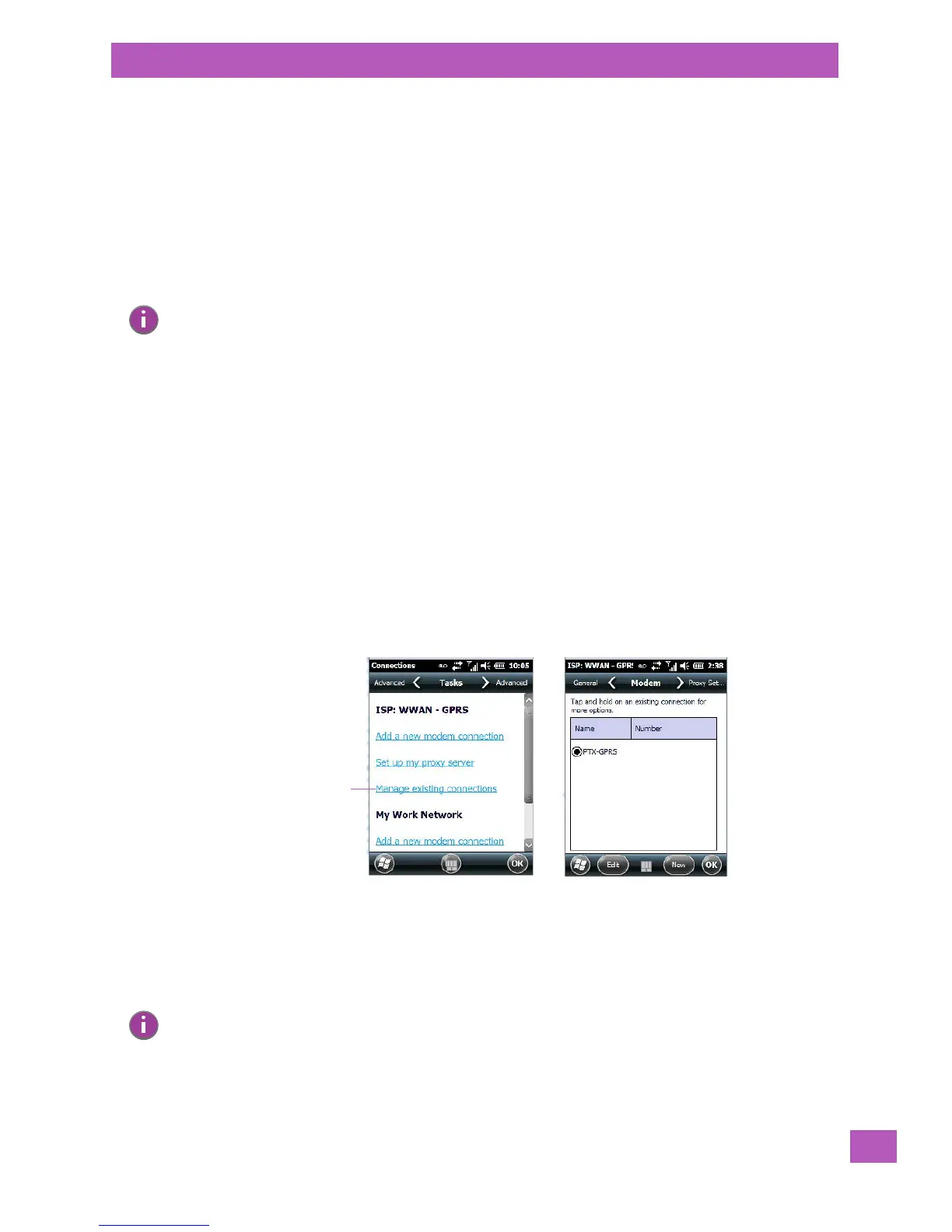
Once you’ve defined a connection, a new option appears in the first Connections screen – Manage
existing connections.
Editing a Connection
• Tap on Start>Settings>Connections folder icon. Tap on the Connections icon.
• Tap on Manage existing connections.
• To launch a connection from this screen, press and hold the stylus on the connection you want to acti-
vate. Choose Connect from the pop-up menu.
• To delete a connection, press and hold the stylus on the connection you want to delete. Choose Delete
from the pop-up menu.
Note: Normally, you will not need to change any advanced settings. You will need to make changes only
under only the following circumstances:
The server to which you are connecting does not dynamically assign addresses, and TCP/IP settings
need to be entered.
Server DNS or WINS settings need to be changed.
Note: You can also create a new connection by tapping on the New button. To make changes to the set-
tings for this connection, tap on Edit.



 To Next Page