Chapter 6: Peripheral Devices & Accessories
Desktop Docking Station – Model No. RV4000
Psion EP10 Hand-Held Computer User Manual
200
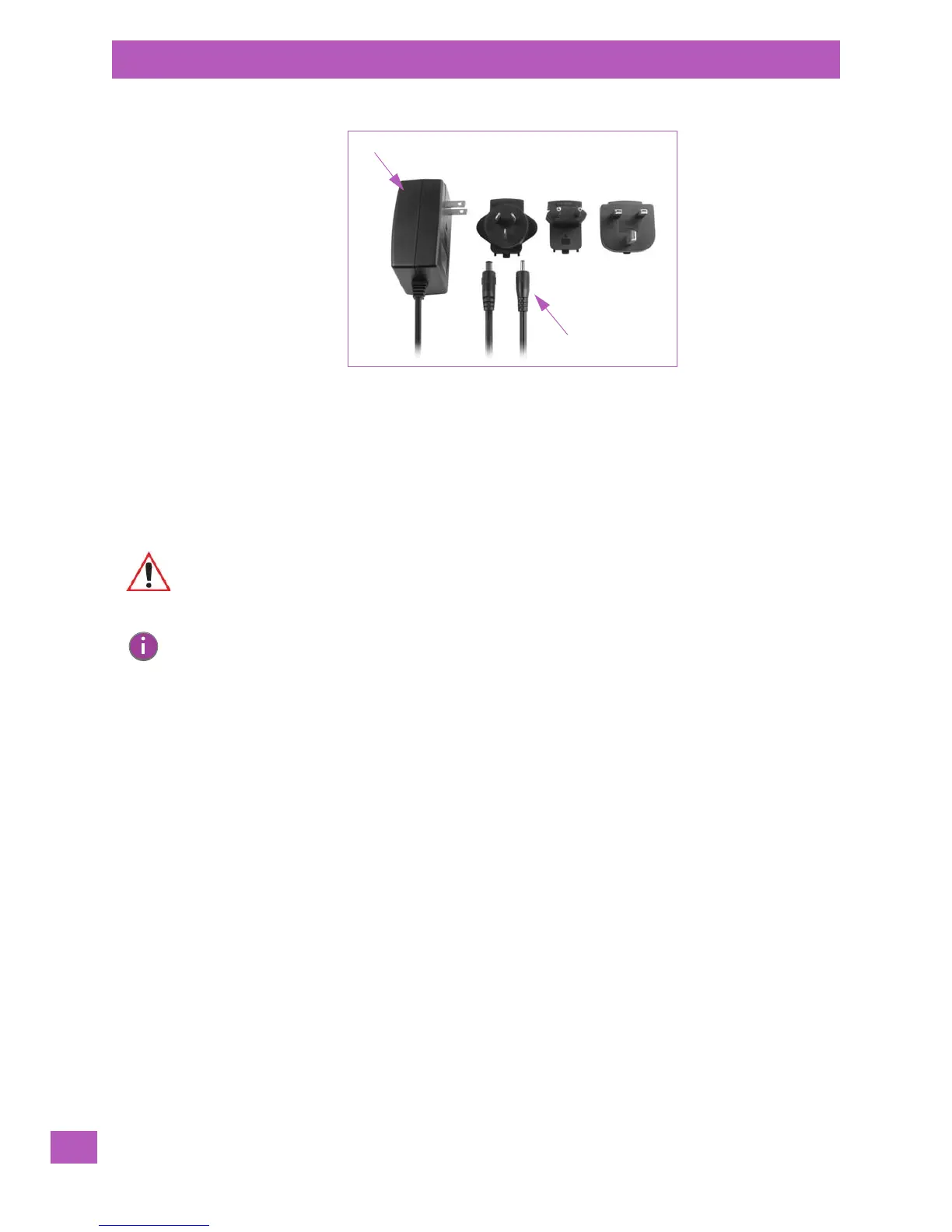
Figure 6.3 AC Wall Adaptor Plugs
• Choose the adaptor plug that is suitable for use in your country. Slide the adaptor plug into the Univer-
sal AC power supply, snapping it into place. These two pieces, coupled together, are referred to as an
AC wall adaptor.
• Insert the DC power plug into the DC IN port at the base of the EP10, located between the tether and
LIF ports.
• Plug the pronged end into an AC outlet.
6.5 Desktop Docking Station – Model No. RV4000
The RV4000 desktop docking station is a desktop model designed to:
• Fast charge the internal battery.
• Fast charge the spare battery pack (see Figure 6.4 on page 201)
• Supply micro-USB connection.
The RV4000 storage temperature is -30° C to +60° C (-22° F to 140° F). Operating temperature and humid-
ity are: 5 - 95% non-condensing and 0° C to 40°C (32° F to 104° F).
The desktop docking station provides sufficient power to concurrently support all the above functions. The
RV4000 uses careful charge algorithms designed to maximize battery life while ensuring the shortest pos-
sible charge time. The charger supports proprietary Psion Smart Batteries and handles a range of voltages
and charge algorithms. See “The Battery” on page 17 for battery capacity, charge times and battery life for
the EP10 battery. See “Charging a Spare Battery” on page 201 for spare battery charge information.
Universal AC Power Supply
Adaptor Plugs
DC Power Plugs
Important: The RV4000 desktop docking station is shipped with its own user manual. It is
critical that it be reviewed for additional information and updates.
Note: To preserve battery integrity, the desktop docking station will proceed with a charge only
when the battery temperature falls between 0° C and 40° C (32° F to 104° F).



 To Next Page