Chapter 5: Settings
Battery Power
101
Psion EP10 Hand-Held Computer User Manual
5.6.1 Battery Power
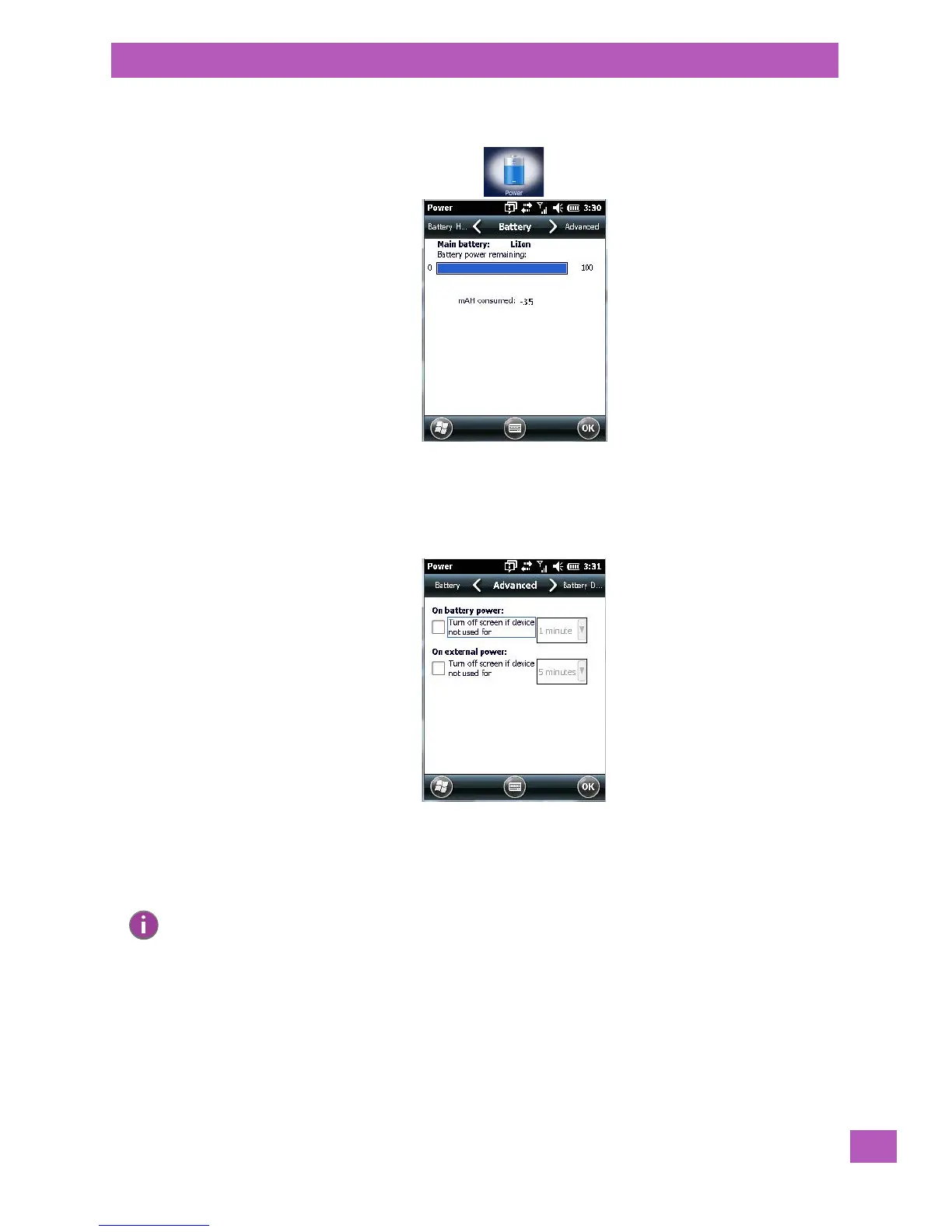
This tab monitors and displays the current battery capacity of the battery installed in the EP10.
5.6.2 Advanced Tab
This tab allows you to tailor how long the EP10 can remain idle before the screen is turned off while running
on battery power and also on external power.
• To determine behaviour when the unit is running On battery power, tap in the checkbox to the left of
Turn off screen if device is not used for.
• Tap in the drop-down menu next to this option, and choose the number of minutes the unit can remain
idle before the screen is turned off.
• To determine behaviour when the unit is running On external power, tap in the checkbox to the left of
Turn off screen if device is not used for, and choose a value in the associated drop-down menu.
Note: The options in the screen behave like Suspend mode. If the screen turns off, the unit is in suspend
mode – tapping on the touchscreen or pressing a key opens the screen in which you were working
before it was ‘turned off‘.



 To Next Page