Chapter 4: Programs
Communicate Tab - Adding Contacts
65
Psion EP10 Hand-Held Computer User Manual
Searching for a Contact
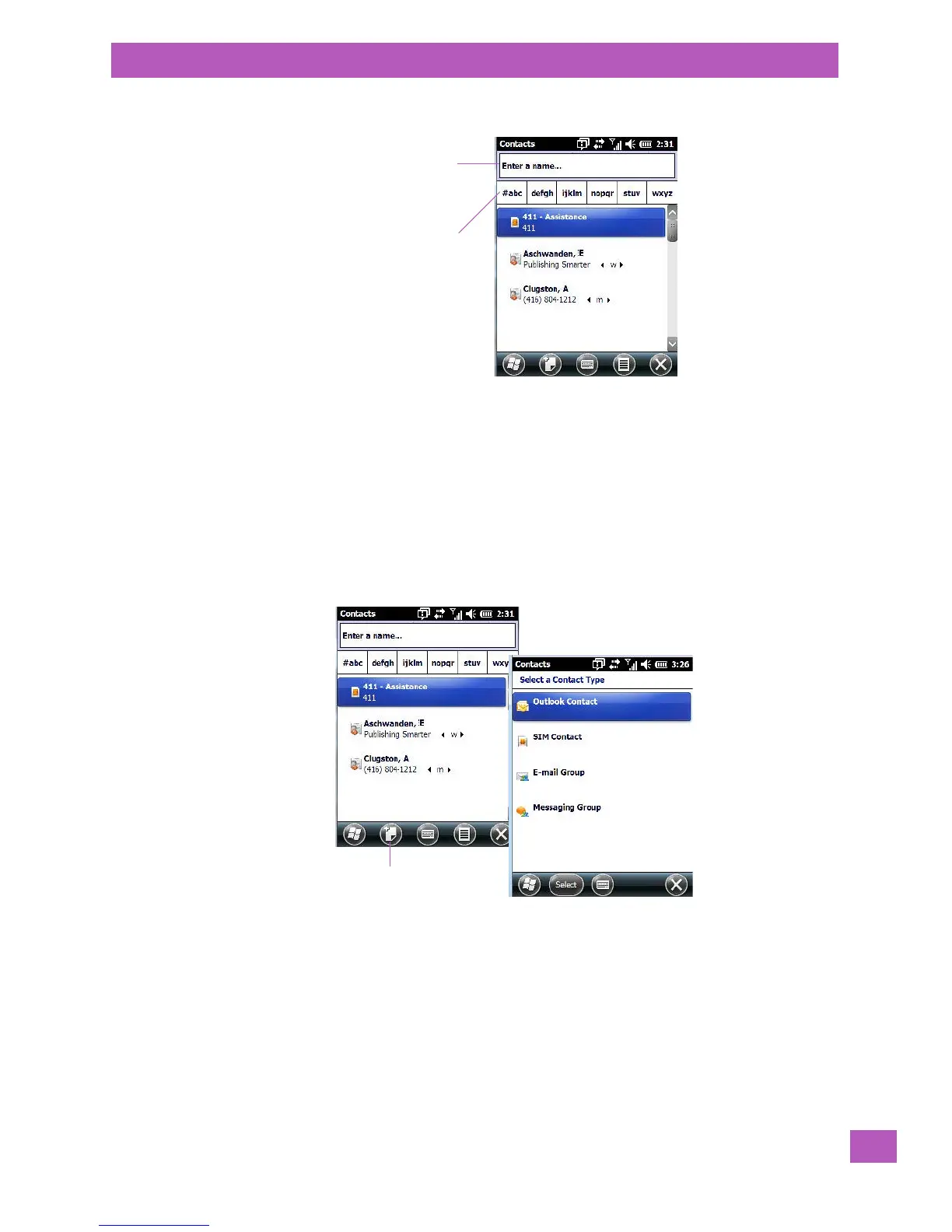
To search for a particular entry:
• Tap on the Enter a name ... field, and type the name you are searching for in the Contacts list.
• To narrow your search to names beginning with a particular letter, tap on the appropriate alpha char-
acter grouping.
4.6.2 Communicate Tab - Adding Contacts
Adding a New Contact
The New softkey located to the right of the Start softkey allows you to add additional entries to your con-
tacts list.
• Tap on the New softkey.
•Choose the contact type to which you want to add an entry.
•In the Communicate screen, tap on each of the options you want to complete for the new contact you
are creating. Each item you tap on in this screen produces an associated pop-up screen in which you
can enter the appropriate information. For example, in the sample screen following, tapping on Add a
name displays an associated screen for you to complete.
Type a contact
name here
Tap on an alpha
group to narrow
the search



 To Next Page