Appendix C: Imagers Applet
Translation Tab – Configuring Rules
Psion EP10 Hand-Held Computer User Manual
C-14
C.4.13.1 Modifying a Bar Code Setting
The rules for manipulating data from selected bar code symbologies can be modified. To change the set-
tings for a symbology:
• Tap on the + symbols to expand the lists and view the parameter settings.
• Scroll through the parameter list until you reach the parameter that you want to change.
• For a parameter that can take a range of values:
- Highlight the parameter, and then press the [SPACE] key or double-click the parameter.
- An associated dialog box containing the valid range of values for the parameter and the current
setting is displayed.
- Type a value in the field provided.
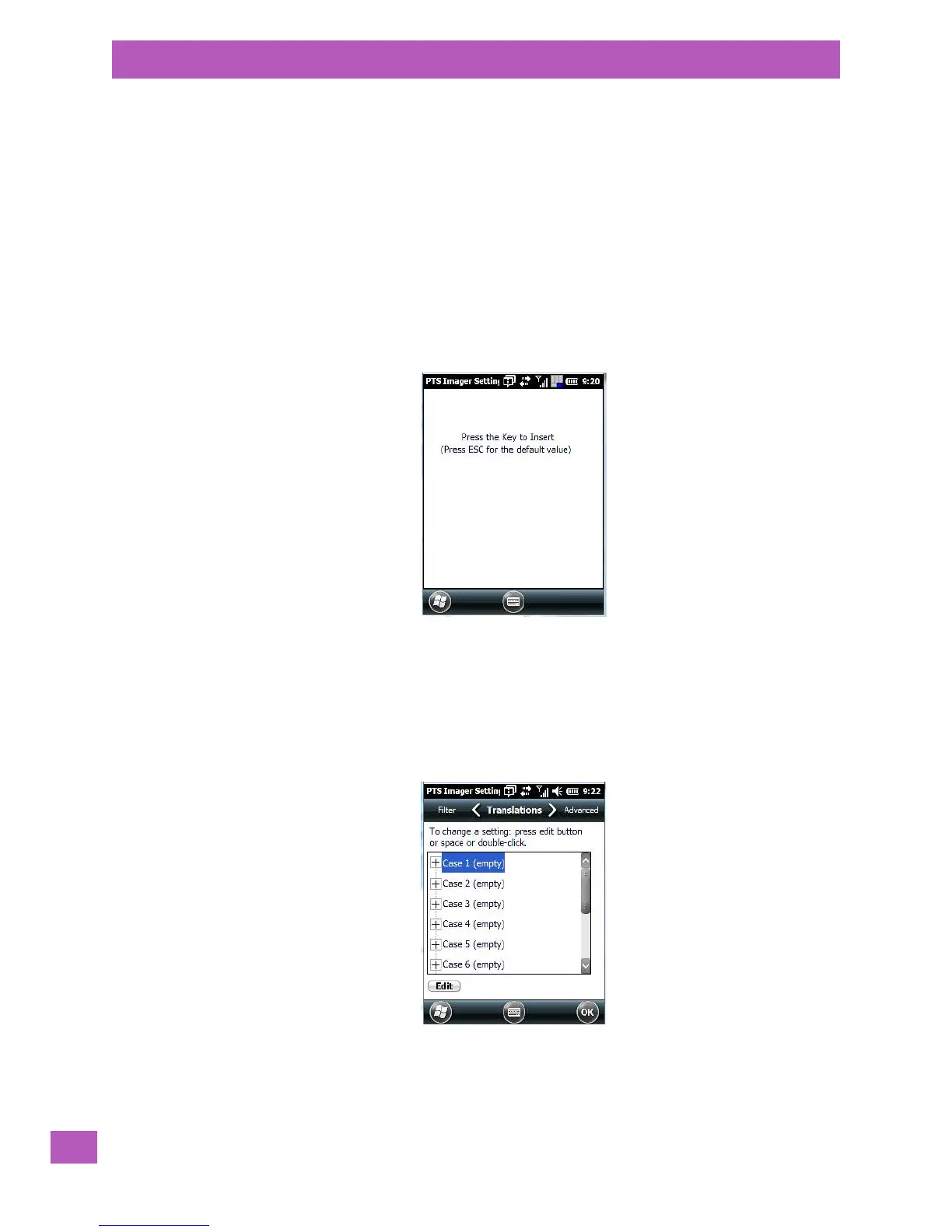
• For a parameter that takes a single character:
- Highlight the parameter and then press the [SPACE] key, or double-click on the parameter. The fol-
lowing screen is displayed:
• When you’ve completed your edits, tap on OK.
C.4.14 Translation Tab – Configuring Rules
Translation rules enable the automatic processing of bar code data. Up to 10 cases can be defined, each
consisting of up to 10 sequential rules.
•Tap on Start>Settings>System tab.
•Tap on the Imagers icon, and then tap on the Translation tab.
•In the Translations tab, double-tap on a Case # to create rules.



 To Next Page