Chapter 3: Getting to Know the EP10
The Start Button
41
Psion EP10 Hand-Held Computer User Manual
3.12.1 The Start Button
The Start button provides access to a screen of applets available on your EP10.
• Tap on the Start button in the lower-left corner of the softkey bar to display your programs.
3.13 Managing Files and Folders
Windows Embedded 6.5 files are stored in folders and sub-folders that are accessible with File Explorer. You
can open, save, rename, copy and paste files in the same manner as you would on any desktop PC.
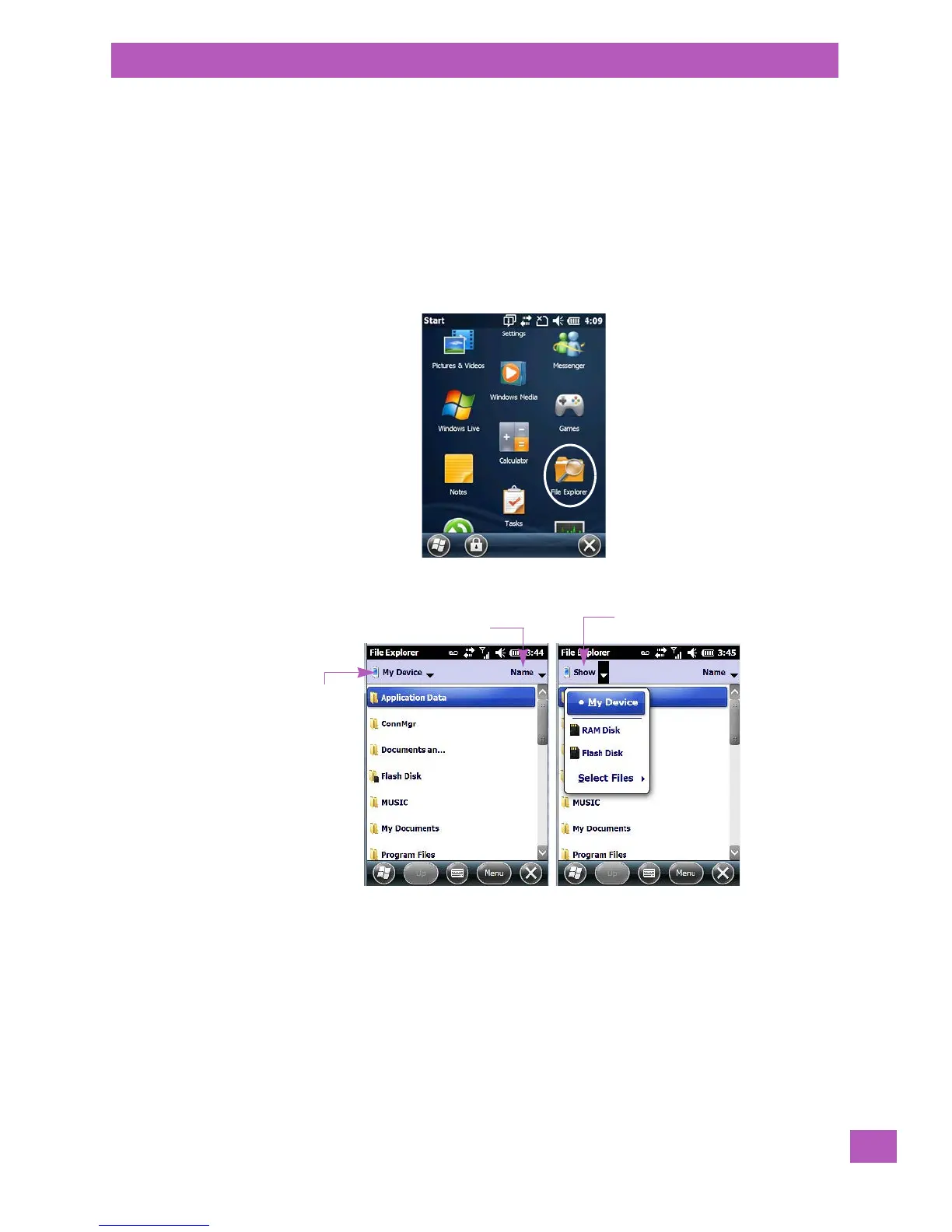
• Tap on the Start button.
• Use the stylus to scroll to the File Explorer icon.
• Tap on the icon to display the File Explorer screen.
3.13.1 Creating a New Folder
• Tap Start>File Explorer.
• Tap the Menu softkey, and in the pop-up menu, choose New Folder.
• Use the EP10 keyboard or the soft keyboard to assign a name to the folder.
3.13.2 Renaming a File
• Press and hold the stylus on the file you want to rename. A ring of dots is displayed followed by a
pop-up menu.
• Tap Rename. The file name is highlighted. Type a new name.
Files stored
here automa-
tically
Tap to display sorting options
Tap to display additional
storage/files



 To Next Page