Chapter 5: Settings
Appearances Tab – Changing the Theme (Background)
99
Psion EP10 Hand-Held Computer User Manual
5.5.1 Appearances Tab – Changing the Theme (Background)
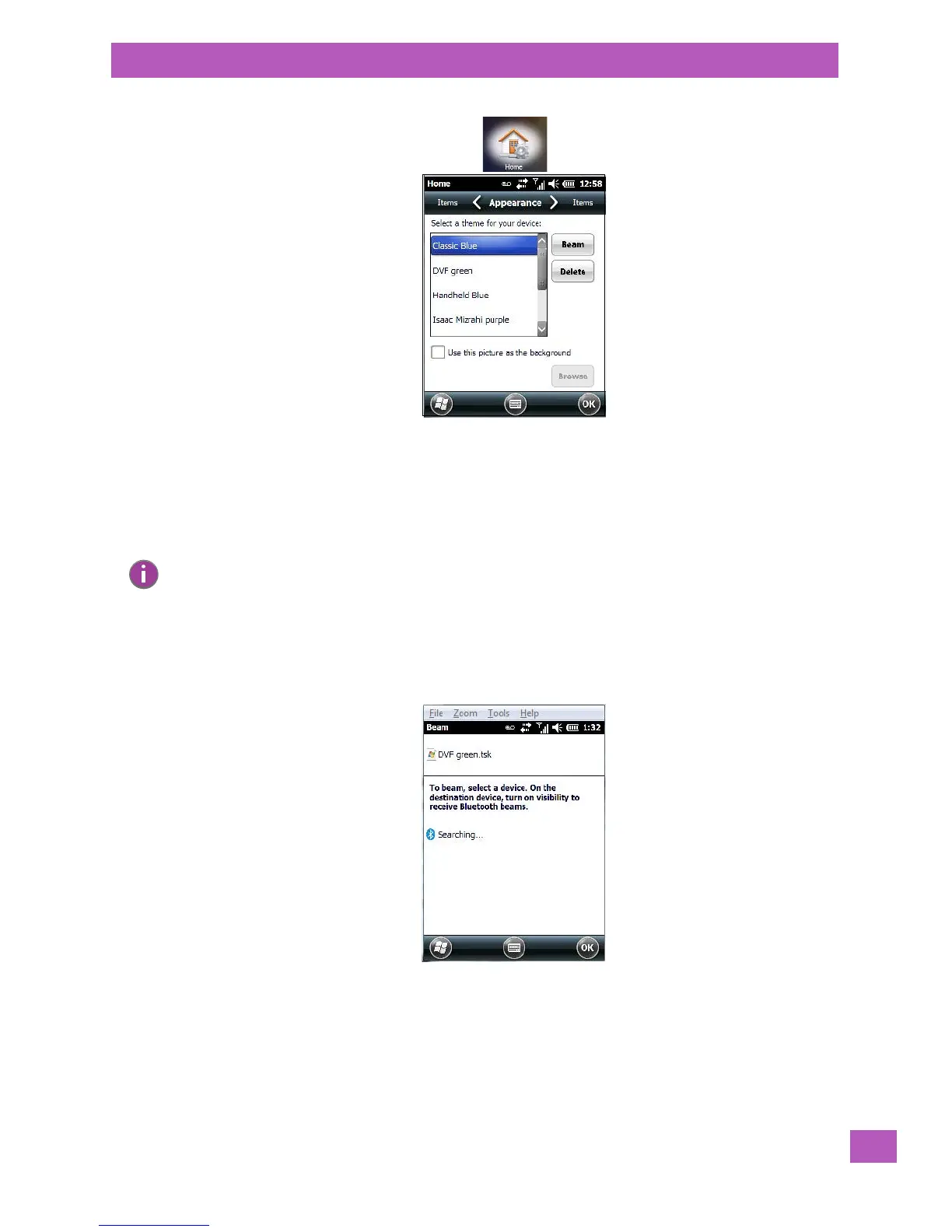
The Appearance tab allows you to change the background appearance of the Today screen.
• Tap on the theme or background you want to use. Tap on OK to assign the background you’ve chosen
to your EP10.
5.5.2 Beaming a Theme to Another Device
You can al so beam your selection to another device. To scan for visible devices and beam a theme:
•Choose a theme or background, and tap on the Beam button.
The EP10 scans for visible devices within range of the EP10 and lists them in the Beam screen.
• Tap on the device to which you want to send the theme.
A File Receive Confirmation dialog box appears on the device to which you are beaming the theme. If the re-
cipient taps on OK, the file is downloaded onto their device. Note that the recipient can also tap on Browse
to store the theme file in a different location.
Once the recipient clicks on OK to accept the file, the device you chose is marked as Done.
Note: You can also use a personal picture as your background. Tap on the checkbox to the left of Use
this picture as the background, and tap on the Browse button to locate your picture.



 To Next Page