Chapter 5: Settings
Network Cards
119
Psion EP10 Hand-Held Computer User Manual
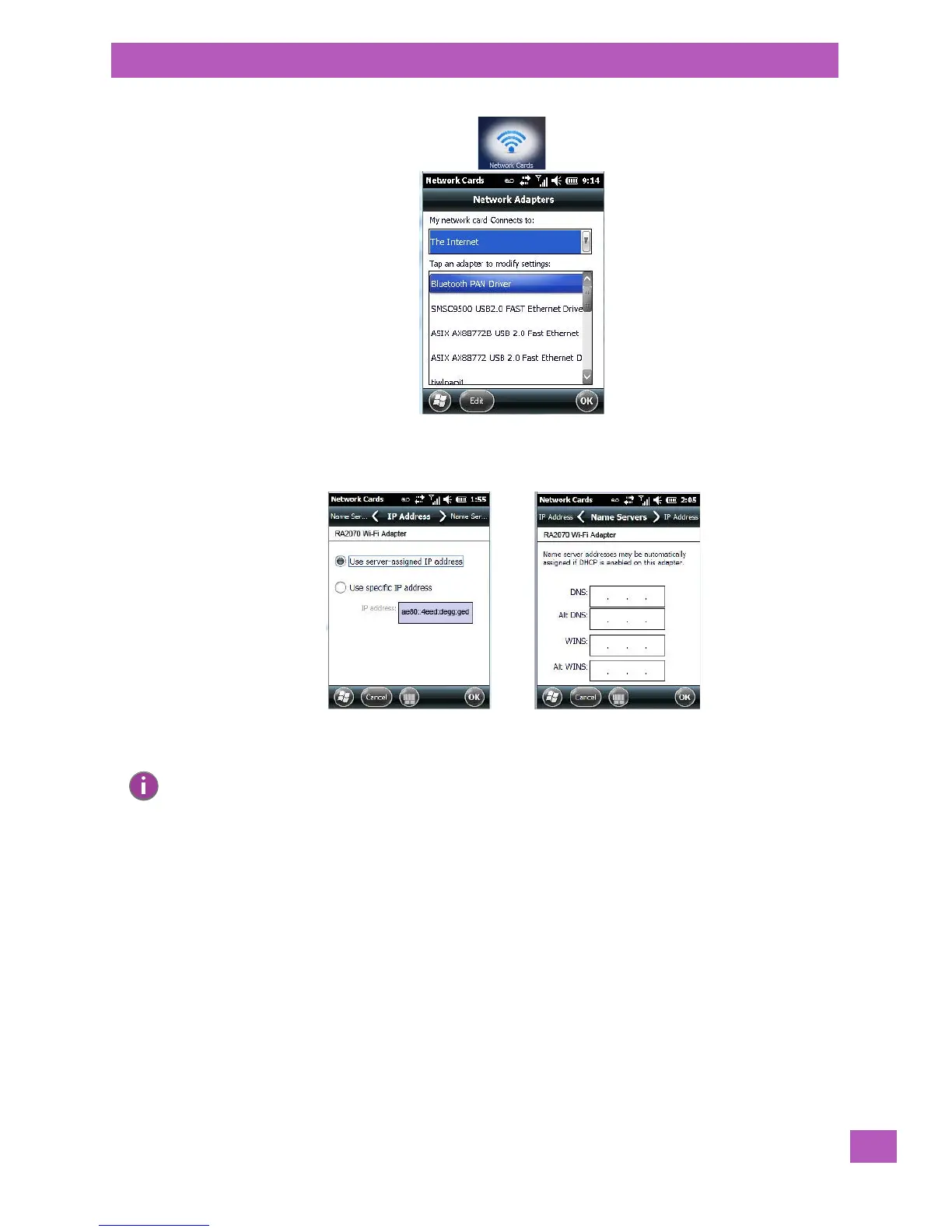
• If you need to specify server information, double-tap on the appropriate adaptor, and then tap on the
IP Address and/or Name Servers tab.
• If necessary, use a network cable to connect the network card to your network. Refer to the documen-
tation shipped with your network card for details.
• To activate the connection, launch the desired program (e.g., Internet Explorer). The EP10 will connect
automatically.
5.8.7.1 Changing Network Card Settings
• If you use your network card in two locations like work and home, you’ll need to change the network to
which the network card connects.
• Tap on Start>Settings>Connections>Network Cards.
•In the Configure Network Adapters dialog box, tap on the drop-down menu below My network card con-
nects to, and choose either The Internet or Work.
Note: Because most networks use DHCP, you should not need to change these settings unless instructed
to do so by your network administrator.



 To Next Page