Chapter 3: Getting to Know the EP10
The Today Screen Default Options
Psion EP10 Hand-Held Computer User Manual
32
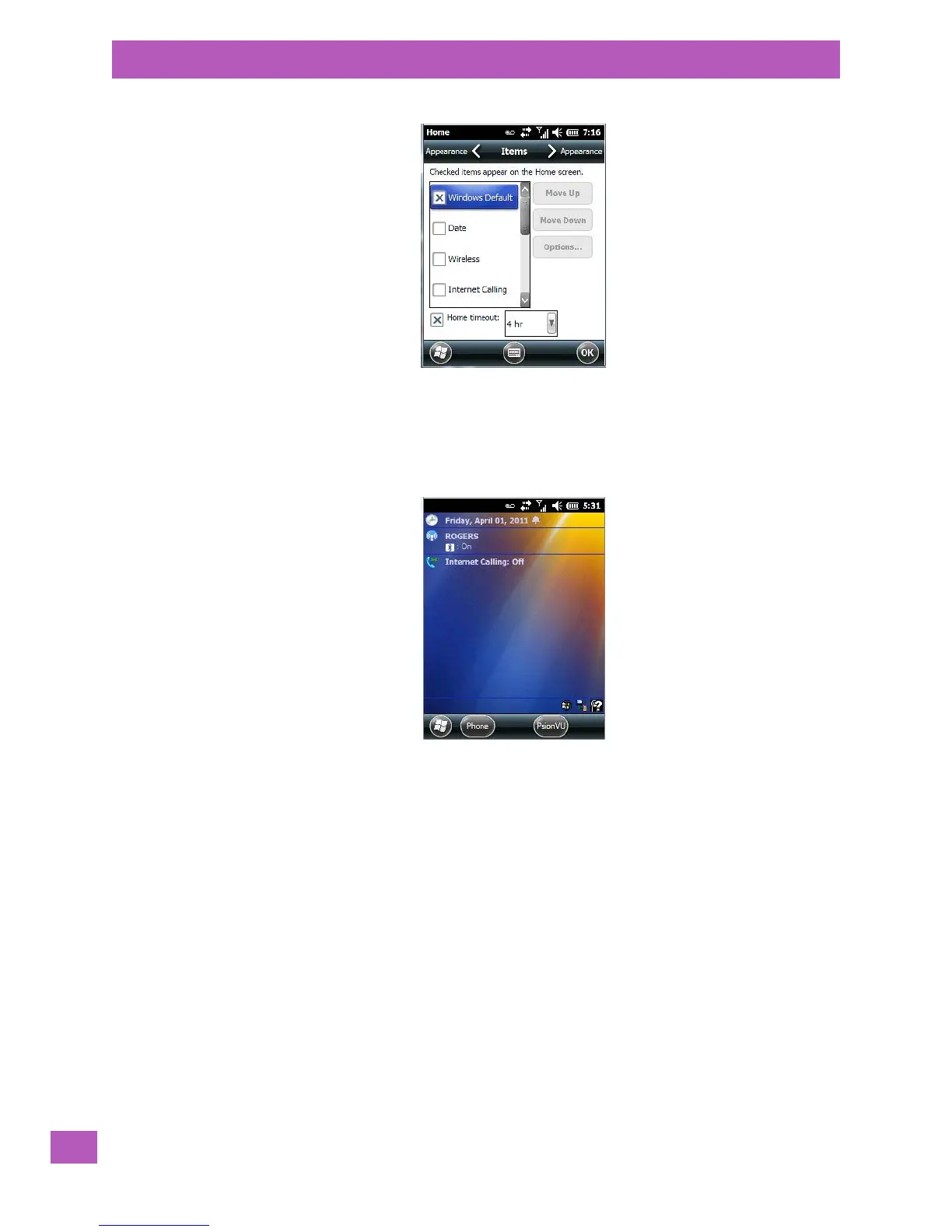
The items you select will appear in the Tod ay screen. Once you’ve chosen the items to appear on the Tod ay
screen, you can also tailor the order in which you want the items to appear:
• Highlight an item. Tap on the Move Up and Move Down buttons to order your selections.
When you choose items for the To day screen using this method, the appearance of the Today screen will
change to a list format.
3.10.2 The Today Screen Default Options
A list of options are available from the Today screen. Keep in mind that these can be altered using the
method described above in “Customizing the Today Screen” on page 31. You can also refer to “Shell Set-
tings” on page 163 for additional customization options.
3.10.2.1 Pictures
This option provides access to the Pictures & Videos applet. Refer to “Pictures & Videos” on page 68
for details.
3.10.2.2 Music
Tapping on the Music option displays the Windows Media applet. Refer to “Windows Media” on page 72
for details.
3.10.2.3 Phone
• Scroll to and highlight the Phone option to learn if you’ve missed any calls.
• Tap the stylus on the highlighted Phone option to display the phone console.
Refer to “The Phone” on page 37 for details about using the phone.



 To Next Page