Chapter 6: Peripheral Devices & Accessories
Cleaning the RV4004
Psion EP10 Hand-Held Computer User Manual
204
6.6.3.3 Connecting to the Ethernet Network
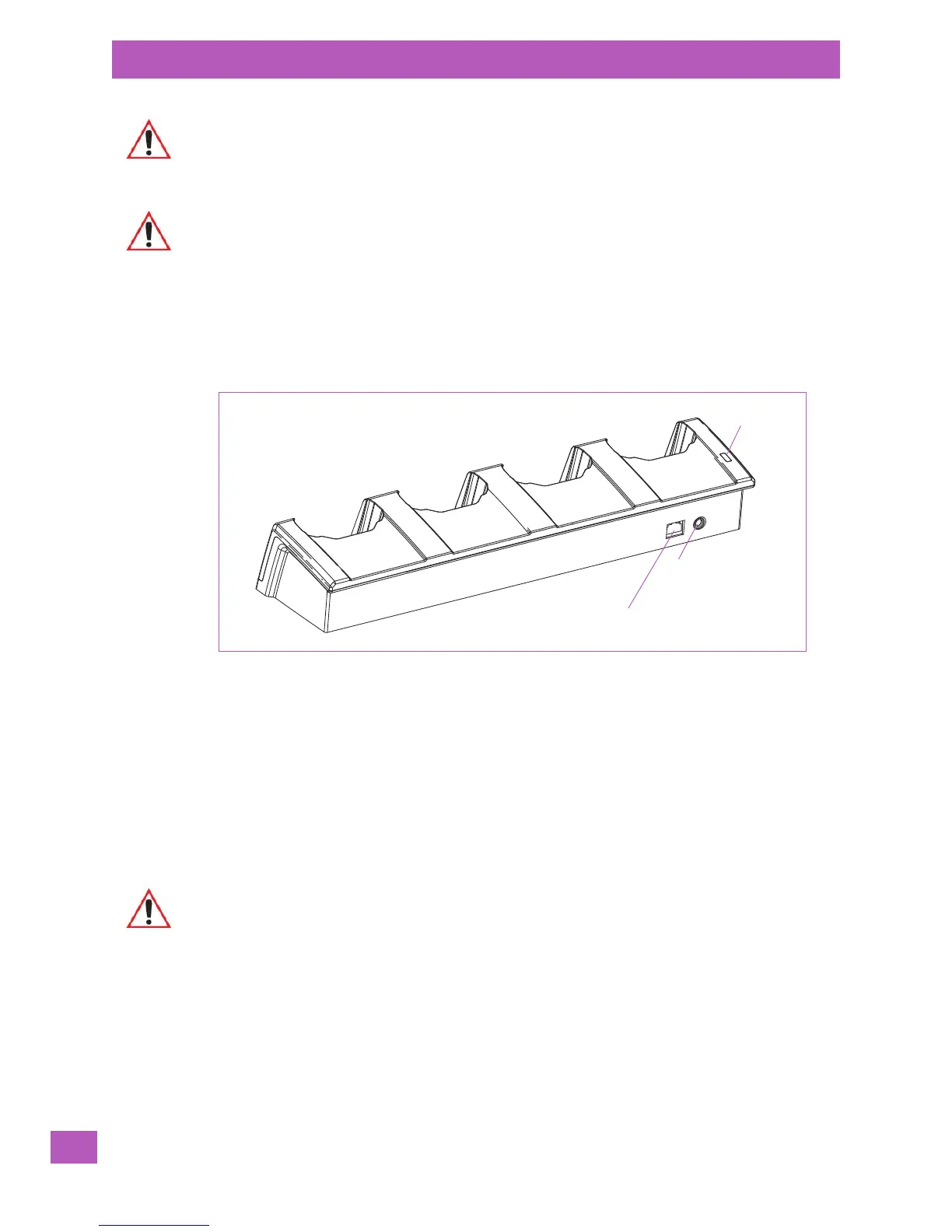
Figure 6.6 RV4004 Quad Docking Station Rear View
Network Access
The EP10 automatically detects insertion into the docking station and loads the appropriate drivers to com-
municate with the network.
Network Addressing
The host application uses standard TCP/IP protocol to name, locate and communicate with a specific EP10
on the network.
If a link is established between an EP10 and a host, the application on the host and on the EP10 must have a
recovery mechanism in the event that the EP10 is removed from the dock, interrupting the link.
6.6.4 Cleaning the RV4004
• Use only mild detergent or soapy water on a slightly damp cloth to clean the RV4004. Avoid abrasive
cleaners, solvents or strong chemicals for cleaning. The plastic case is susceptible to harsh chemicals.
The plastic is partially soluble in oils, mineral spirits and gasoline. The plastic slowly decomposes in
strong alkaline solutions.
• To clean ink marks from the label, use isopropyl alcohol.
Important: Use IEC-320 C13 power cords approved by Psion, with the ground pin connected
to a proper earth-grounded receptacle. Check with a qualified electrician if you are
uncertain of your receptacle grounding.
Important: If you choose to wall mount the charger, detailed installation instructions are
included in the ‘EP10 RV4004 Charger Quad Dock Quick Start Guide’
(PN 8000232) included with the quad docking station. Be sure to locate the
charger in an area where there is no risk of injury to persons walking in
the vicinity.
Power LED
Ethernet socket
DC socket
Important: Do not immerse the unit in water. Dampen a soft cloth with mild detergent to wipe
the unit clean.



 To Next Page