Chapter 5: Settings
Buttons
Psion EP10 Hand-Held Computer User Manual
136
5.9.2.1 Program Buttons Tab
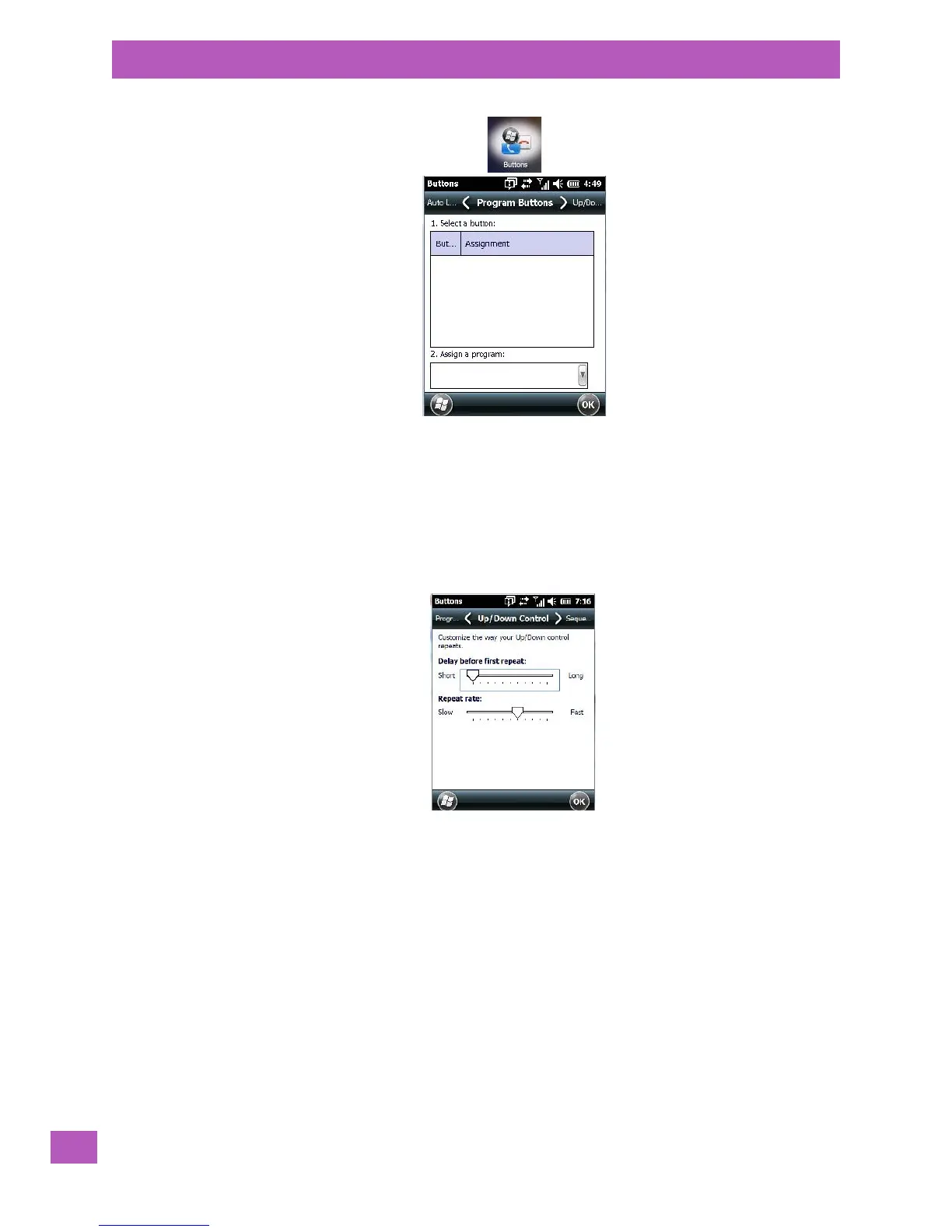
In the Program Buttons tab, you can customize the program hardware buttons to open your most
used programs.
•Under Select a button, tap on the button to which you want to assign a program.
• Choose a program from the Assign drop-down menu.
5.9.2.2 Up/Down Control Tab
•Tap on Start>Settings>Personal>Buttons icon to display this screen. Scroll to the
Up/Down Control tab.
Sliding the Delay before first repeat bar to the left decreases the delay between key repeats while sliding
the bar to the right increases the repeat delay time.
Sliding the Repeat rate bar to the left slows the rate at which an [Up/Down] button repeats when pressed.
Sliding the bar to the right increases the key repeat rate.



 To Next Page