Chapter 4: Programs
Synchronizing E-mail with Outlook (PC with Windows Vista or Windows 7)
Psion EP10 Hand-Held Computer User Manual
62
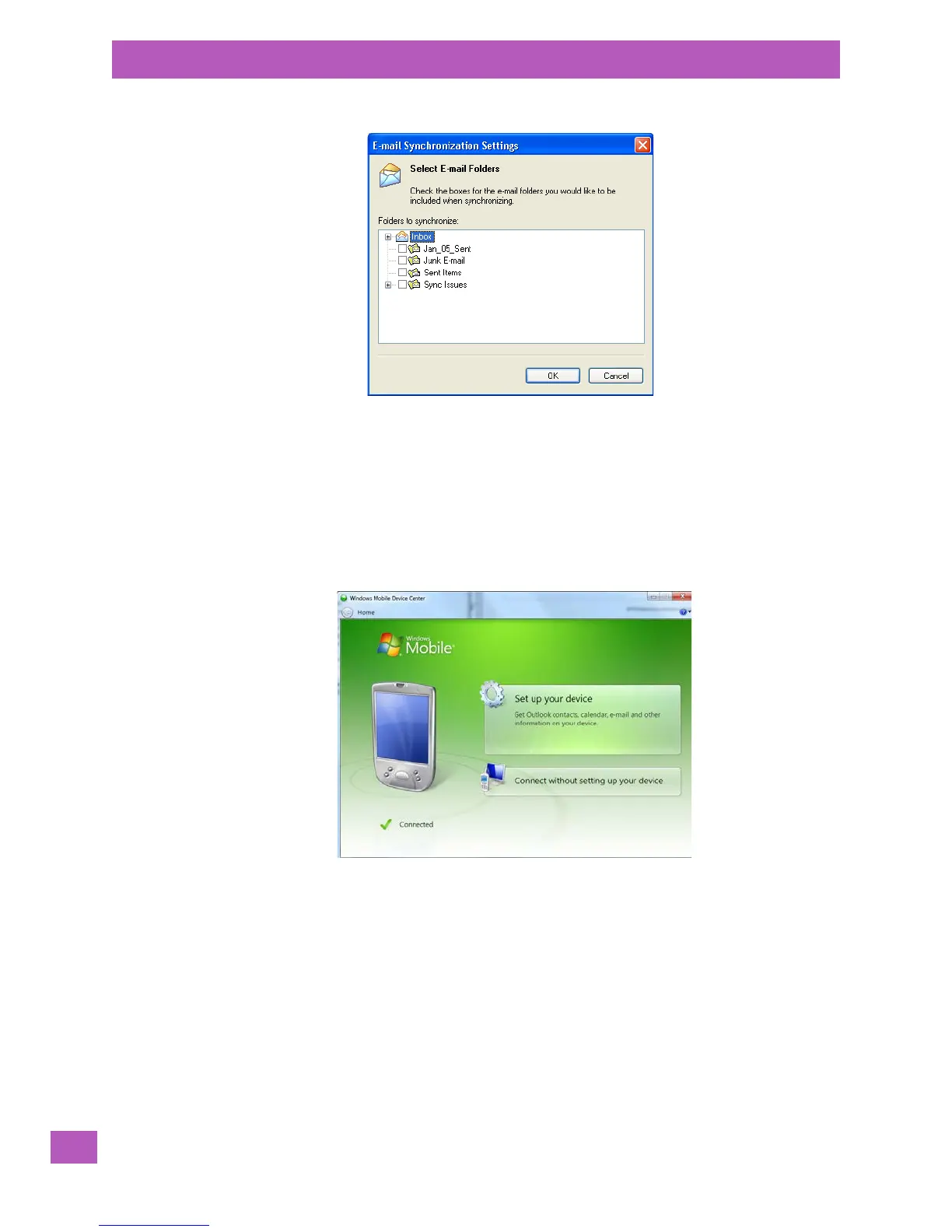
•Tap on the Select Folder button.
• Add a check mark next to the folders in this screen that you want to synchronize with your EP10, and
tap on OK.
The E-mail Synchronization screen is displayed again.
• If you want to accept file attachments, add a check mark next to Include file attachments. To limit the
size, tap on Only if smaller than, and specify a size in the KB box.
•Tap on OK.
4.5.3 Synchronizing E-mail with Outlook (PC with Windows Vista or Windows 7)
PCs running Windows Vista or Windows 7 use Windows Mobile Device Center in place of ActiveSync.
•In the Windows Mobile Device Center, tap on Set up your device.



 To Next Page