Chapter 5: Settings
Battery Health
103
Psion EP10 Hand-Held Computer User Manual
5.6.5 Battery Health
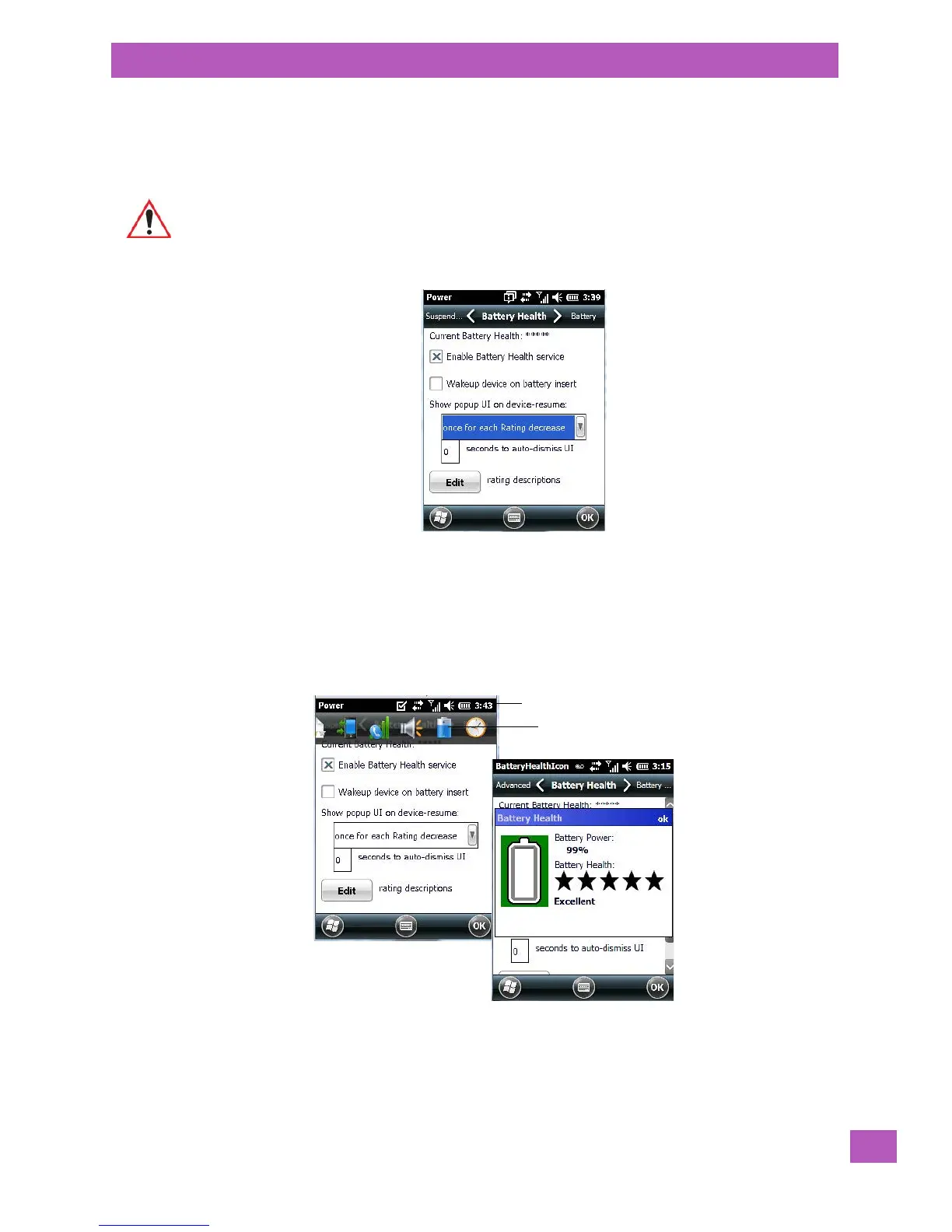
The Battery Health service provides an estimate of battery health based on a number of different measure-
ments, beyond battery capacity.
• In the scrolling tab bar, tap on the Battery Health tab.
Current Battery Health
The Current Battery Health default values are shown here as ***** (Excellent), *** (Used), and * (Battery
should be replaced).
To display the Battery Health screen:
• Tap on the navigation bar, scroll to and click on the battery hotkey.
The image above shows the default Excellent status screen.
Enable Battery Health Service
This option allows you to enable or disable the battery health service.
Important: Battery Health is an estimate and should not be depended on to provide a 100% account
of battery condition.
Navigation bar
Battery hotkey



 To Next Page