Chapter 5: Settings
Network Cards
Psion EP10 Hand-Held Computer User Manual
120
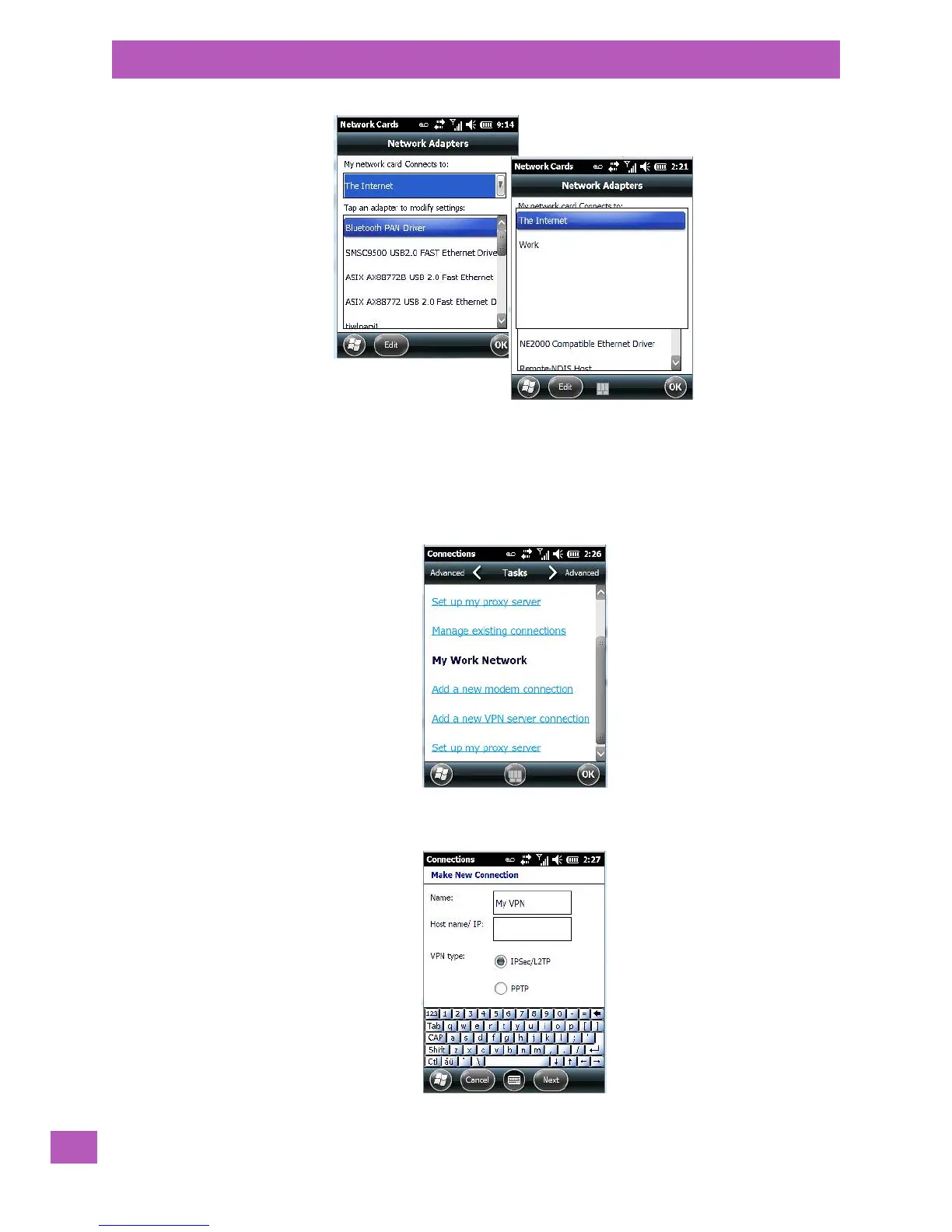
5.8.7.2 VPN Connection Setup
A VPN connection provides a secure connection to servers through the Internet.
Before you begin, you need the following information from your network administrator: password, domain
name, TCP/IP settings and a host name or IP address of the VPN server.
•Tap on Start>Settings. Tap on the Connections folder icon followed by the Connections icon.
•Under My Work Network, tap on Add a new VPN server connection.



 To Next Page