Chapter 2: Getting Started
Resetting the EP10
Psion EP10 Hand-Held Computer User Manual
12
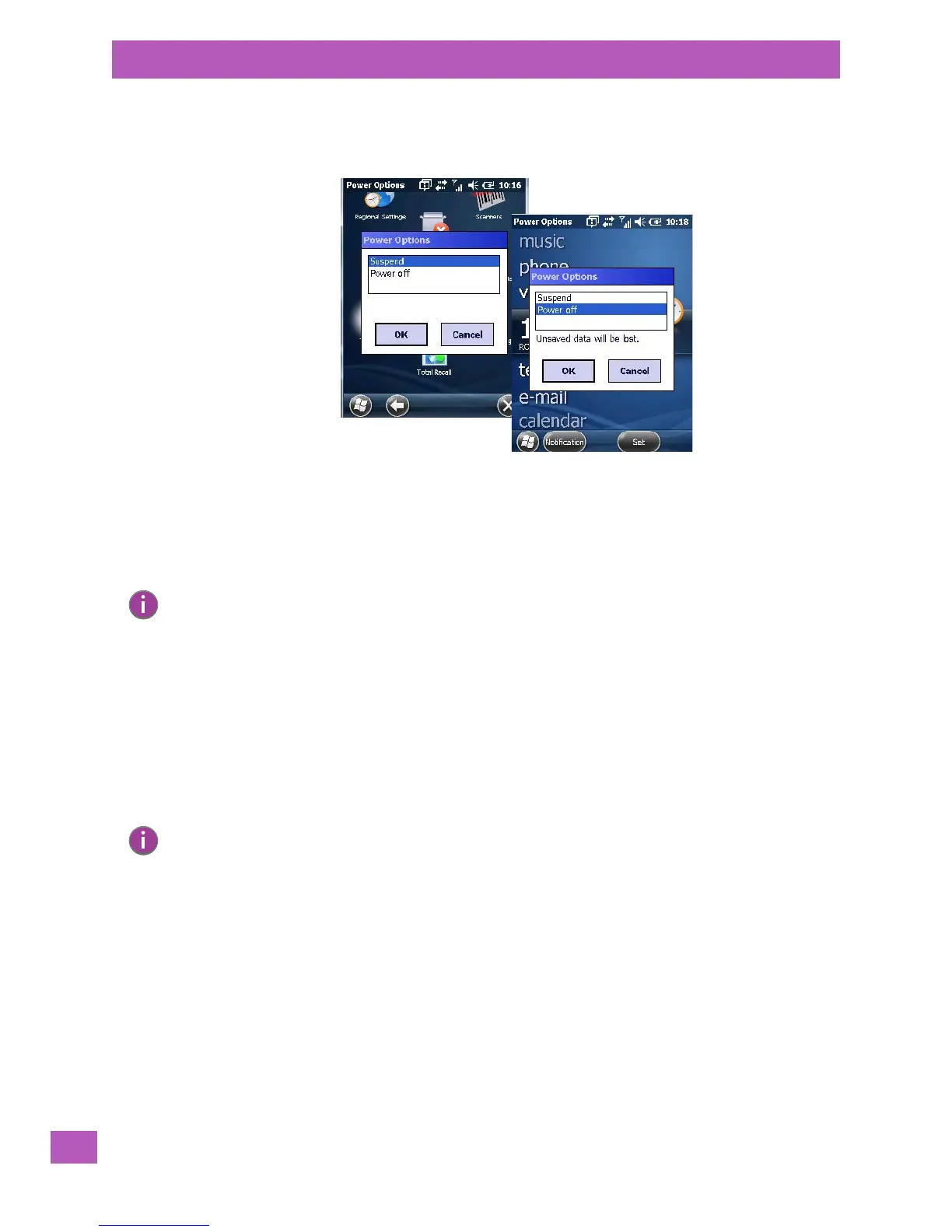
• To display the Power Options dialog box, press and hold down the [Power] button.
A Power Options dialog box like the sample below is displayed. Each option switches off different elements
of the EP10.
Choosing Suspend places the hand-held into a power-saving suspend state. In this state, all radios remain
on, but the display and keyboard backlight are switched off. The processor operates in a low-power state.
When the EP10 is turned on from this state, operation resumes within a few seconds in the screen in which
you were working prior to suspend.
Choosing Power off results in a full shutdown of the EP10 including the radio.
2.5 Resetting the EP10
2.5.1 Performing a Warm Reset
During a warm reset, running programs are halted. The contents of the flash memory and the registry are
preserved. Keep in mind, however, that RAM content is not preserved.
• Press and hold down the [BLUE/FN] key and the [Power] button simultaneously for a minimum of
six seconds.
2.5.2 Performing a Clean Start
A clean start returns the EP10 to factory settings, flushes the registry keys and deletes volatile storage.
Please note that the Psion Software Advantage (add-on cab file) is saved and stored in volatile memory.
• Press and hold down the [BLUE/FN] key, the [Power] button and the left [SCAN] key simultaneously
for a minimum of six seconds.
The EP10 displays the Boot to BooSt menu.
•On an alpha keyboard, type .clean.
•On a numeric keyboard, type .25326.
Note: Keep in mind that the Power Options dialog box is displayed only by pressing and holding down
the [Power] button. If you press and immediately release the [Power] button, the EP10 automati-
cally enters suspend mode.
Note: You do not need to reset your EP10 after configuring the radio.



 To Next Page