Chapter 4: Programs
Sending & Ending Calls using the EP10 Keyboard
53
Psion EP10 Hand-Held Computer User Manual
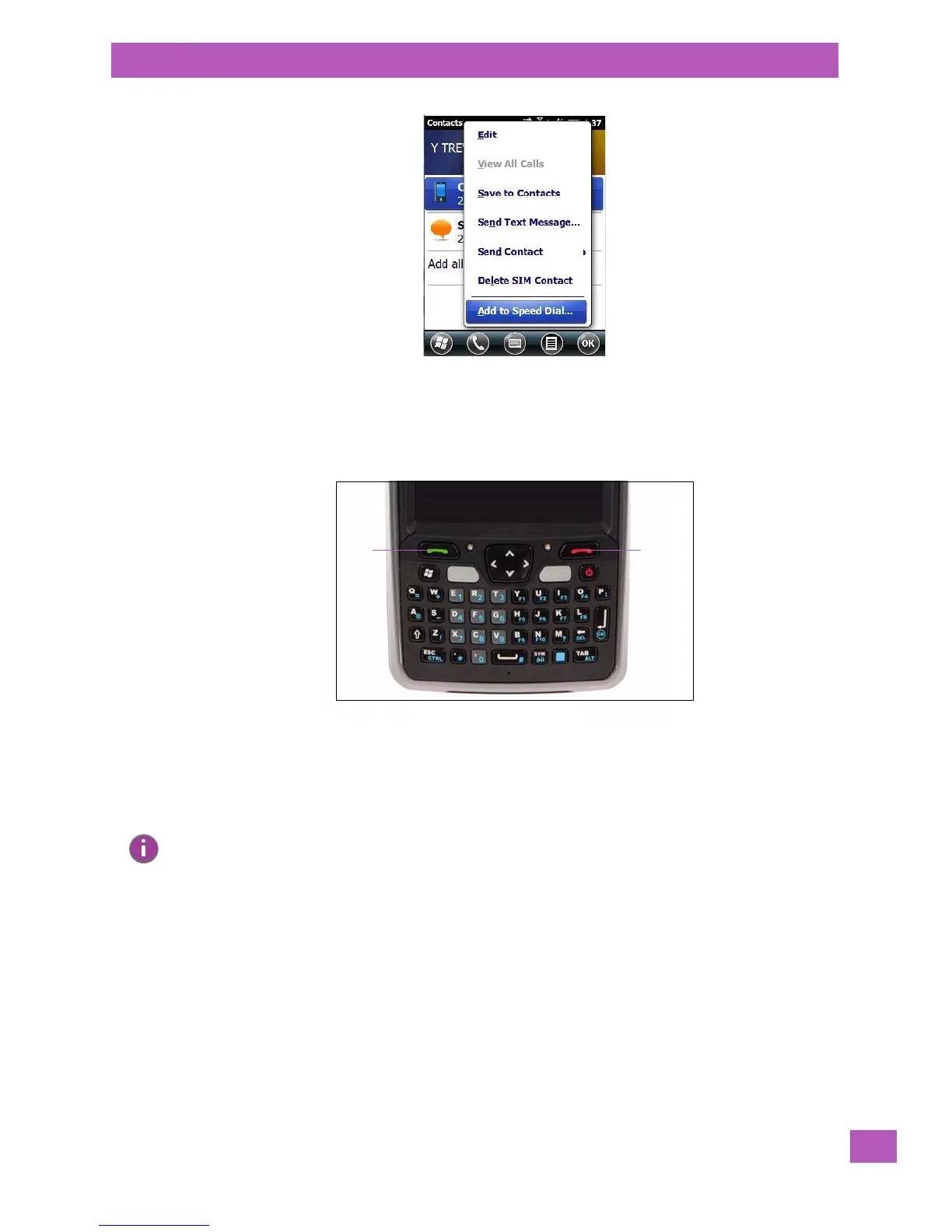
•In the Summary screen, tap on Menu>Add to Speed Dial.
4.3.2 Sending & Ending Calls using the EP10 Keyboard
An EP10 that supports the phone feature is equipped with a [Talk] and an [End] call key on the keyboard.
Using these phone keys, you can display the phone keypad and answer, send and terminate phone calls.
4.3.3 Managing Phone Settings
You can adjust phone settings such as the ring type and tone, choose phone services such as barring calls,
and you can also determine network selections. There are a number of ways you can access phone settings.
•In the Navigation Bar, tap on the Phone Settings hotkey.
Note: If your unit is equipped with a Sierra Wireless MC5728V radio for the Sprint and Verizon CDMA net-
works in the U.S, the phone screens will differ from the samples presented here. These radios are
outlined in Appendix A: “Wireless Wide Area Network (WWAN)”.



 To Next Page