Chapter 4: Programs
The Phone Keypad
Psion EP10 Hand-Held Computer User Manual
52
• Type a contact name in the field where the cursor is displayed, or tap on a name in the list.
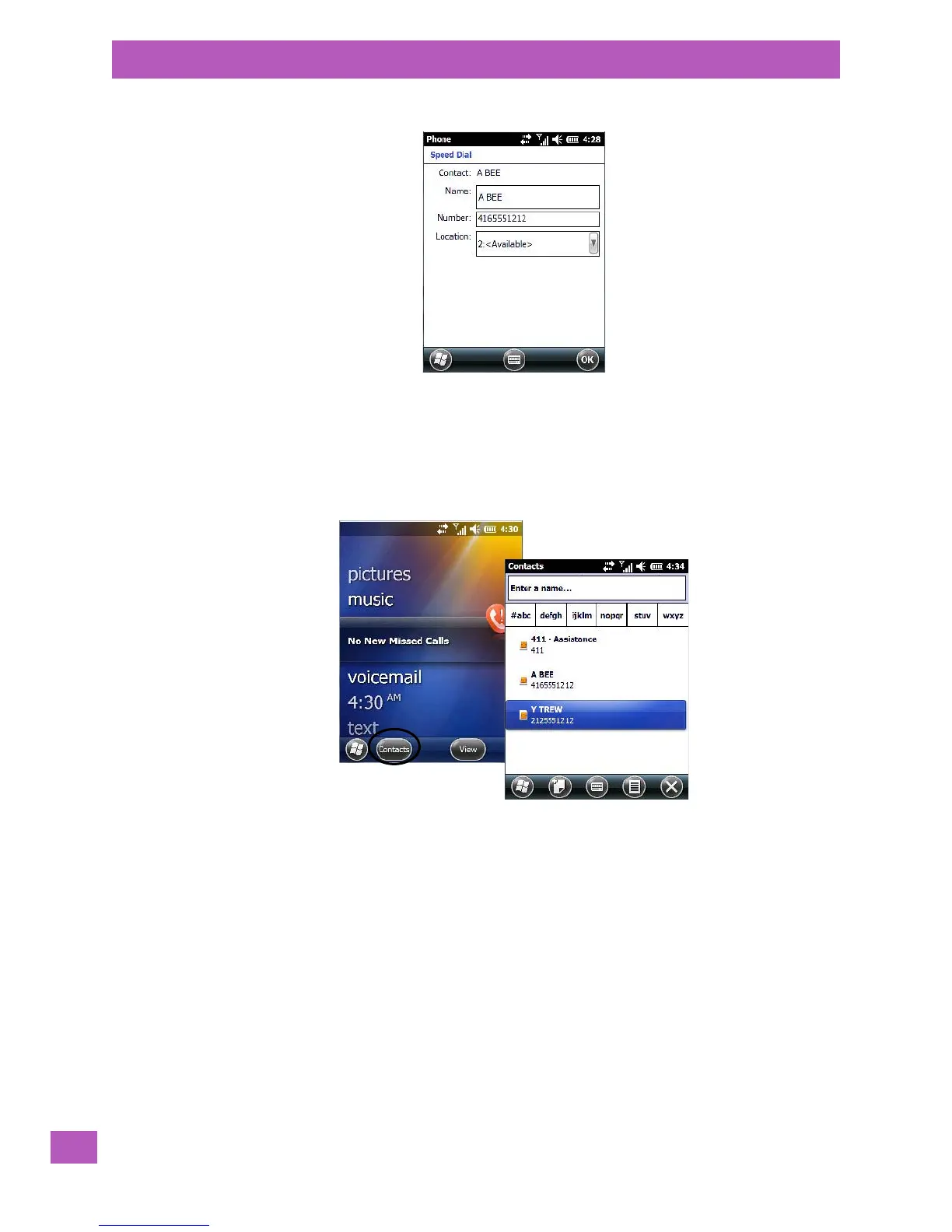
A sequential speed dial key is automatically assigned in the Location field. You can tap on the arrows to the
right of the Location field to change the auto assignment.
Using the Contact List to Program a Speed Dial
•In the Today screen list, tap on phone. Tap on the Contact softkey in the taskbar at the bottom of the
Tod ay screen.
•Tap on the Contact to which you want to assign a speed dial number.



 To Next Page