Chapter 5: Settings
Total Recall
187
Psion EP10 Hand-Held Computer User Manual
5.11.26.3 Managing Profiles
You can view profiles and choose profile options from the menus in this section.
5.11.26.3.1Viewing a Profile
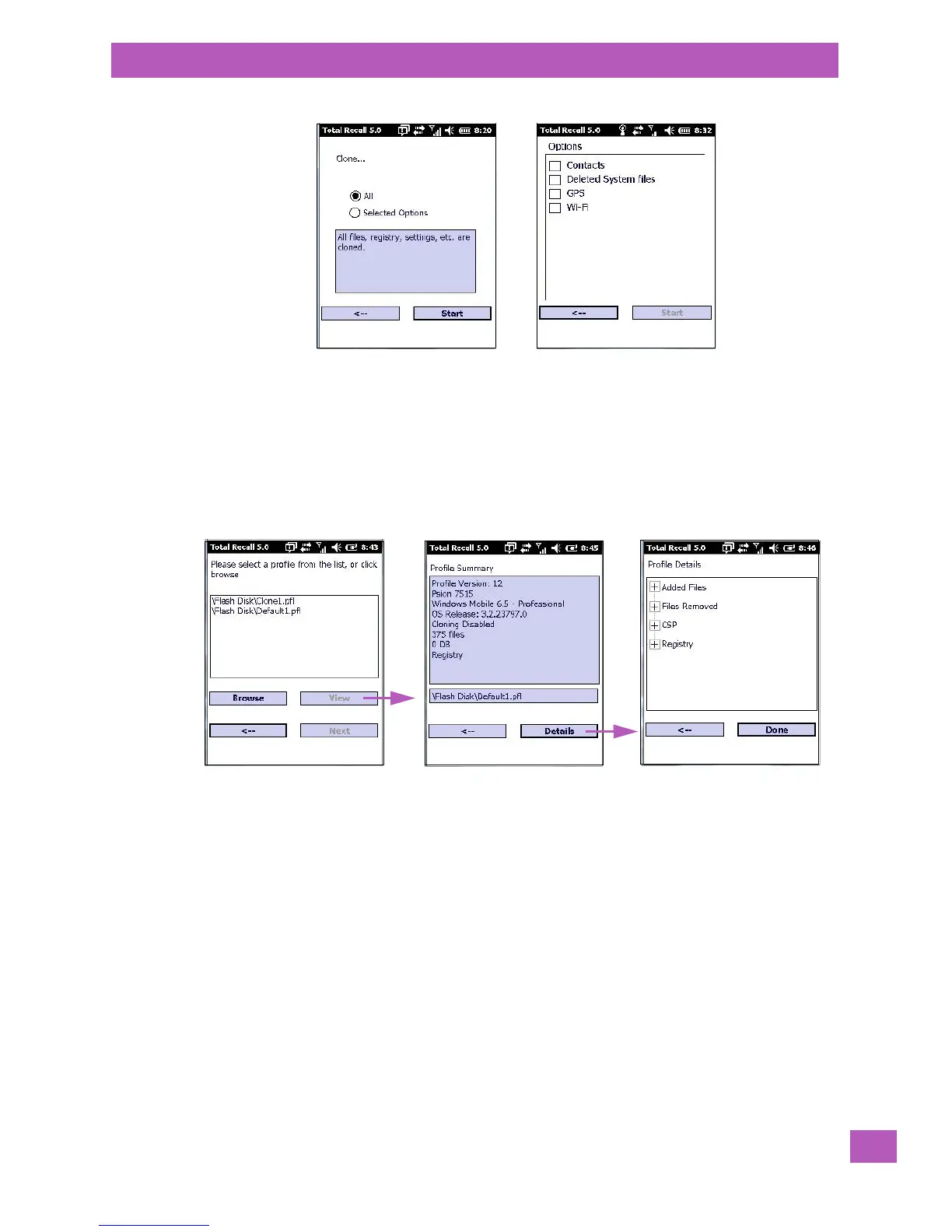
• Tap on the Manage Profile button to see your list of profiles. Highlight a profile, and then you can
choose to View the Profile Summary and go on to the next menu, Profile Details.
5.11.26.3.2Profile Options
• Tap on the Manage Profile button to see your list of profiles, as shown above. Highlight a profile, and
tap on the Next button to choose from options to restore or clone the profile. You can choose from
four profile options: Restore Now, Set for Autorestore, Upload to A.R.C., and Clone to USB.
List of profiles
Profile Summary
Profile Details



 To Next Page