Chapter 4: Programs
OneNote Mobile
85
Psion EP10 Hand-Held Computer User Manual
Excel Mobile allows you to copy Excel workbooks from your PC onto your EP10 and update them while
you’re away from your desk.
• Tap on Start>Office Mobile>Excel Mobile.
• If a list of workbooks is displayed rather than a new sheet, you’ll need to create a new workbook. To
create a workbook:
•In Excel Mobile, tap the Menu>File>New.
4.22.2 OneNote Mobile
You can use OneNote Mobile to take notes wherever you are and then synchronize your notes with a note-
book section in the OneNote version on your PC. For example, you can:
• Snap pictures of business cards on your EP10 and then bring them into OneNote on your PC.
• Create short text notes and voice recordings on your EP10 to remind you about important meetings,
ideas, etc. and synchronize them with your notes.
• Prepare information in OneNote on your PC and then transfer it to your EP10 where it will be available
to you wherever you and your EP10 go.
Setting Up a Partnership
•Start Office OneNote and ActiveSync or Windows Mobile Center on your PC.
• Connect the EP10 to your PC; you can use a USB cable or a Bluetooth connection.
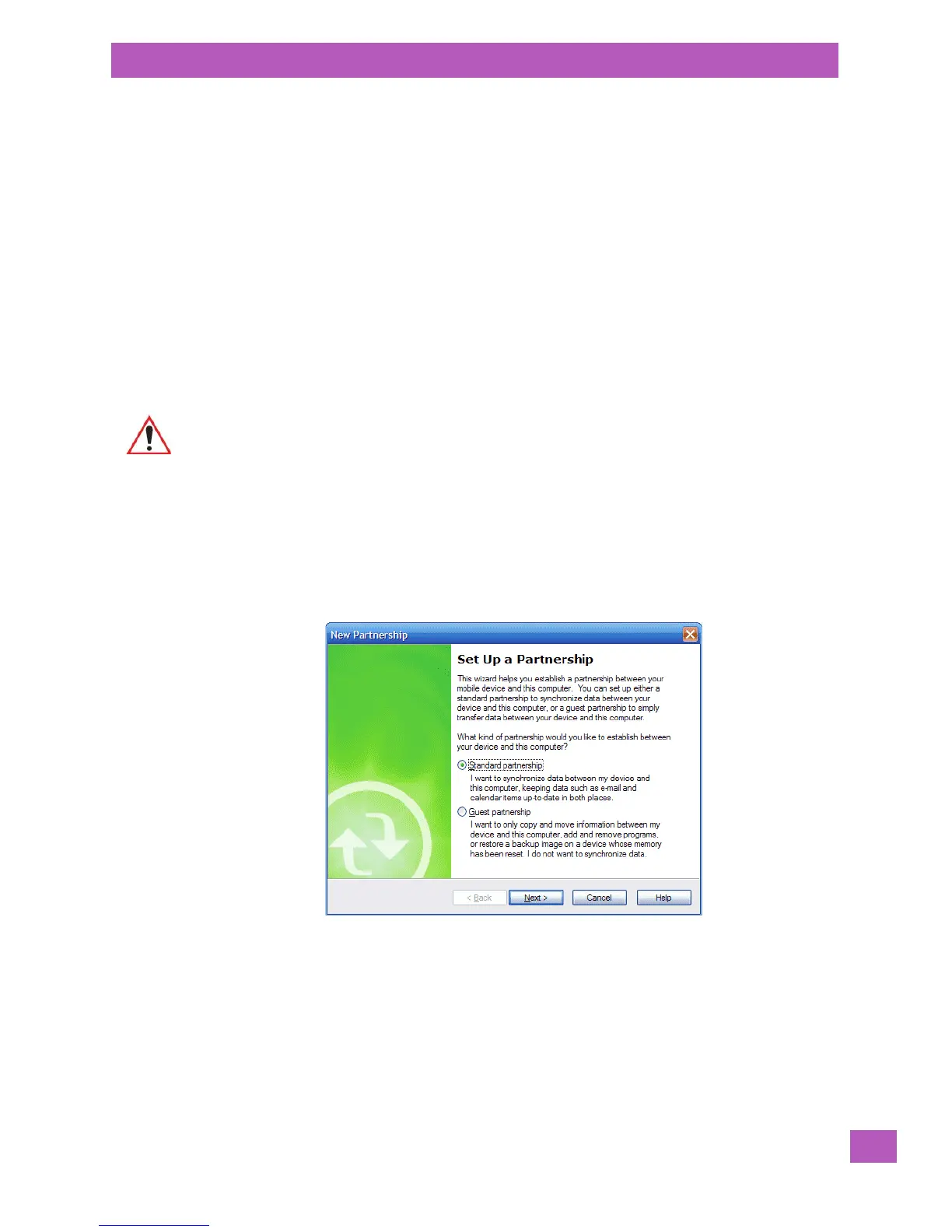
When a connection is established between the EP10 and your PC, ActiveSync displays a New
Partnership screen.
•Choose Standard partnership, and tap on Next.
• To share information between OneNote Mobile and Office OneNote 2010 on your PC, tap Synchronize
with this desktop computer, and then tap on Next.
• Tap on Finish to begin the partnership between the EP10 and the PC. Now you’ll be able to pass notes
back and forth between your PC and your EP10.
Creating A Note
• Tap on Start>OfficeMobile>OneNote Mobile icon. Tap on New in the softkey bar to display a
blank note.
Important: Remember that you must have Microsoft Office OneNote 2010 and the latest
version of ActiveSync or Windows Mobile Device Center installed on your PC before
you can set up a partnership between your EP10 and your PC.



 To Next Page