Chapter 5: Settings
Wi-Fi Config – Setting Up the 802.11a/b/g/n Radio
Psion EP10 Hand-Held Computer User Manual
126
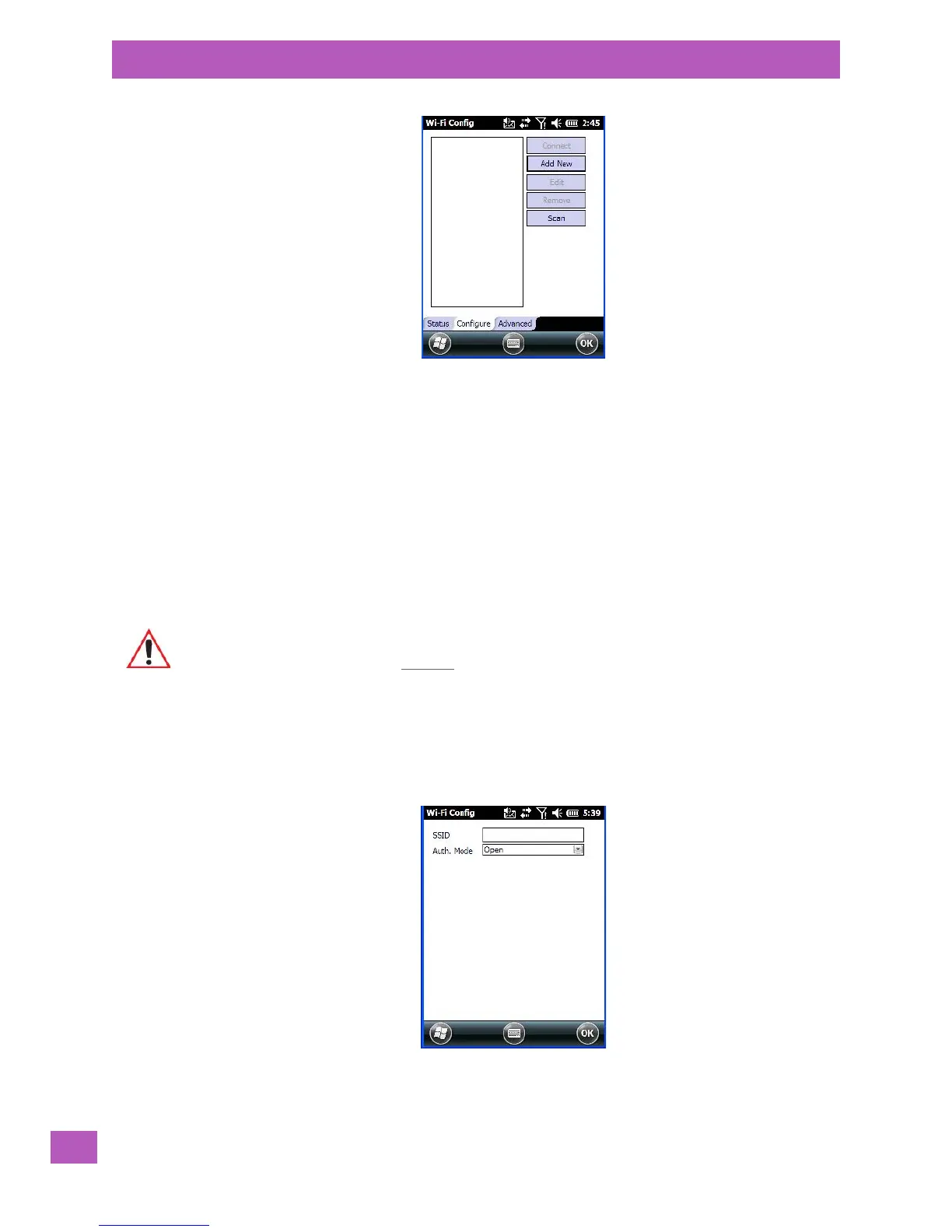
Connect: Used to connect to an already existing wireless network configuration.
Add New: Used to create a new wireless network configuration.
Edit: Used to change values in an existing wireless network configuration.
Remove: Used to delete a wireless network configuration.
Scan: Used to detect and list available wireless networks. You can highlight a network in the list, and
tap on Add New to activate the network.
There are two methods available when configuring a radio network – you can either scan for an existing
network or manually create a network. If you tap on the Scan button, a list of networks detected by the
radio is displayed. Highlighting one of the listed networks and tapping on the Add New button creates a new
profile that is completed based on the security capabilities detected by the radio. You may need to add ad-
ditional information, depending on your network requirements.
If you tap on the Add New button rather than the Scan button, you can create a network manually.
5.8.9.2.1 Manually Creating a Network
•In the Configure tab, tap on the Add New button.
• Enter the SSID (Service Set Identifier) for your network.
5.8.9.2.2 Authentication Mode
Important: The steps below describe how to manually create a network. Keep in mind that this
is intended only as an example and may vary from your own network requirements.
If, for example, you are using a different type of security for your network, the
fields you complete may not match those described here.



 To Next Page