Chapter 5: Settings
Wi-Fi Config – Setting Up the 802.11a/b/g/n Radio
Psion EP10 Hand-Held Computer User Manual
132
5.8.9.4.2 Network Type
This option allows you to select the full set or a sub-set of the IEEE 802.11 wireless network protocols. You
can choose from the following:
• b only: forces the radio to operate in the 2.4GHz band only. The hand-held will only associate with an
Access Point (AP) that supports the DSSS data rates 1, 2, 5.5 & 11 Mbps. This mode has the lowest data
rate but yields the longest range.
• b/g only: forces the radio to operate in the 2.4 GHz band only. The EP10 will only associate with an AP
that supports the DSSS data rates 1, 2, 5.5 & 11 Mbps and OFDM data rates: 6, 9, 12, 18, 24, 36, 48,
54Mbps. This mode offers the same range as b only mode but with higher data rate of 54 Mbps when
possible
• a only: forces the radio to operate in the 5 GHz band only. The hand-held will only associate with an AP
that supports the OFDM data rates: 6, 9, 12, 18, 24, 36, 48, 54 Mbps.
5.8.9.4.3 11n Mode
This radio supports MIMO data rates in both 2.4 GHz and 5 G band (although it only supports single stream
operation (SISO)). This increases the maximum data rate to 65 Mbps.
• Enabled: If this option is enabled, it is activated for the band or bands that were selected in Network
type. For example, if Network Type = b only, 11n is only switched on for the 2.4GHz band.
5.8.9.4.4 11n – Block Ack
When 11n – Block Ack is enabled, the EP10 will not send an ACK for every packet received, but it will send
an ACK after a block of data is received. The duration of time before sending an ACK is negotiated with the
AP.
5.8.9.4.5 Power Save Mode
If Power Save Mode is enabled, the radio remains on continuously. The disadvantage to enabling this
option is increased power consumption. The advantage to enabling this option is instant response to
TCP/IP traffic.
It is recommended that Power Save Mode be enabled to increase battery run time. It should only be disa-
bled if the application is sensitive to timing.
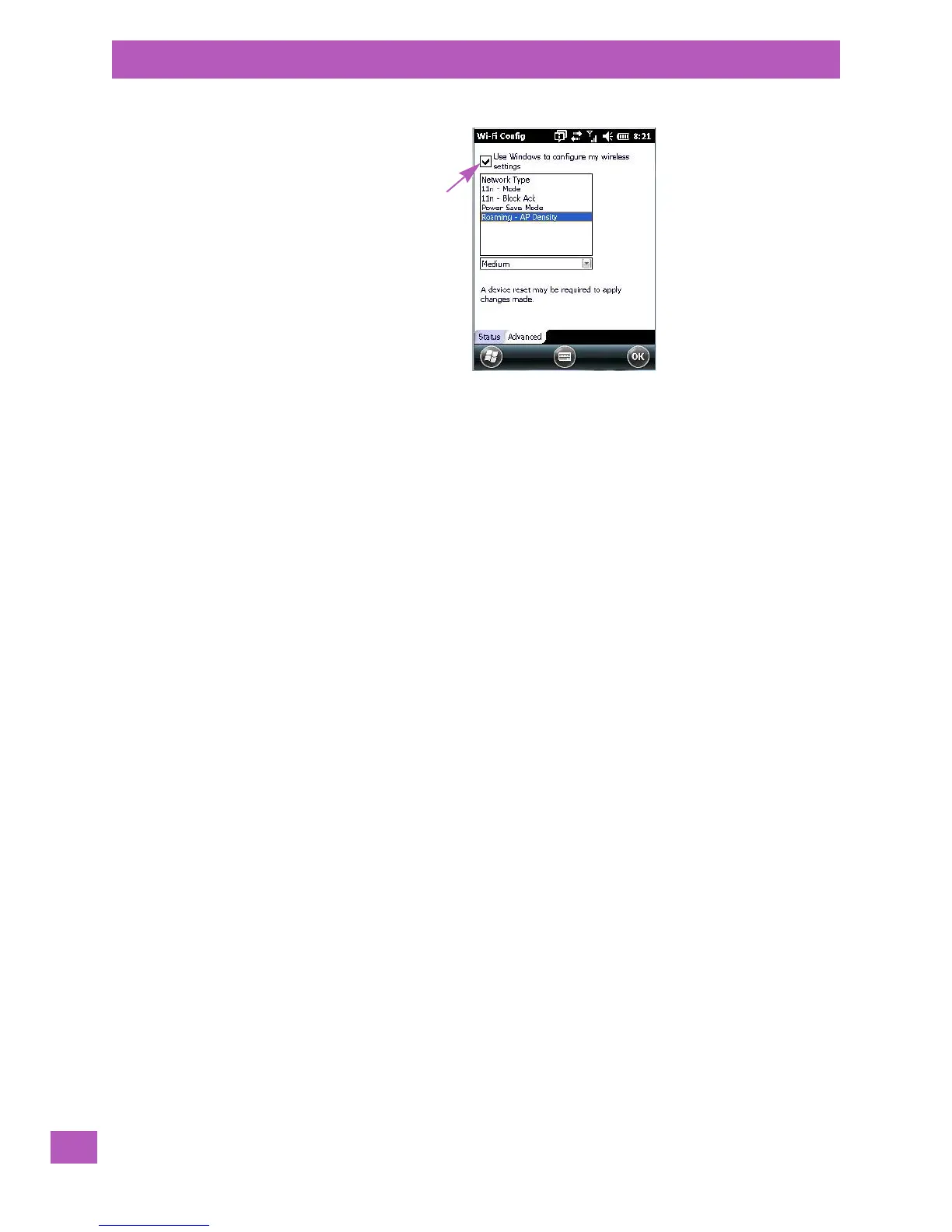
5.8.9.4.6 Roaming - AP Density
The Roaming - AP Density setting controls how aggressively the EP10 attempts to roam. The available
options are High, Medium, and Low with High providing the most aggressive roaming and Low providing the
least aggressive roaming.
Tap here to add a check mark
to activate Windows radio
configuration.



 To Next Page