Chapter 5: Settings
Buttons
139
Psion EP10 Hand-Held Computer User Manual
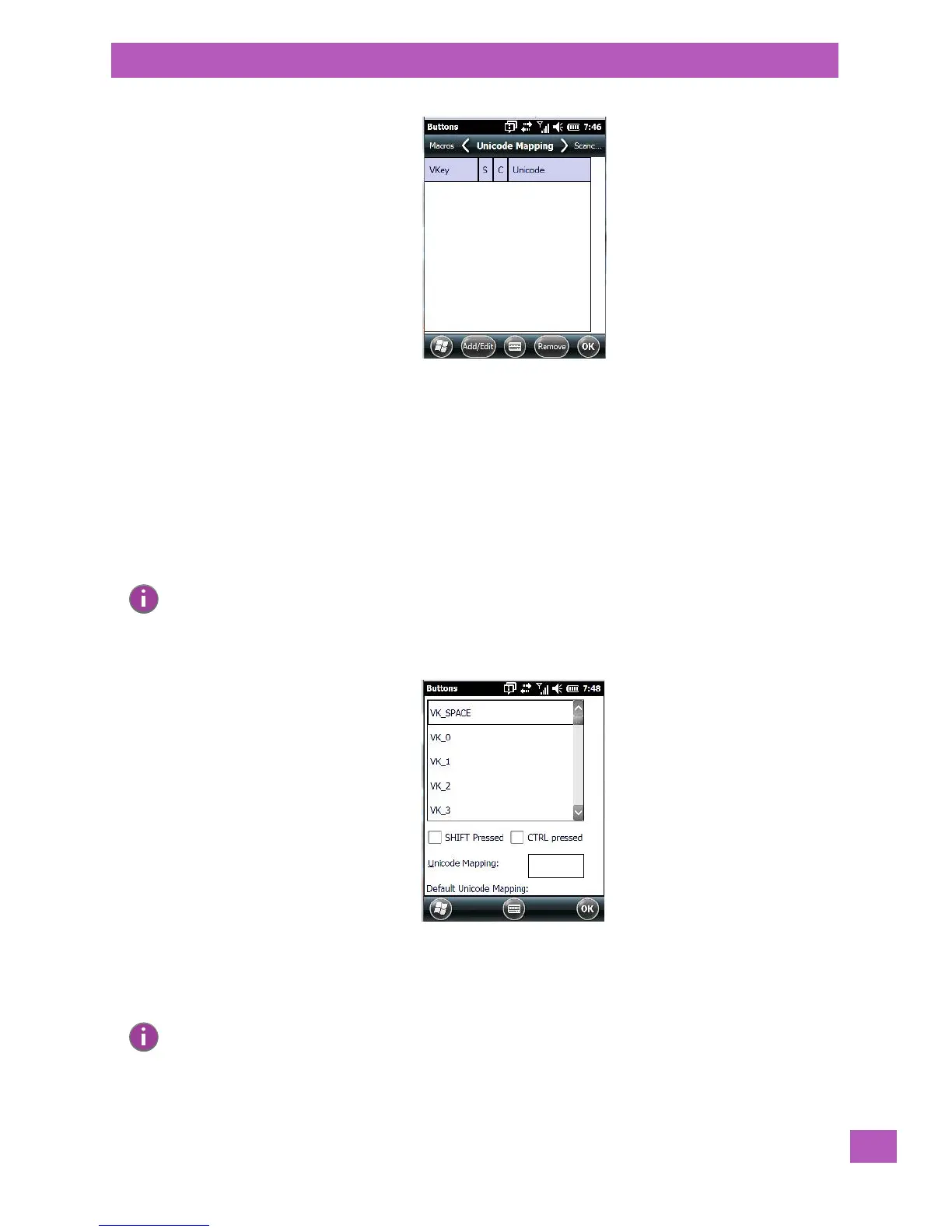
The Unicode Mapping tab is used to map combinations of virtual key values and [CTRL] and [SHIFT] states
to Unicode™ values. This tab shows the configured Unicode character along with the Unicode value. For ex-
ample, “a (U+0061)” indicates that the character “a” is represented by the Unicode value “0061”, and so on.
Keep in mind that Unicode configurations are represented as hexadecimal rather than decimal values.
All user-defined Unicode mappings are listed in the Unicode Mapping tab in order of virtual key value, and
then by order of the shift state. If a Unicode mapping is not listed, the Unicode mapping is mapped to the
default Unicode value.
Adding and Changing Unicode Values
• Tap on the Add/Edit button.
• Highlight a value in the Unicode mapping list.
• Position the cursor in the Unicode Mapping field, and type a Unicode value for the highlighted key.
Note: Changes to Unicode mappings are not saved until you exit the Unicode Mapping tab by tapping
on [OK].
Note: To add a shifted state – [SHIFT] and/or [CTRL], tap on the checkbox next to ‘SHIFT Pressed’ and/or
‘CTRL Pressed’.



 To Next Page