Chapter 5: Settings
PsionVU
Psion EP10 Hand-Held Computer User Manual
164
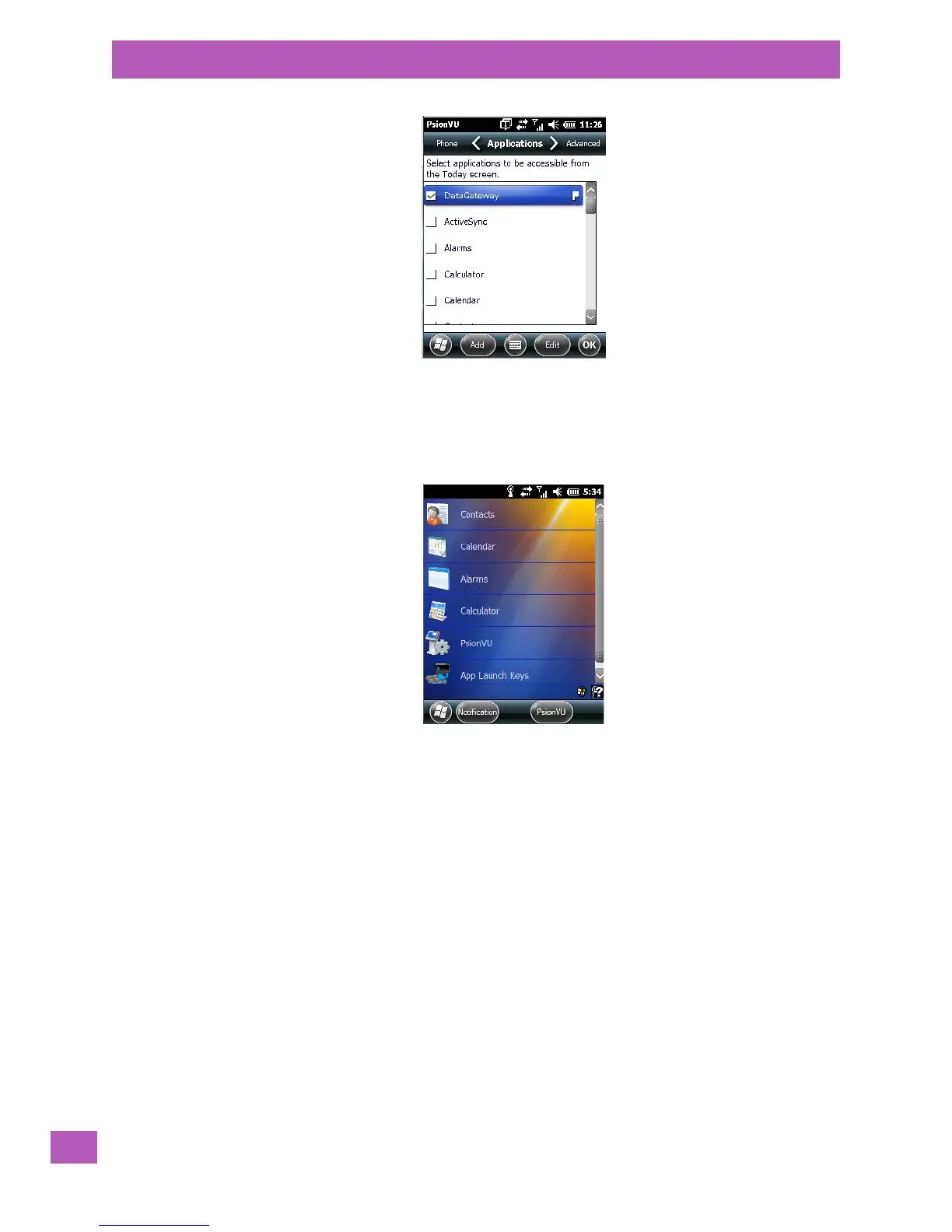
• Tap in the checkbox next to each application you want displayed on the To day screen.
Tapping on the Add button displays a screen from which you can choose additional applications to add to
the Applications tab.
Once the EP10 is reset, the look of the Tod ay screen differs significantly from the original version.
Adding Applications
The Add and Edit buttons allow you to search for applications in the storage areas on your EP10 (e.g., Win-
dows, My Device, etc.), and add applications to the list of items in the Today screen.
You can add a maximum of 18 applications, after which the Add button is greyed out. and the following
message is displayed: Maximum 18 entries reached.
• To add additional applications that will be accessible to the user from the Tod ay screen, tap on the Add
button at the bottom of the Application screen. The Select File screen is displayed.



 To Next Page