Appendix A: Wireless Wide Area Network (WWAN)
Establishing a Packet Data Connection
Psion EP10 Hand-Held Computer User Manual
A-4
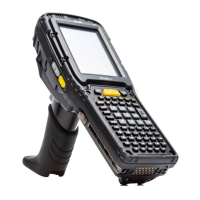
Figure A.1 Data Tab
•Scroll to the Data tab.
By default the connection uses CHAP (Challenge Handshake Authentication Protocol); however, if your ISP
does not support CHAP, tapping in the box to the left of PAP only authentication for: directs the connection
to use PAP (Password Authentication Protocol) instead.
•Tap on the Create button.
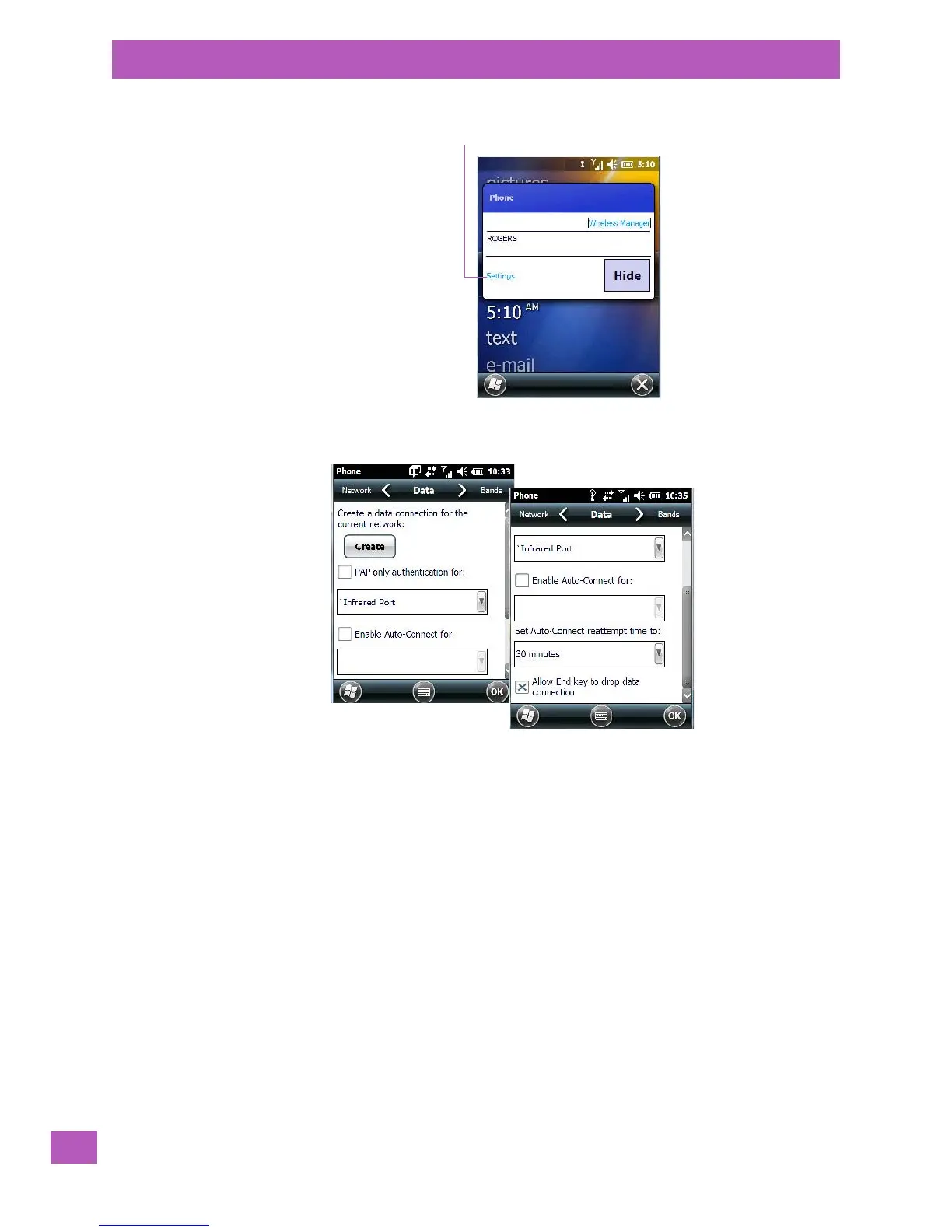
Tap here to display the
phone setting tabs.


 To Next Page