Appendix A: Wireless Wide Area Network (WWAN)
Advanced GSM/GPRS Data Configuration
Psion EP10 Hand-Held Computer User Manual
A-6
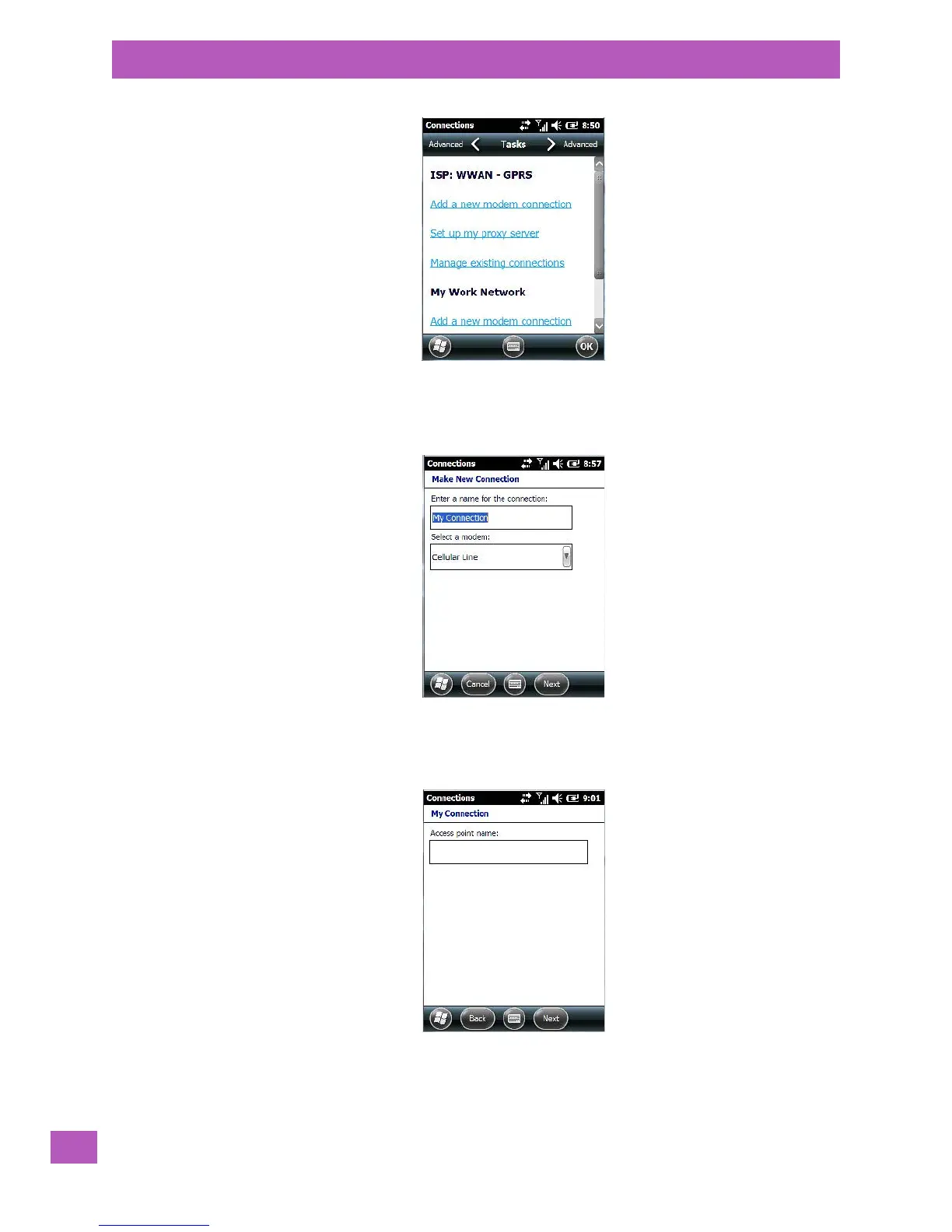
•Choose Add a new modem connection.
In most cases, you should choose Add a new modem connection from ISP: WWAN - GPRS. However, if you
need to use a Proxy server, choose this option from My Work Network.
• Enter a connection name (optional).
•Choose Cellular Line (GPRS) from the Modem drop-down menu.
•Tap on Next.
•Type the Access Point Name, and tap on Next.



 To Next Page