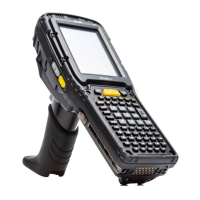
Psion EP10 Hand-Held Computer User Manual
III
Index
H
hand strap 197
hand strap (RV6021), attaching 197
Hardware Reset 13
headset, adjusting volume 161
headsets, pairing (Bluetooth) 108
Home
appearance, changing 98
Home icon (Start screen) 49
Home Screen (desktop screen) 31
customizing 31
I
Identifier
Default preset group C-3
imager (2D) scanner
scanning
2D 214
imager options 214
Imager Settings 156
indicators
LED functions 25
scanner message 215
softkey bar 40
input modes
handwriting 89
typing 89
integrated scanner option 214
interface, user D-3
Internet connection 114
Internet Explorer 67
browsing web sites 67
Internet Sharing 80
ISM band, Bluetooth radio 105
ISO-8859-1 Latin 1 (code page) 176
K
keyboard
one shot mode 137
Scancode remapping 140
Unicode Mapping 138
keyboard keys 18, 21, 23
DEL key, accessing (BKSP) 22
Macro keys 22, 137
modifier keys, locking & unlocking 20
modifiers 19
one shot mode 137
punctuation, accessing 21
Scancode Remapping 140
shift-state indicator icon 20, 40
Unicode Mapping 138
keypad, adjusting 54
keypad (phone) 50
L
landscape orientation 24
LED
desktop docking station (RV4000) 201
functions 25
RV4000 desktop dock 201
troubleshooting (desktop dock RV4000) 202
troubleshooting quad dock RV4004 205
Linear
Predefined preset C-4
Linear and PDF
Predefined preset C-4
linking EP10 to PC 44
Low light
Predefined preset C-4
Low light near
Predefined preset C-5
Low power
Predefined preset C-4
M
Macro keys 22
deleting a macro 138
executing a macro 138
Macros menu, accessing 137
recording and saving 137
maintenance (of EP10) 45
Managed Programs 159
mapping
Scancode 140
Unicode 138
Matrix
Predefined preset C-4
Memory 159
Storage Card tab 160
menus
pop-up 42
using 42
messages
Scan Indicator 176
scanner warning message 176
Scan Result 176
Messaging
Outlook e-mail, synchronizing 60, 62
Microphone, adjusting volume (Built-in, Headset and
Bluetooth) 161
microSD, inserting 26
Microsoft® ActiveSync® 44
Mode, Bluetooth 110
modem setup 115
Server Settings 117
TCP_IP Settings 116
modifier keys 19
locking & unlocking 20
OneShot Mode 137
shift-state indicator icon 20, 40
Motion Meter 150
N
name, assigning to WORKABOUT PRO3 143
network, selecting 123
network (phone), setting up 57
Note
recording a message (audio) 76
renaming 75
soft keyboard 74
text, converting handwriting into 74
transcriber 74
Notes 73
Notification, setting 104
Notifications and Sound, defining 104
O
OneShot Mode 137
OneShot tab (modifier keys) 137
Options tab (bar codes) 175
orientation, screen 24
Outlook e-mail, synchronizing (Windows Vista and 7) 62
Outlook e-mail, synchronizing (Windows XP) 60
P
Paired tab (Bluetooth) 111
pairing Bluetooth devices 108
Parity, port replicator 180
Password (admin), changing (PsionVU) 163
Paste data (Data Transmission) 177
PC, connecting EP10 to 202


 To Next Page